Pricing Plan
Free and Pro, with Pro priced automatically off your store's own Shopify plan.
This page is the complete pricing guide for AOV.ai Post Purchase Upsell. It covers both plans, how the app picks your Pro price automatically, and how upgrading and downgrading work.
Quick overview
| Plan | Monthly | Yearly | Best for |
|---|---|---|---|
| 🌱 Free | $0 | Not applicable | Trying the app, or under $200 in upsell revenue every 30 days |
| 🏷️ Basic | $19 | $190 | Stores on Shopify Basic |
| 🚀 Professional | $29 | $290 | Stores on Shopify (Grow) |
| 📈 Advanced | $29 | $290 | Stores on Shopify Advanced |
| 🏢 Plus | $59 | $590 | Stores on Shopify Plus |
Every paid tier unlocks the exact same Pro features, only the price (and the card's name) changes to match your Shopify plan. Yearly billing saves about 17% on the monthly price. Every paid tier includes a 7-day free trial.
How pricing works
You don't pick a paid plan manually. The app reads your store's Shopify subscription and shows you the matching Pro tier automatically, already named and priced for you.
| Your Shopify plan | Pro tier shown | Monthly | Yearly (save ~17%) |
|---|---|---|---|
| Basic | Basic | $19 | $190 ($15.83/mo) |
| Shopify | Professional | $29 | $290 ($24.17/mo) |
| Advanced | Advanced | $29 | $290 ($24.17/mo) |
| Plus | Plus | $59 | $590 ($49.17/mo) |
| Any other plan (trial, staff, partner, Starter, etc.) | Professional | $29 | $290 ($24.17/mo) |
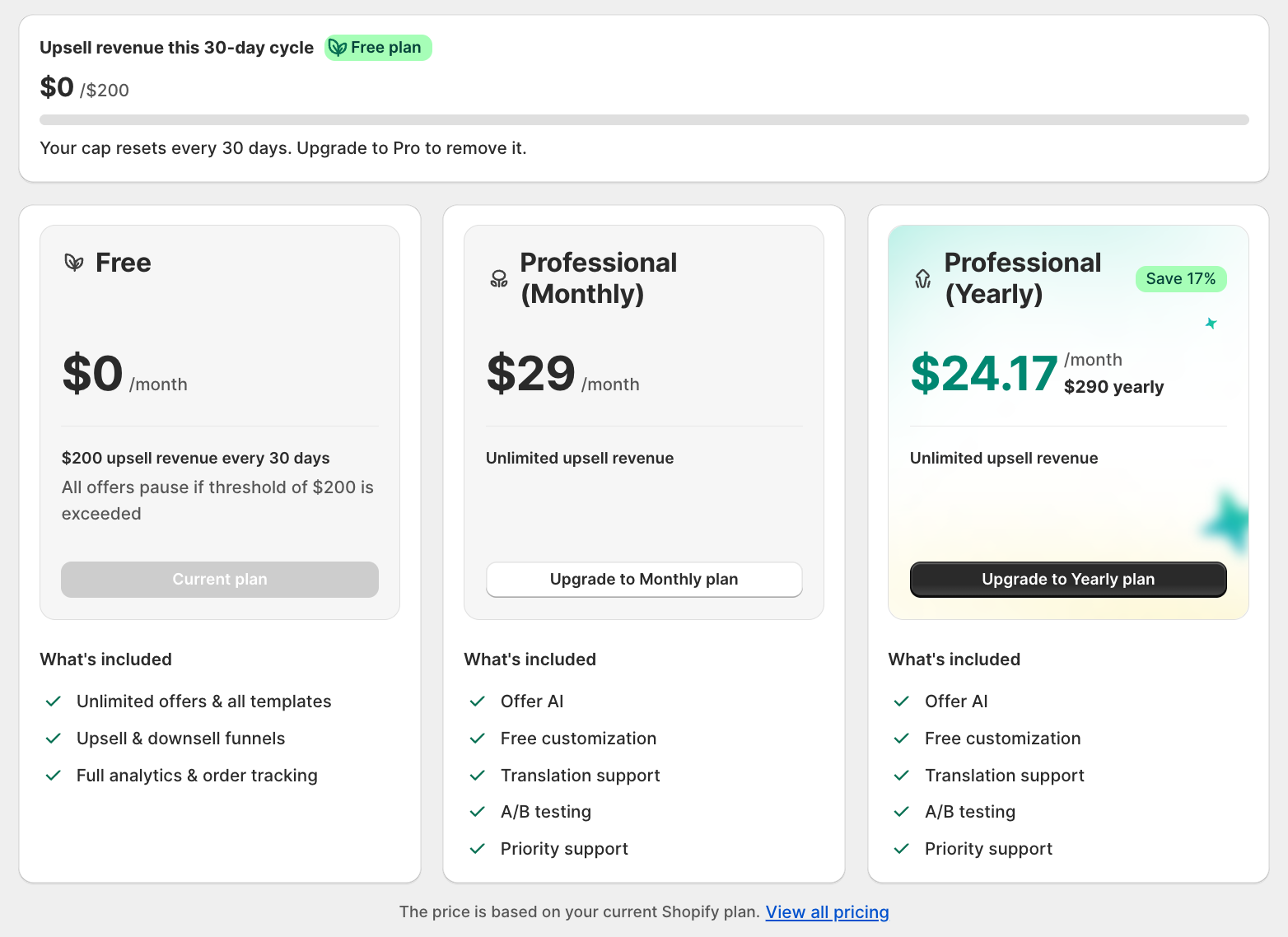
Why automatic plan selection?
- You always see a price you can actually subscribe to.
- The price you see matches what Shopify will actually charge you.
- The Plans page only ever shows 3 cards: Free, Pro (Monthly), and Pro (Yearly), never a full 5-row table.
Free ($0)
The Free plan includes:
- Unlimited offers and all templates
- Upsell and downsell funnels
- Full analytics and order tracking
When you reach the $200 cap:
- Offers stop showing to buyers, and a "Limit reached" banner appears
- Opening the create-offer page shows a "Revenue cap reached" screen instead
- Your dashboard, analytics, order history, and all settings stay fully viewable
- Offers resume automatically once the cycle resets, or immediately if you upgrade
Is the Free plan for you?
- You just installed the app and want to try your first offer before paying.
- Your store stays under $200 in upsell revenue per 30-day cycle.
- You want to evaluate the offer editor, templates, and analytics before committing.
Basic ($19/month)
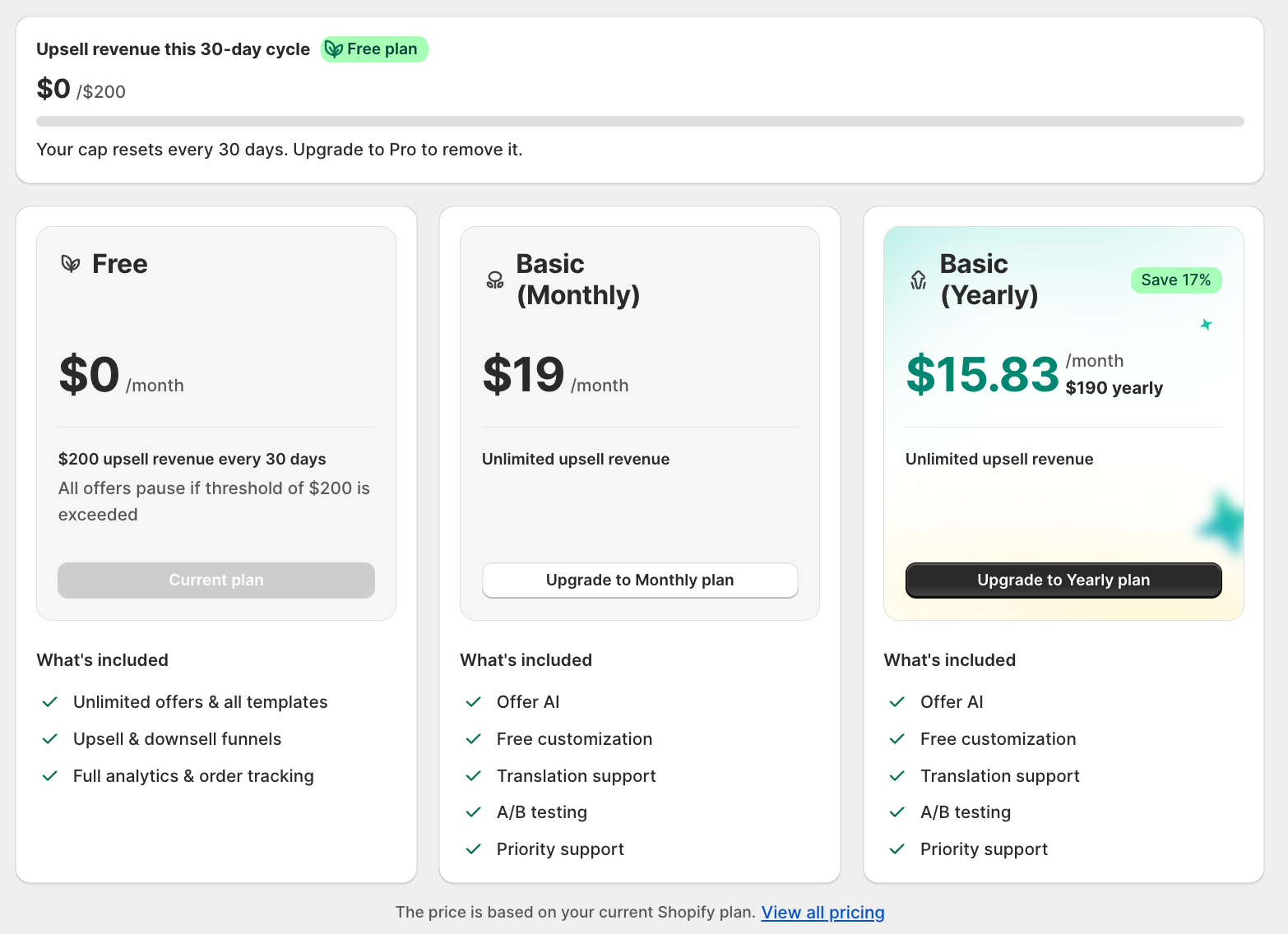
Covers stores on the Shopify Basic subscription. Flat fee: $19 per month or $190 per year (save about 17%).
What you get on Basic:
- Offer AI
- Free customization
- Translation support
- A/B testing
- Priority support
- Unlimited upsell revenue (no cap)
Professional ($29/month)
Covers stores on Shopify's Shopify plan (formerly "Standard" / "Grow"). Same flat fee and feature set as every other paid tier: $29 per month or $290 per year (save about 17%). See the screenshot under How pricing works above.
What you get on Professional:
- Offer AI
- Free customization
- Translation support
- A/B testing
- Priority support
- Unlimited upsell revenue (no cap)
Advanced ($29/month)
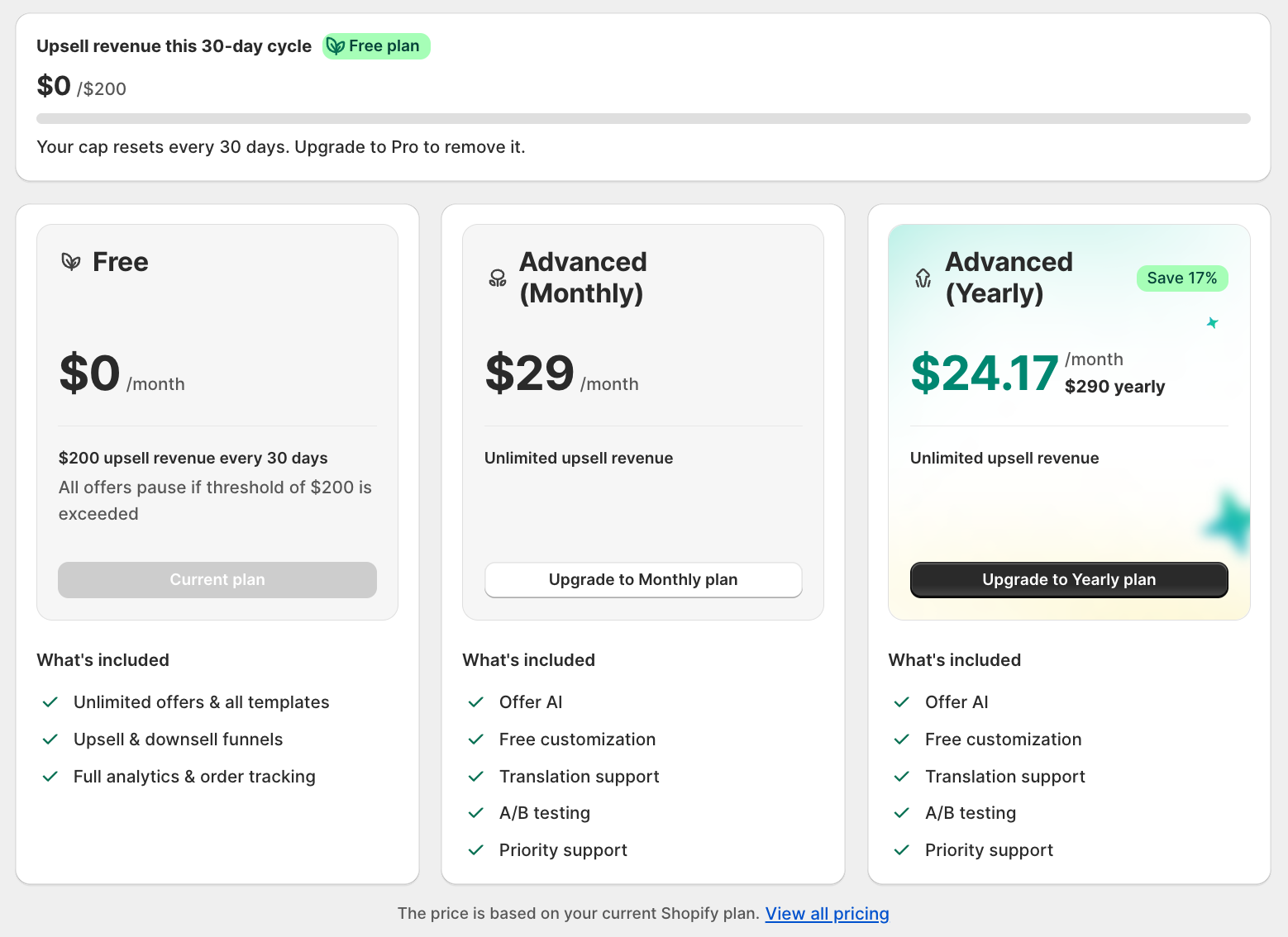
Covers stores on Shopify Advanced. Flat fee: $29 per month or $290 per year (save about 17%), the same price as Professional, the difference reflects Shopify's own plan tiering, not extra app features.
What you get on Advanced:
- Offer AI
- Free customization
- Translation support
- A/B testing
- Priority support
- Unlimited upsell revenue (no cap)
Plus ($59/month)
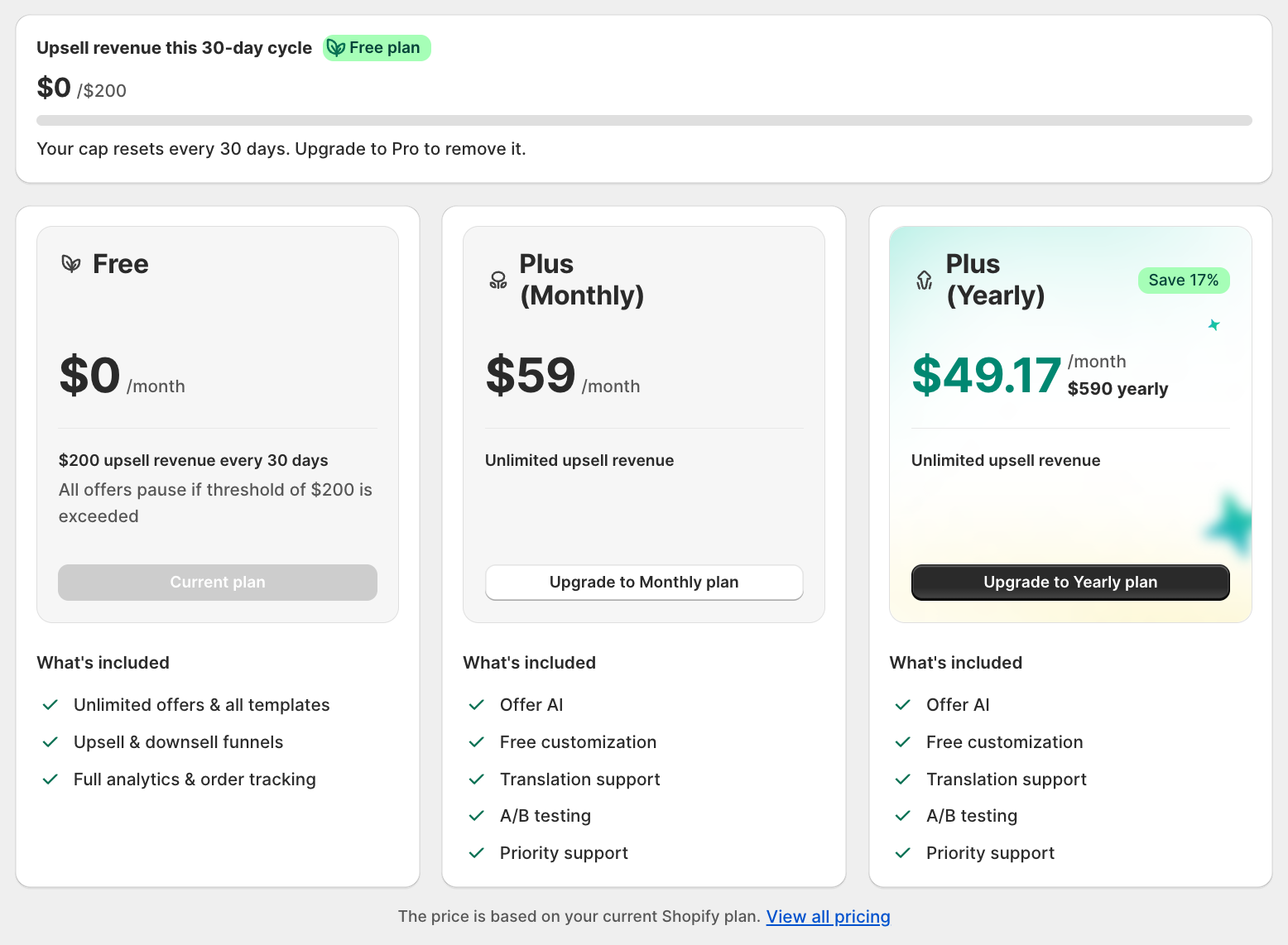
Covers stores on Shopify Plus. The highest tier, flat fee: $59 per month or $590 per year (save about 17%).
What you get on Plus:
- Offer AI
- Free customization
- Translation support
- A/B testing
- Priority support
- Unlimited upsell revenue (no cap)
Free vs Pro at a glance
| Free | Pro (any tier) | |
|---|---|---|
| Offers, templates, placements | Unlimited | Unlimited |
| Upsell / downsell funnels | Included | Included |
| Analytics & order tracking | Full | Full |
| Upsell revenue | $200 every 30 days | Unlimited |
| Offer AI | Locked | Included |
| Translation | Locked | Included |
| A/B testing | Can't start new tests | Included |
| Support | Help center and community | Priority support |
What locked features actually look like on Free:
- Translation: the tab still opens, but its content is replaced by an upgrade screen, "Your translations are only accessible with our higher plan." A direct link to a translation page shows the same screen.
- A/B testing: you can't start a new test, but a test that was already running before you were on Free keeps running and stays editable.
- Offer AI: the Analyze my store button shows a lock icon, clicking it opens an upgrade prompt instead of running the analysis.
Billing essentials
- All charges are billed in USD.
- Every new Pro subscription starts with a 7-day free trial, cancel anytime with no charge.
- Monthly cycles are 30 days from the day you subscribe.
- Yearly cycles are 365 days from the day you subscribe.
- Shopify doesn't allow changing the billing interval of a running subscription, choose Monthly or Yearly when you subscribe, then re-subscribe from Plans to switch later.
- Changing your Shopify plan doesn't automatically change your app price, re-subscribe from Plans to pick up the new tier's rate.
How to Upgrade
- Open AOV.ai Post Purchase Upsell and go to Plans
- Choose the Pro card, Monthly or Yearly
- Approve the charge on the Shopify confirmation screen
- Pro features unlock immediately, and your 7-day trial starts
How to Downgrade
Downgrading to Free from the app's downgrade screen:
- Your upsell revenue cap of $200 per 30 days applies again
- If your current cycle already passed $200, offers pause until the next reset
- Translation, Offer AI, A/B testing, and priority support lock again
- All your settings, offers, and analytics are preserved
A few common questions
Is the Free plan really free?
Yes. Free costs $0 and stays free, with no time limit. You can run unlimited offers as long as you're under $200 in upsell revenue for the current 30-day cycle.
Does the $200 limit reset?
Yes, automatically every 30 days from your install date. You don't need to do anything, it resets on its own.
What happens when I reach $200 in a cycle?
Your offers pause on the storefront until the cycle resets or you upgrade. Nothing is deleted, your settings, offers, and analytics stay exactly as they were.
What does the yearly plan save me?
Yearly billing charges about 10 months for a full 12 months of Pro, roughly 17% cheaper than paying monthly.
Do I get a free trial, and what if I cancel?
Yes, every new Pro subscription starts with a 7-day free trial, cancel anytime with no charge. If you cancel, you return to Free, where your offers keep running until that cycle's cap is reached.
What if I upgrade or downgrade my Shopify plan (for example, Basic to Advanced)?
Your app subscription keeps the price you originally signed up for, it does not change automatically. Re-subscribe from the Plans page to pick up your new Shopify plan's matching Pro tier and price.
Related guides
- Offer AI: what the Pro-only analysis does and how to turn a suggestion into an offer.
- A/B Testing: compare offer variants, Pro only.
- Multi-language support: translate your offers, Pro only.
If a number on your invoice looks wrong, or you need help picking a plan, contact AOV Support: [email protected].