Authentication
Claude proves it is allowed to read this store with a connect code you generate in the app. You paste that code once, in a browser tab, and the connection is made.
You never type a password into Claude, and Claude never holds your Shopify credentials.
The connect code
Find it in the app under Settings → AOV MCP.
| Property | Value |
|---|---|
| Where | Settings → AOV MCP → Paste your connect code |
| Lifetime | 6 hours from the moment it is generated |
| Reuse | Works for several clients inside those 6 hours — connect Claude Code and Claude Desktop with the same code |
| Visibility | Shown once, when generated. After that the app shows only ••••-••••-•••• |
| How many | One live code per store. Generating a new one kills the old one |
The app generates a code for you the first time you open the tab, so there is always one ready to paste.
How the connection is made
- You add the server to Claude — a command in Claude Code, a custom connector in Claude Desktop.
- Claude tries to read your data, gets refused, and opens a browser tab on this app.
- The tab asks for your connect code. You paste it and select Connect.
- The tab hands Claude back a one-time approval, Claude exchanges it for its own access token, and the connection is live.
Steps 2–4 are automatic apart from the paste. Step-by-step screens: Claude Code · Claude Desktop.
Confirming it worked
Select Check connection in Settings → AOV MCP. The badge reads Connected when a live connection exists for this store.
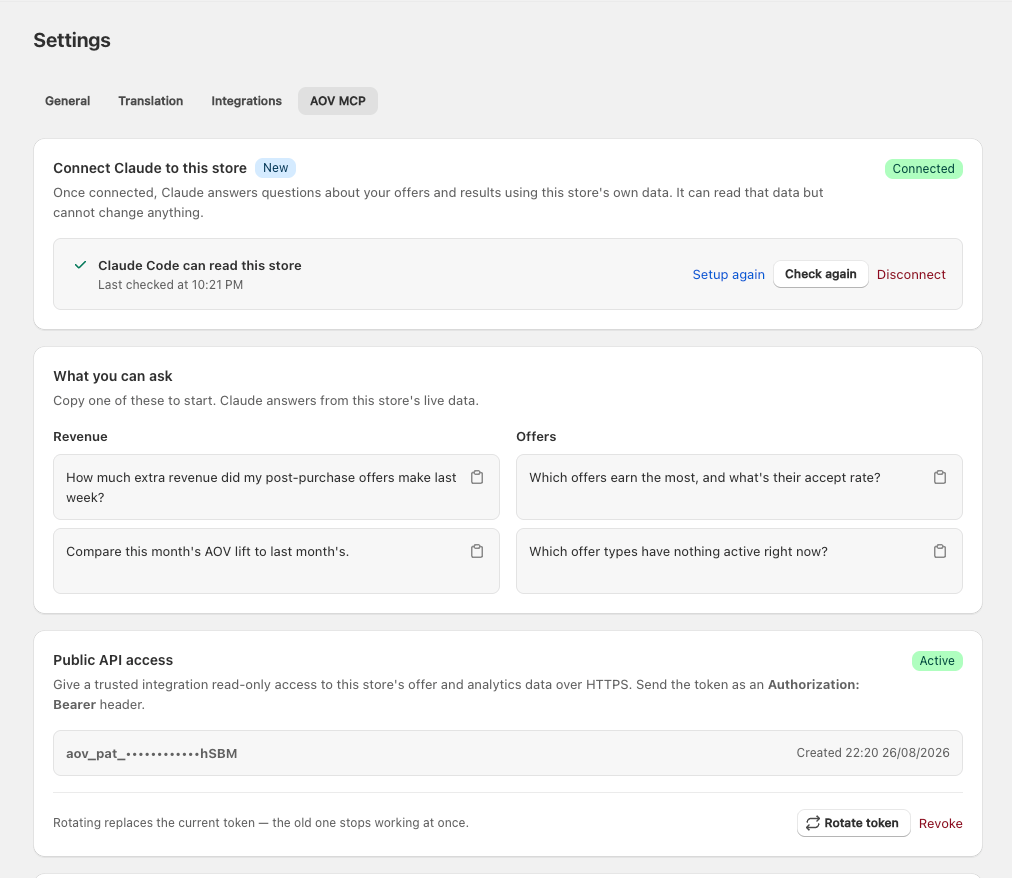
Once connected, the setup steps collapse into the single row above. Setup again reopens them, Check again re-runs the check, and Disconnect cuts access.
The tab also checks by itself while it is open, so a connection you make in the terminal flips the badge on its own within a few seconds.
Cutting access
Three ways, all immediate:
| Action | What happens |
|---|---|
| Disconnect | Every connected client loses access at once, and the current connect code stops working |
| New code | Same as Disconnect, plus you get a fresh code to reconnect with |
| Uninstalling the app | Every credential the app issued for this store is revoked — the Claude connection and the Store API token alike |
There is no delay and no cache. The next thing a disconnected client tries comes back refused.
Under the hood
For readers who want the mechanism:
- OAuth 2.1 with PKCE (
S256) and Dynamic Client Registration. Discovery lives at/.well-known/oauth-protected-resource(RFC 9728) and/.well-known/oauth-authorization-server(RFC 8414). - The connect code is what authorizes; it is stored as a hash, never in the clear.
- The authorization code returned to the client is single-use and lives 10 minutes.
- The access token is opaque and is checked against the store's records on every call — which is why revoking is instant.
- Access tokens do not expire and there is no refresh token. Revoking is the only way a connection ends. Reconnecting means pasting a code again, not refreshing.
- Sign-in callbacks are accepted only from
localhost/127.0.0.1on any port, and from Claude's own callback hosts. This is what stops a stolen connect code from being redirected to somebody else's server. - 60 requests per minute, shared across the connection.
Related
- Install Claude Code
- Troubleshooting
- Store API authentication — a separate token, for scripts rather than AI clients