Subscription restrictions
Issue description
When creating or editing campaign, the campaign cannot be saved if the gifting product has the following Shopify setting enabled:
“Only sell this product with these purchase options”
(Shopify → Product → Purchase options)
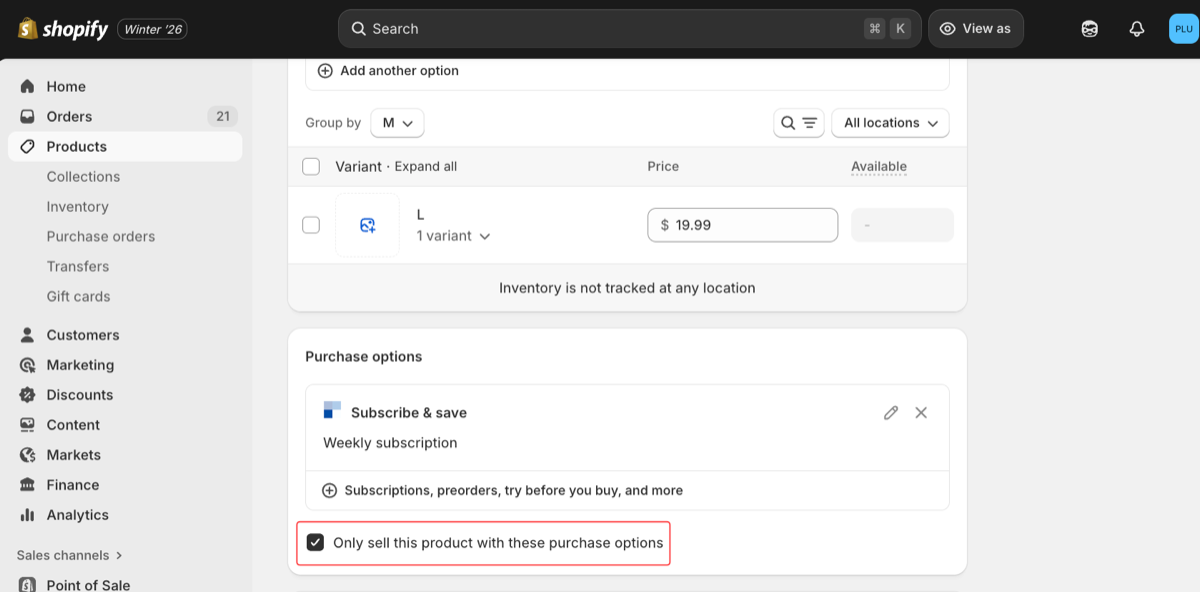
This setting forces the product to be sold only as a subscription product, which prevents the AOV.ai Free Gift app from using the gifting product as a one-time gift
How to fix the Issue
You have two valid solutions. Choose whichever fits your business.
1. Uncheck the “Only sell this product with these purchase options” Box
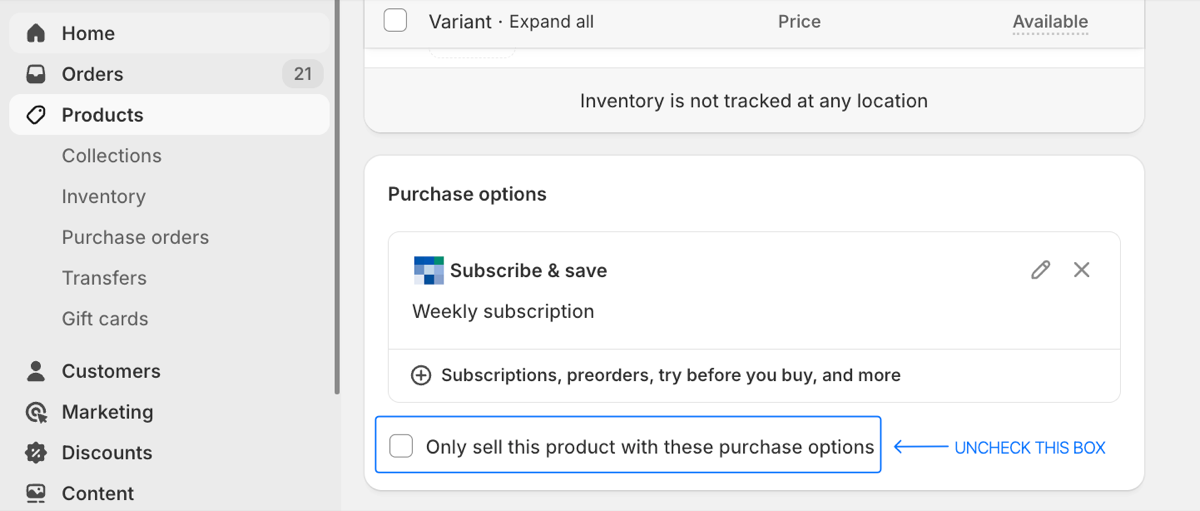
Steps:
- Go to Shopify Admin > Products
- Scroll to Purchase options section
- Locate the setting:
&#xNAN;“Only sell this product with these purchase options” - Uncheck this option
- Save the product
- Return to the Free Gift app → Save the campaign again
2: Remove subscription purchase option
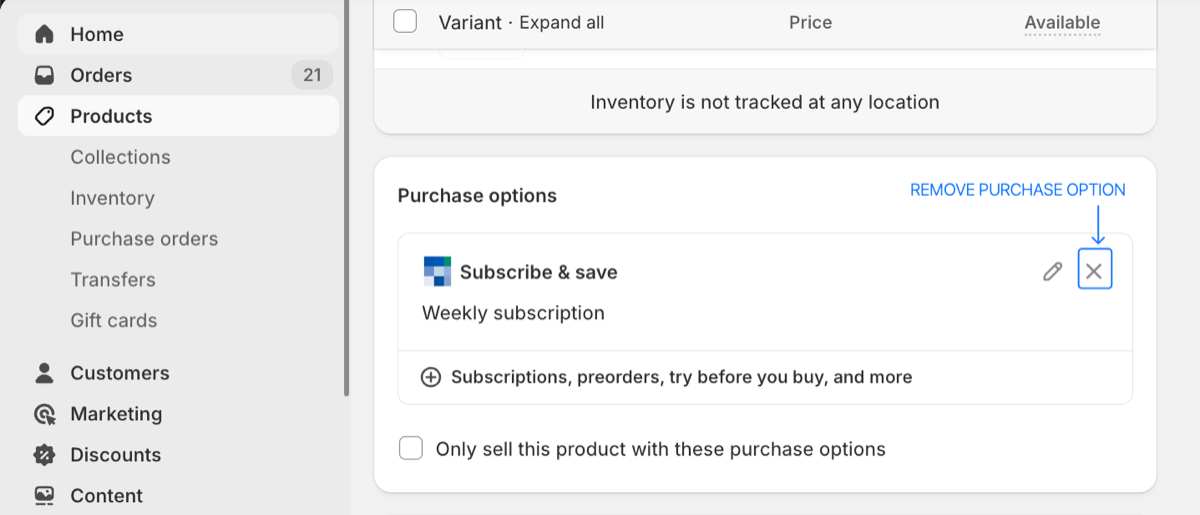
Steps:
- Go to Shopify Admin > Products
- Open your gifting product
- In Purchase options, remove the assigned Subscription option
(Click “Manage” → Remove subscription option) - Save the product
- Go back to Free Gift → Save the campaign