Feature updates
Keep track of all updates, improvements, and fixes.
5 Aug 2026
New: Widget default text now matches the store's language
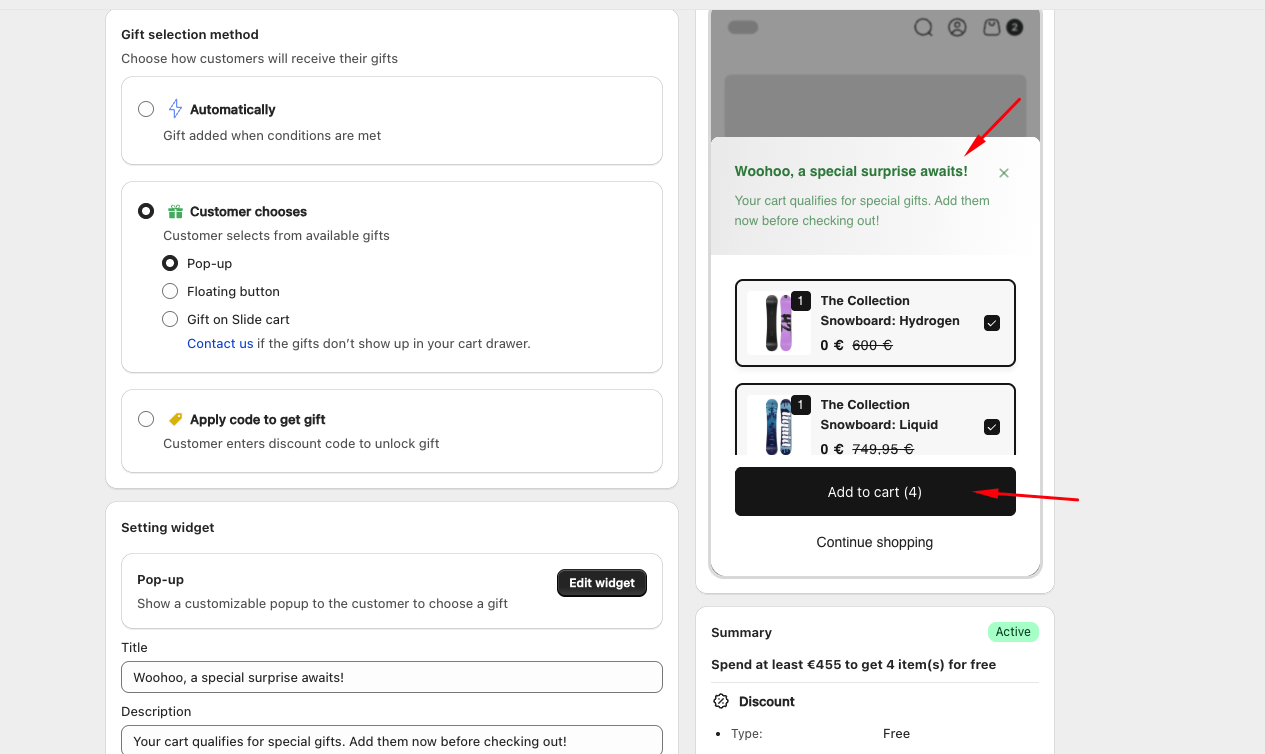
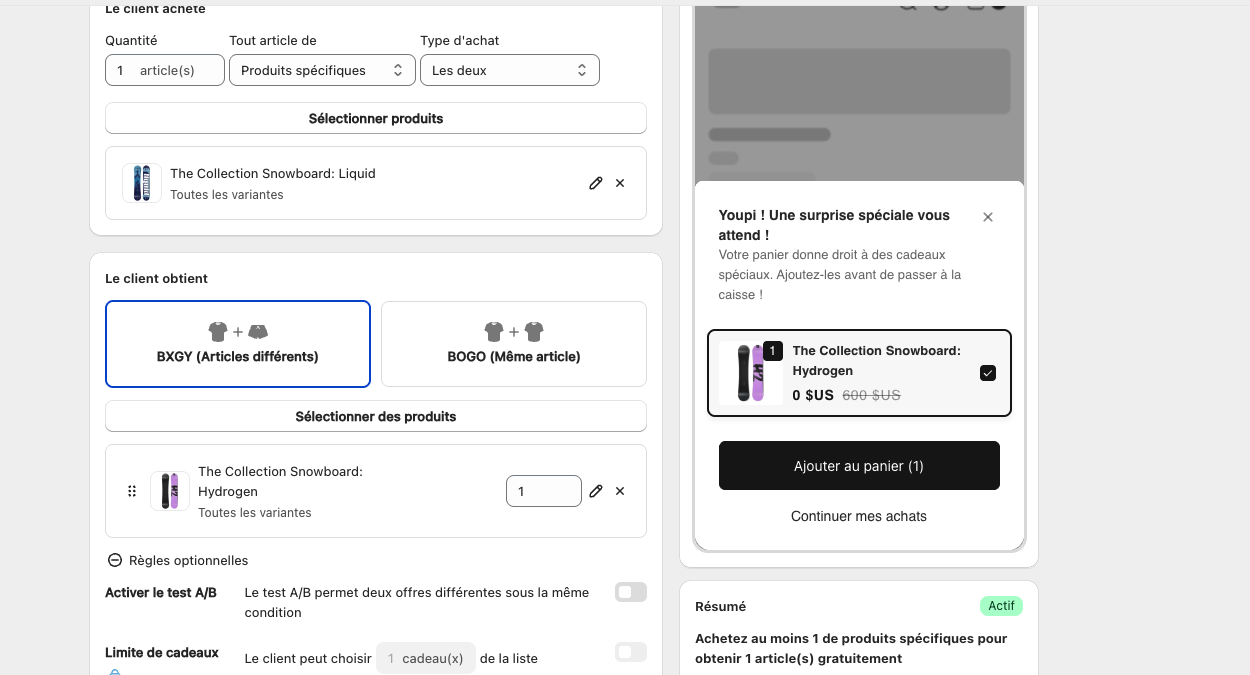
New installs on a French, German, Italian, or Spanish store now see widget default text already in that language, instead of English.
- Covers around 60 text fields across 11 widgets (Popup, Congrats bar, Floating button, Progress bar, and more). AI-translated, then reviewed by a native speaker.
- Stores in any other language still default to English, same as before.
- Existing installs are unaffected. The store's language is only read once, the first time a widget's default text is created for a new install.
- Available on every plan, including Free.
No setup needed: the app reads the store's default language at install and loads the matching text automatically.
Example, a store with French as its default language, before this update vs. a new install today:
4 Jun 2026
New: AI Translate directly in Campaign Editor and Widget Editor
You can now translate campaign and widget content into multiple languages without leaving the editor. No more navigating to Settings > Translations for every update.
In the Campaign Editor
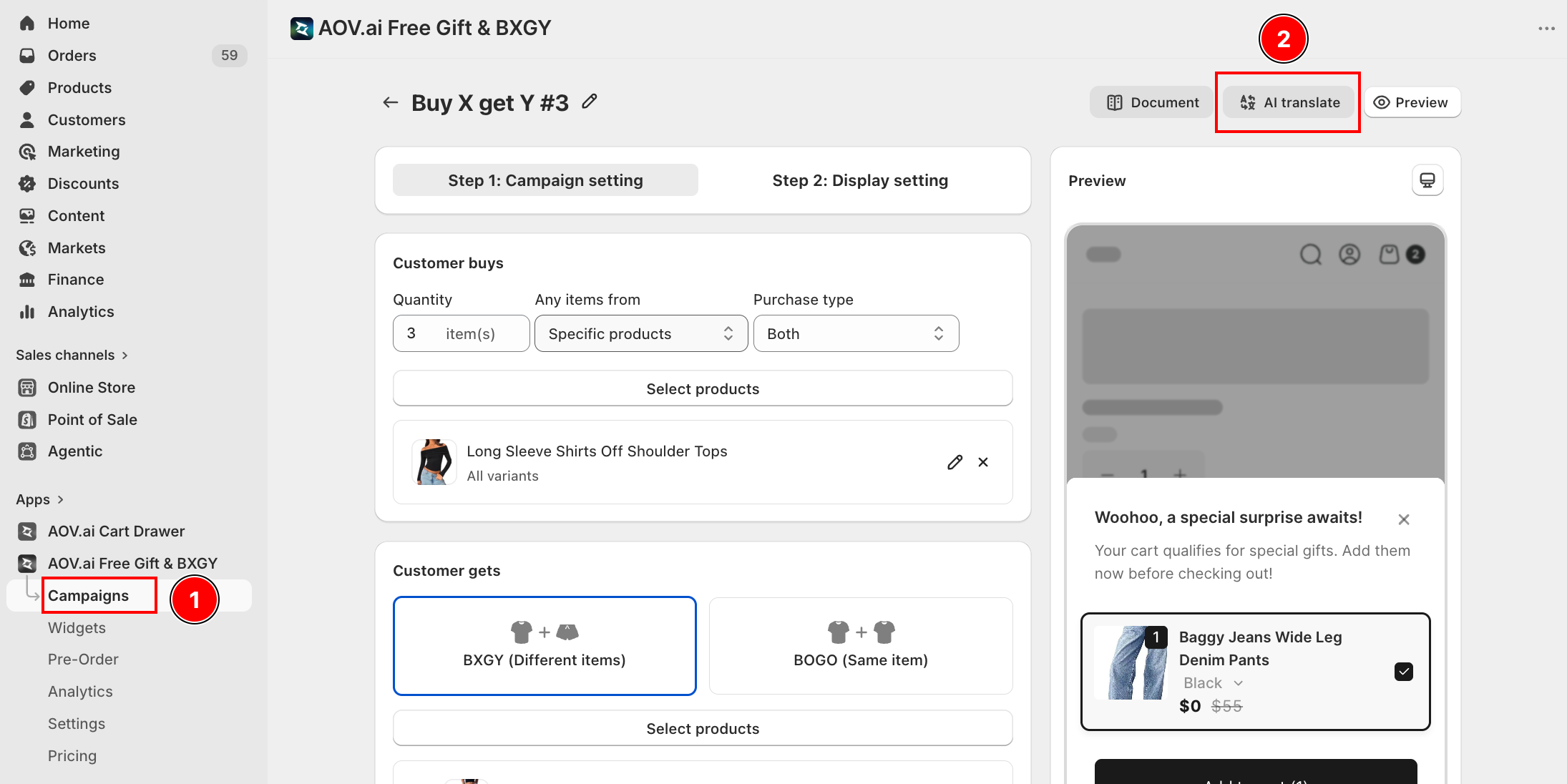
A new ✨ AI Translate entry appears in the campaign header menu, next to Documents and Preview. Click it to open a full-screen Translation Modal: the left column lists your active languages, the right column shows a live widget preview that updates as you switch languages and widget types.
- AI Translate all missing fills only the empty fields and leaves any text you have already edited manually untouched.
- See details for any language opens a field-by-field editing screen with a real-time preview that updates as you type.
In the Widget Editor (Content tab)
Each widget now has an AI Translation section inside its Content tab, grouping the widget's text fields with an inline translate button. Supported widgets: Deal of the Day, Popup, Promotion Card, Floating Button, Gift Box, Gift on Cart, Slide Cart Offer, Gift Selection, Progress Bar.
Promotion Badge and Congrats Bar are not included here because their content belongs to the campaign level. Translate those in the Campaign Editor instead.
Smart translation
Shared fields that were already translated in a previous campaign (such as "Next" or "Add to cart") are skipped automatically. Translations run one language at a time to stay within API limits and only process languages that are active in your store.
Free plan
The AI Translate button is visible on the Free plan. Clicking it opens an upgrade prompt instead of the translation panel.
8 Dec 2025
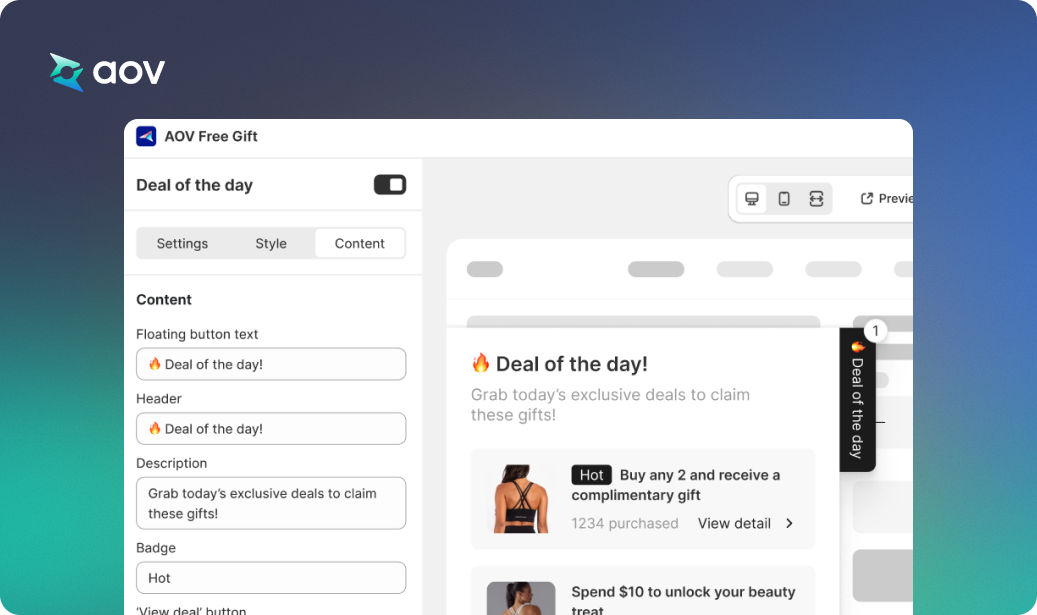
Update: Deal of the Day Now Supports “Content” Tab
- A new Content tab is added inside the Deal of the Day max modal (next to Settings / Style)
- This tab allows merchants to customize all widget text: headlines, labels, badges, campaign-specific messages, etc.
- Besides the default text fields, the system dynamically displays extra fields only for the campaigns enabled in Deal of the Day
8 Dec 2025
Update: Milestone display on Both Product Page & Cart Drawer
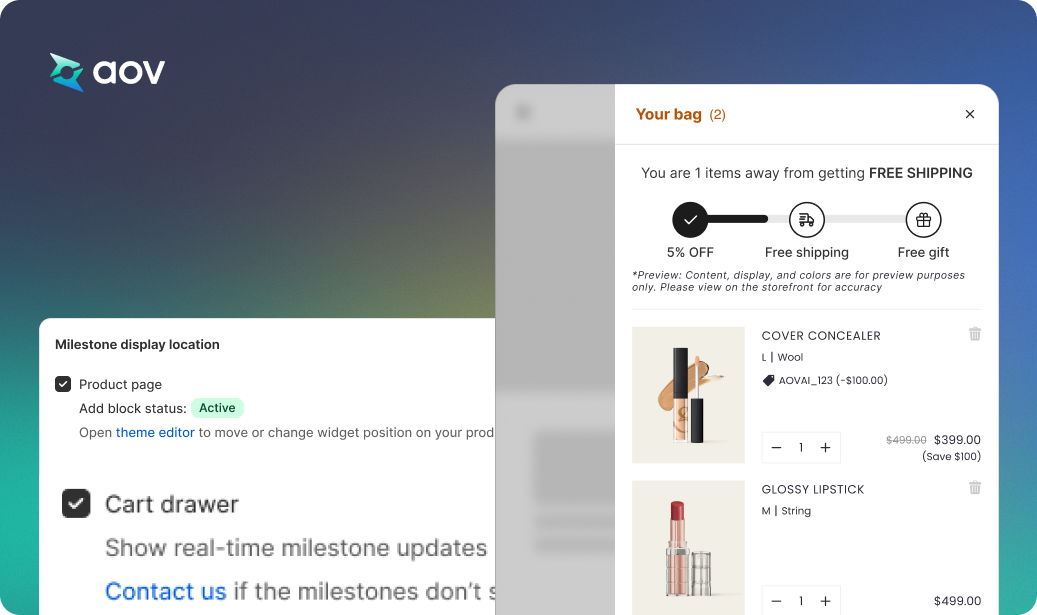
- Milestone Progress Bar can now display directly in the Cart Drawer with a single checkbox
- When both are enabled → the milestone will appear on both PDP and Cart Drawer
- No Theme Support team needed → faster, fully self-serve setup for merchants
8 Dec 2025
Improvement: Prevent Expired Campaign Gifts From Being Checked Out
- The system now automatically validates and removes expired gifts when the buyer visits the storefront
(home, collection, cart, PDP, etc.) - Only exception: direct visits to the Checkout page (because Shopify allows app scripts only on Plus stores)
→ Non-Plus stores cannot modify checkout, but expired gifts will already be removed before reaching checkout
25 Nov 2025
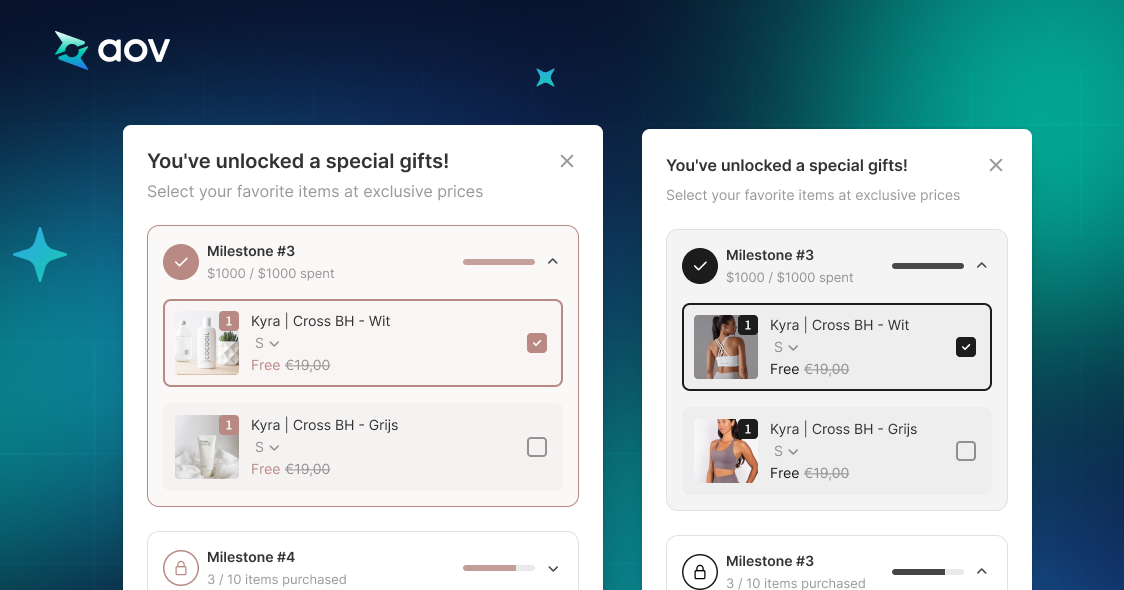
Improvement: Milestone Rewards, “All Eligible Gifts” Optimization
What
When merchants use All eligible gifts (shoppers who reach the highest milestone receive all gifts), the system now handles adding and displaying gifts more efficiently:
- Faster and more accurate Auto Add Gift
- No pop-up spamming for the Pop-up method
- Smoother UX with less friction
How
1. Auto Add Gift
If the shopper reaches the highest milestone:
- The system adds all gifts in one single action, not multiple times
(e.g., 4 milestones → add 4 gifts at once) - Result: Much faster, prevents add-gift errors
2. Pop-up Gift Selection
If the shopper unlocks multiple gifts:
- No multiple pop-ups in a row
- Higher milestones displayed to boost motivation
- Result: No pop-up spam, better purchase motivation
15 Nov 2025
UI/UX Improvements for Gift Selection (Popup & Floating Widget)
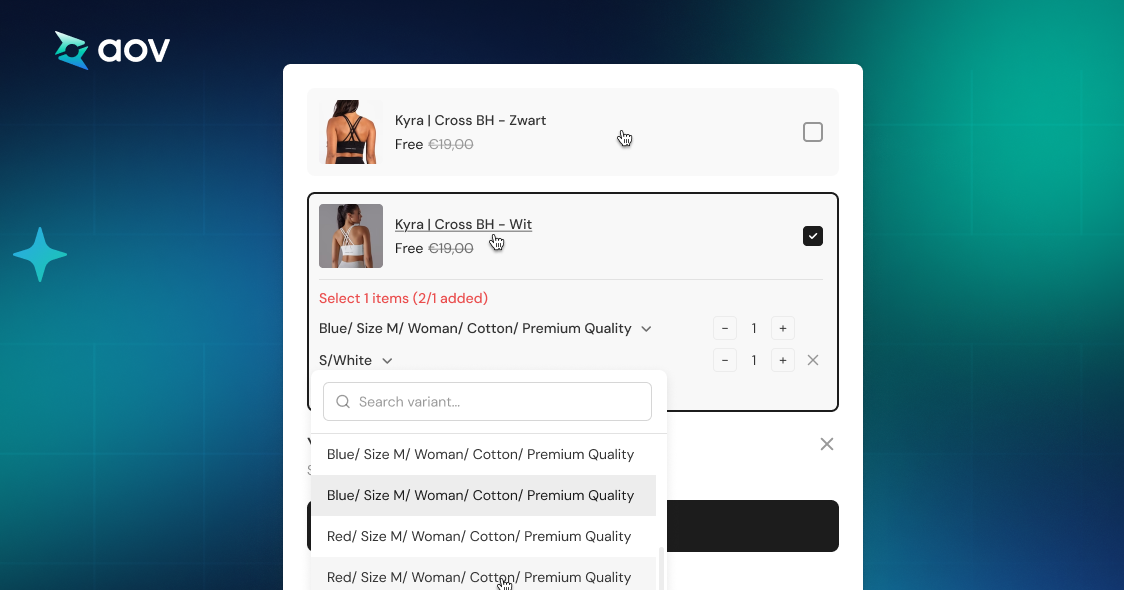
- Added vertical & horizontal scrolling for long variant lists
- Clicking the entire product card now selects the gift (not just the checkbox)
- Hover underline on product name when quantity selector is off
- Added micro-interactions from prototype:
hover on add item, variants, product card, product name, quantity;
select icon rotates on toggle
1 Nov 2025
New Feature: Product Combination Conditions for Gift Campaigns
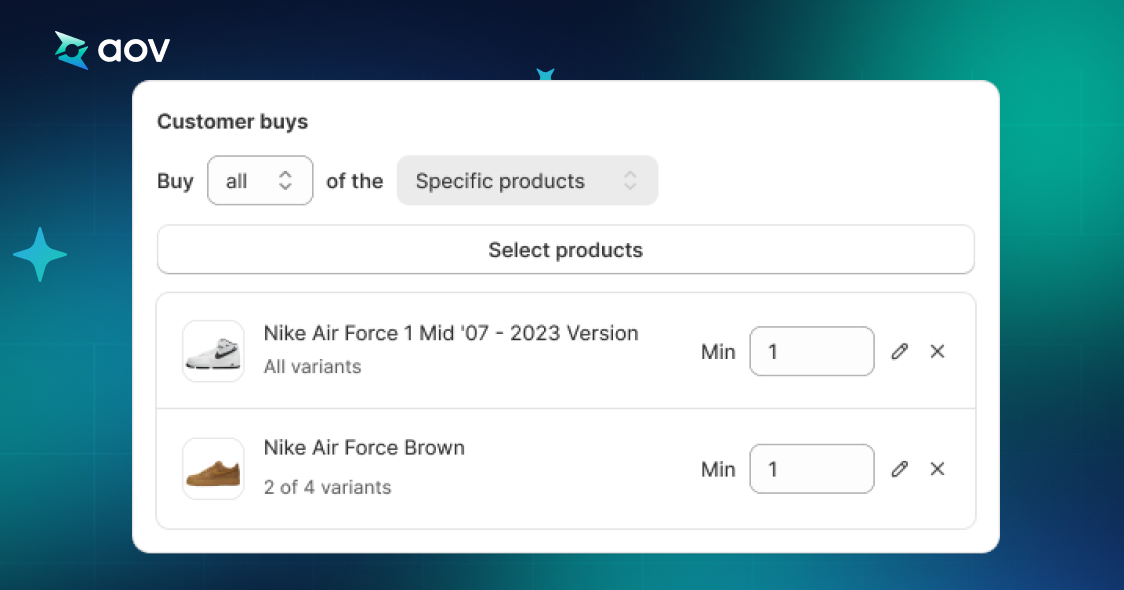
Merchants can now require customers to purchase all selected products-each with its own minimum quantity-to qualify for the gift.
- New ALL logic for Specific Products
- Set minimum quantity per product
- Gift is unlocked only when every product meets its required quantity
Check details here
15 Oct 2025
New feature: Support multiple gifts and pop-up selection in Milestone Rewards campaigns
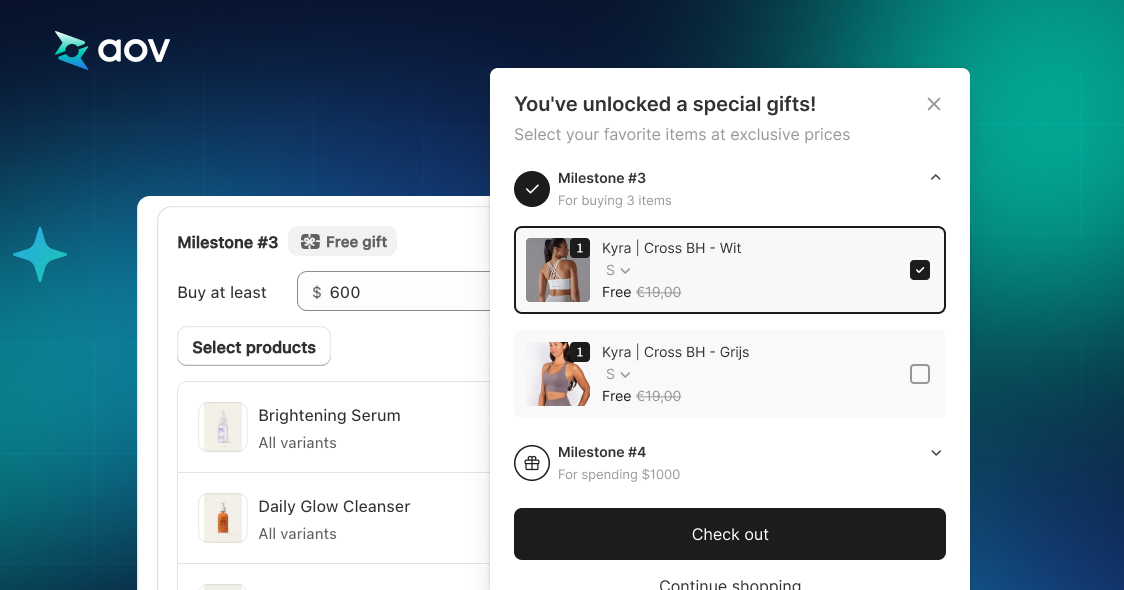
- Merchants can select multiple gift products for each milestone.
- Choosing Pop-up enables customization settings and an optional gift limit.
- On the storefront:
- Auto-add: all eligible gifts are automatically added to the cart.
- Pop-up: shoppers can manually select their preferred gifts.
26 Sep 2025
New feature: Multiply Lowest-Priced Gift.
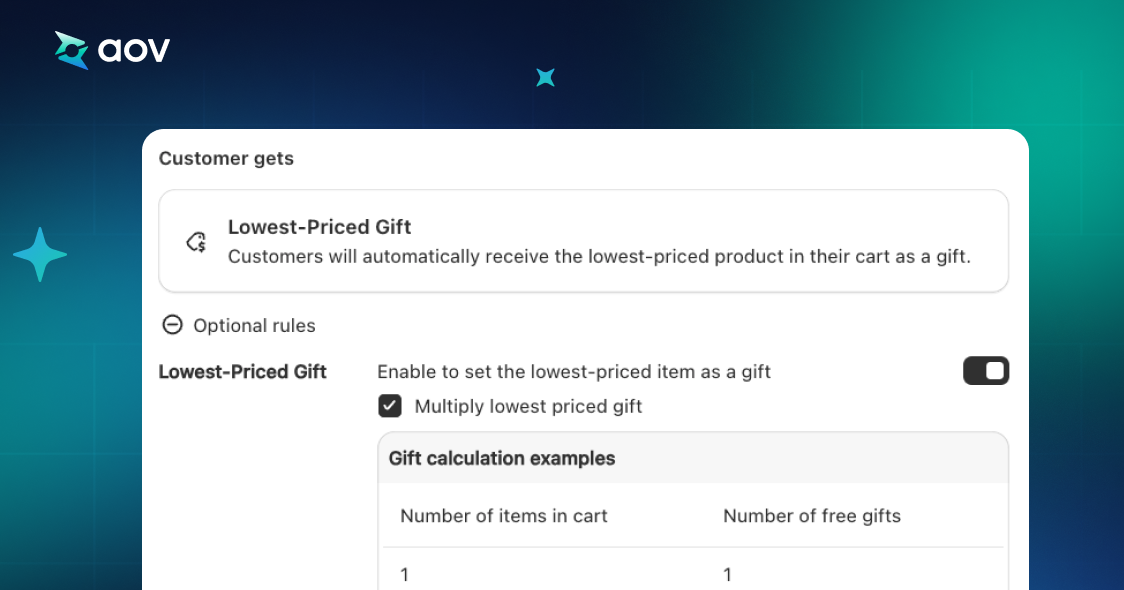
This feature automatically multiplies the number of gifts when customers purchase multiple trigger products. The system awards gifts based on the lowest-priced eligible item in the cart, applicable to the “Gift with Quantity Purchase” campaign type.
25 Sep 2025
New feature: Apply code to get a gift directly in the cart drawer or cart page.
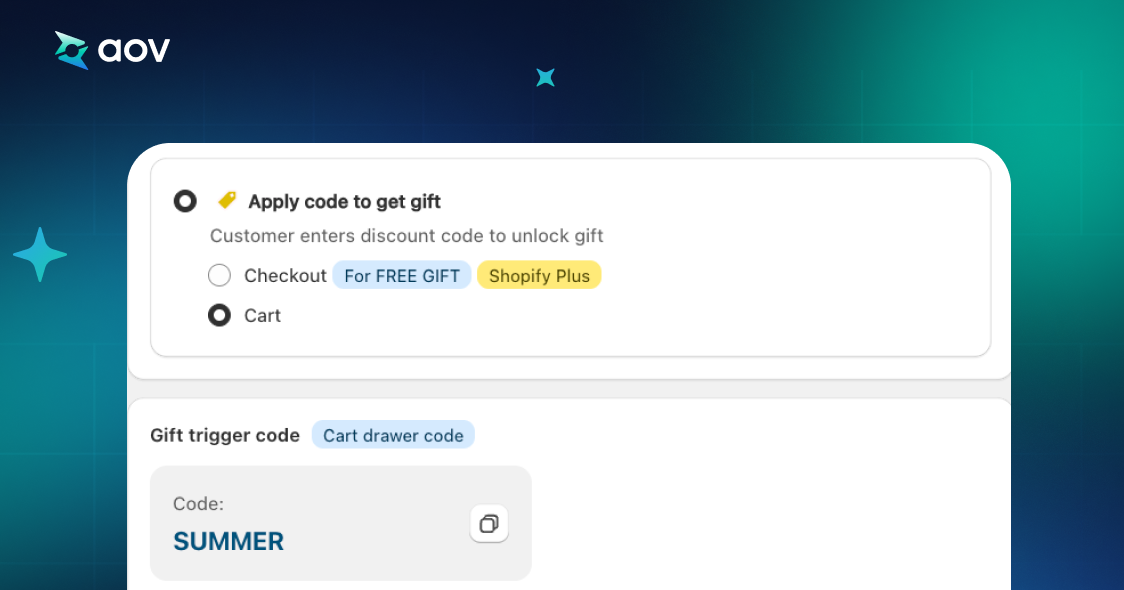
Shoppers can now enter a code in the cart to instantly receive a gift for “Buy X Get Y” campaigns. The app auto-generates a default code (e.g., SUMMER) that merchants can customize. This feature supports stores with a discount input field in the cart (including the Horizon theme). If unsupported, the option will be disabled and merchants can contact support for integration.
18 Sep 2025
Update: Optimized the AOV.ai Free Gift widget experience for easier management and customization.
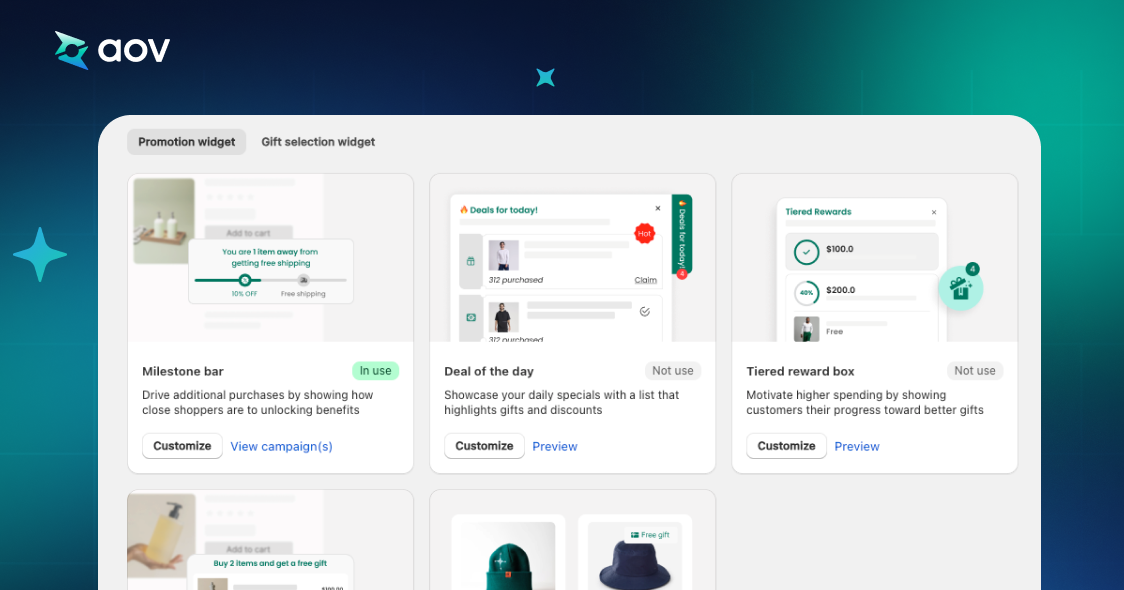
Widgets now display usage status:
- In use: Shows how many campaigns are using the widget (e.g., “2 campaigns”) with options to Customize (open the edit modal) or View Campaigns (see campaign list and check details).
- Not in use: The Customize button is disabled, but merchants can still use Preview to create a new campaign.
28 Oct 2025
Performance improvement: Faster gift add and trigger–gift sync.
- Optimized the speed of adding and removing gifts in real time when trigger products are added or deleted.
- Benchmarks show near-instant updates, gifts are added or removed in less than one second.
30 Jul 2025
Improve: Redesigned the analytics dashboard for better visibility and actionable insights
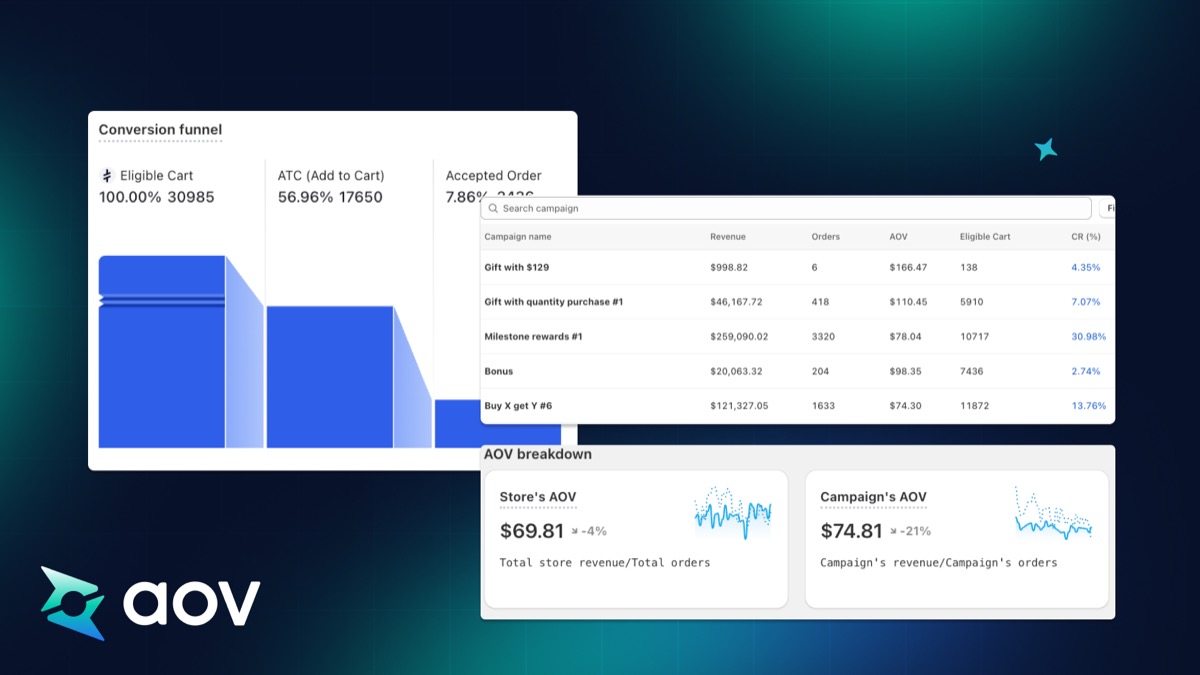
- Added metrics for Orders, Revenue, AOV breakdown, and Conversion Funnel tracking.
- Introduced a completely new Analytics interface with two tabs: Overview (key performance metrics) and Campaign Performance (detailed campaign results).
25 June 2025
New feature: Milestone-based Free Gift Campaigns.
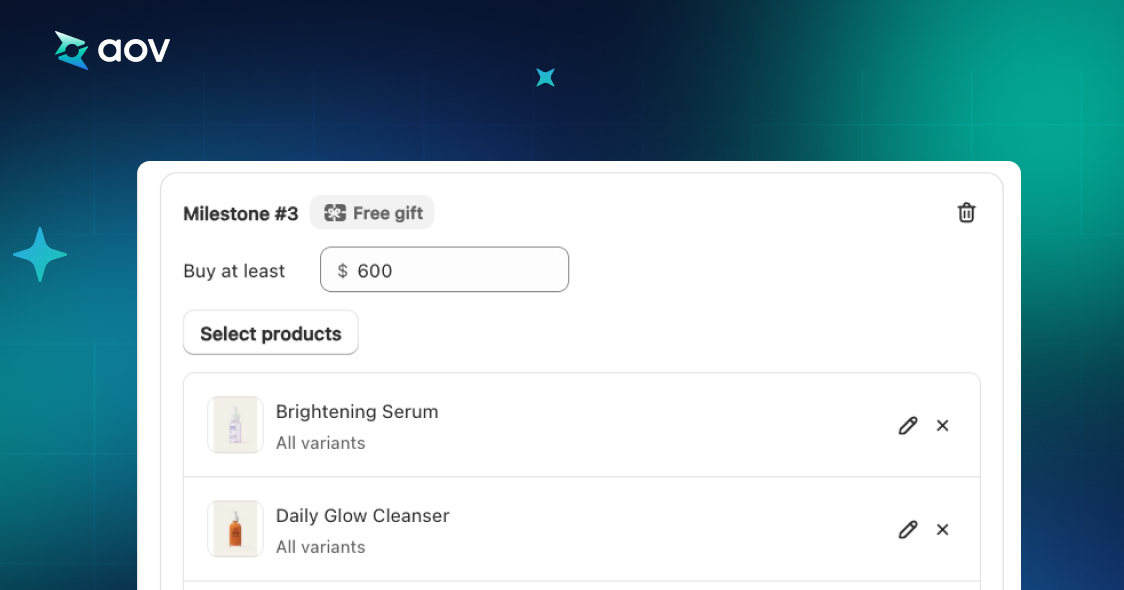
- Introduced the ability for merchants to create milestone campaigns that reward customers with free gifts.
- Admins can search, filter, and select products from store inventory directly in the campaign setup flow.
24 June 2025
New feature: Gift multiplier with cart value.
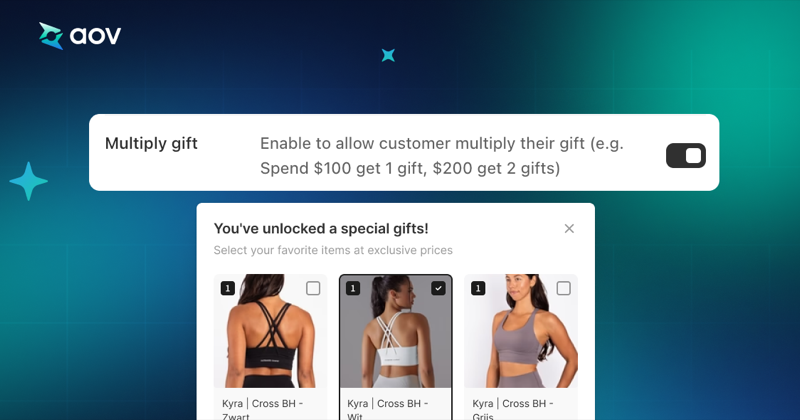
- Automatically calculates the number of gifts based on cart value for “Gift with Cart Value” campaigns.
- Tiered example: $100 → 1 gift, $200 → 2 gifts, $300 → 3 gifts.
17 June 2025
New feature: Include Product for Cart Value campaigns.
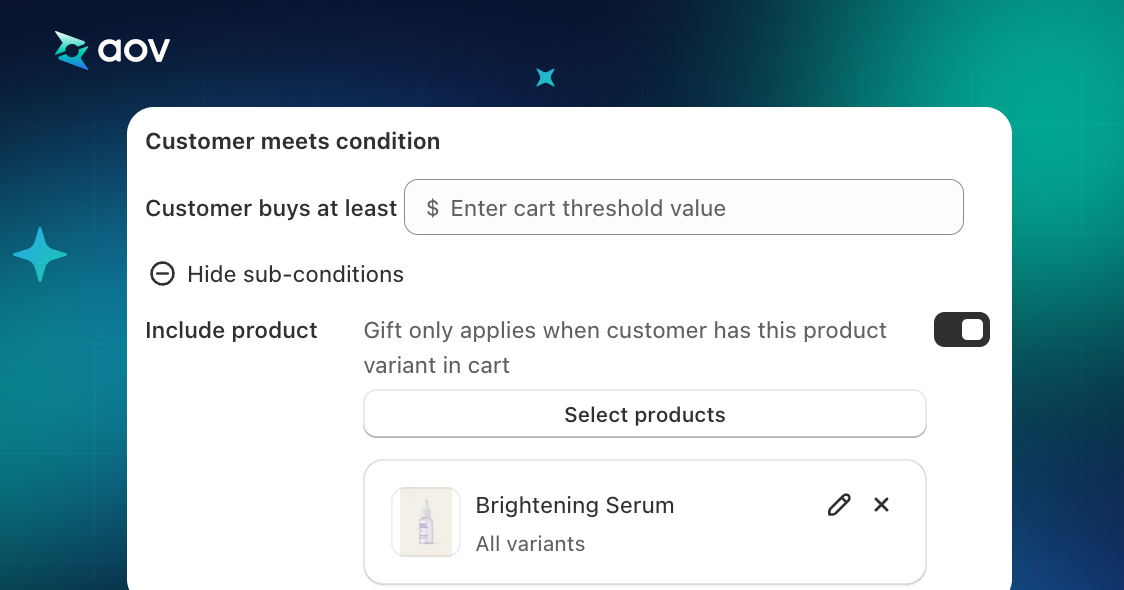
- Added the Include Product option to Cart Value campaigns, requiring customers to have a specific product in their cart in addition to meeting the minimum cart value.