Shipping Goal
This guide will walk you through what Shipping Goal is, why you should use it, and how to set it up step by step.
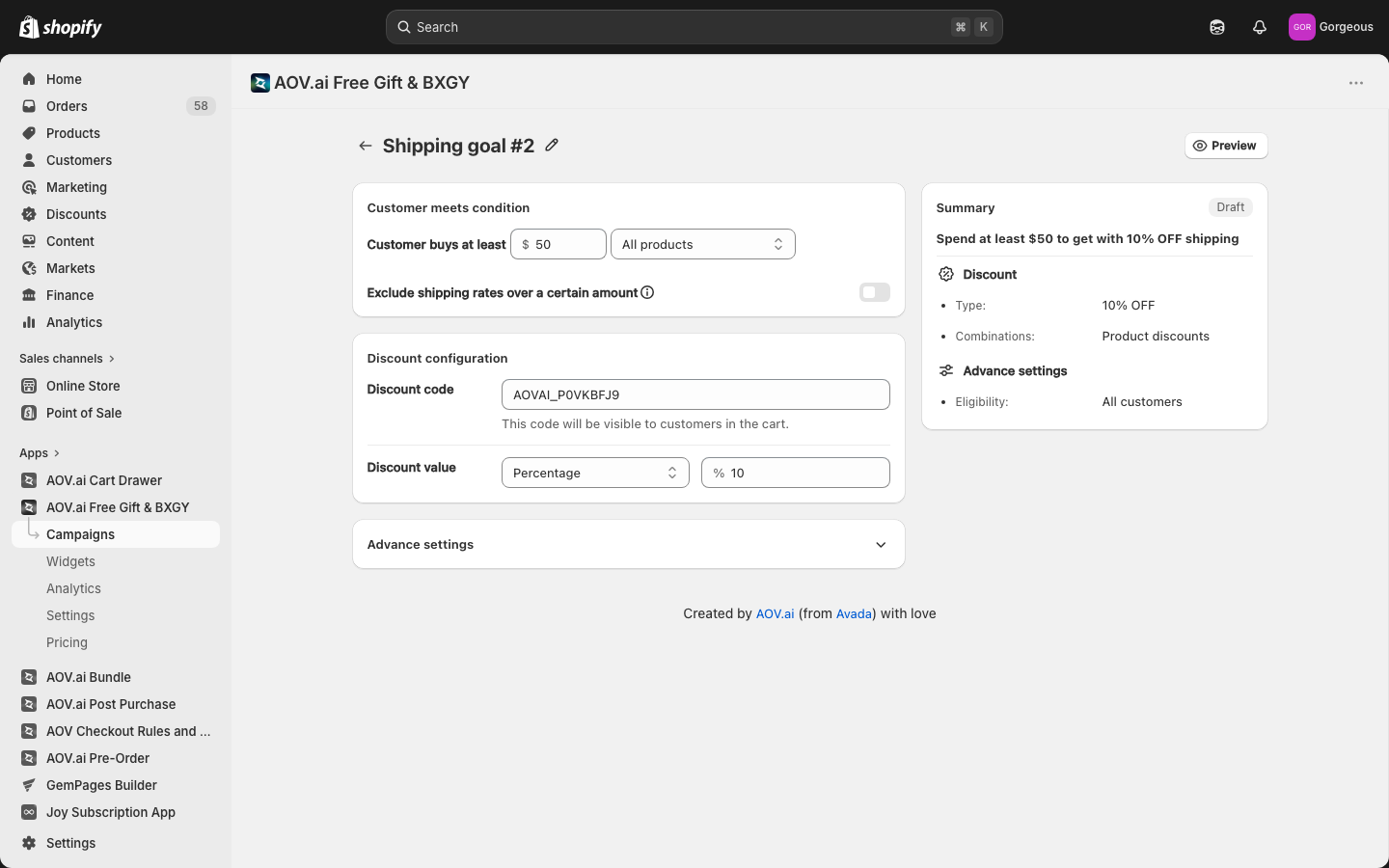
What is Shipping Goal?
The Shipping Goal feature allows merchants to create campaigns that offer free shipping or discounted shipping rates when customers meet a specified order value. With Shipping Goal, you can set up automated incentives that push customers to add more to their carts to unlock free or discounted shipping.
Why use Shipping Goal?
Gain a competitive edge
Many online shoppers actively look for free shipping offers. Implementing a well-structured shipping incentive can help you stand out and reduce competition-driven loss of sales.
Enhance shopping experience
The Shipping Progress Bar provides a real-time visual indicator, keeping customers engaged and motivating them to reach the spending goal. This reduces cart abandonment and increases conversion rates.
Increase AOV efficiently
Customers are more likely to add extra items to their cart when they see a clear incentive. By setting a minimum purchase requirement for free shipping, you encourage higher spending.
How to set up
Step 1: Access the Shipping Goal
Navigate to Campaigns in the menu > click Create Campaign > Select Shipping Goal to start setting up.
Step 2: Campaign setting
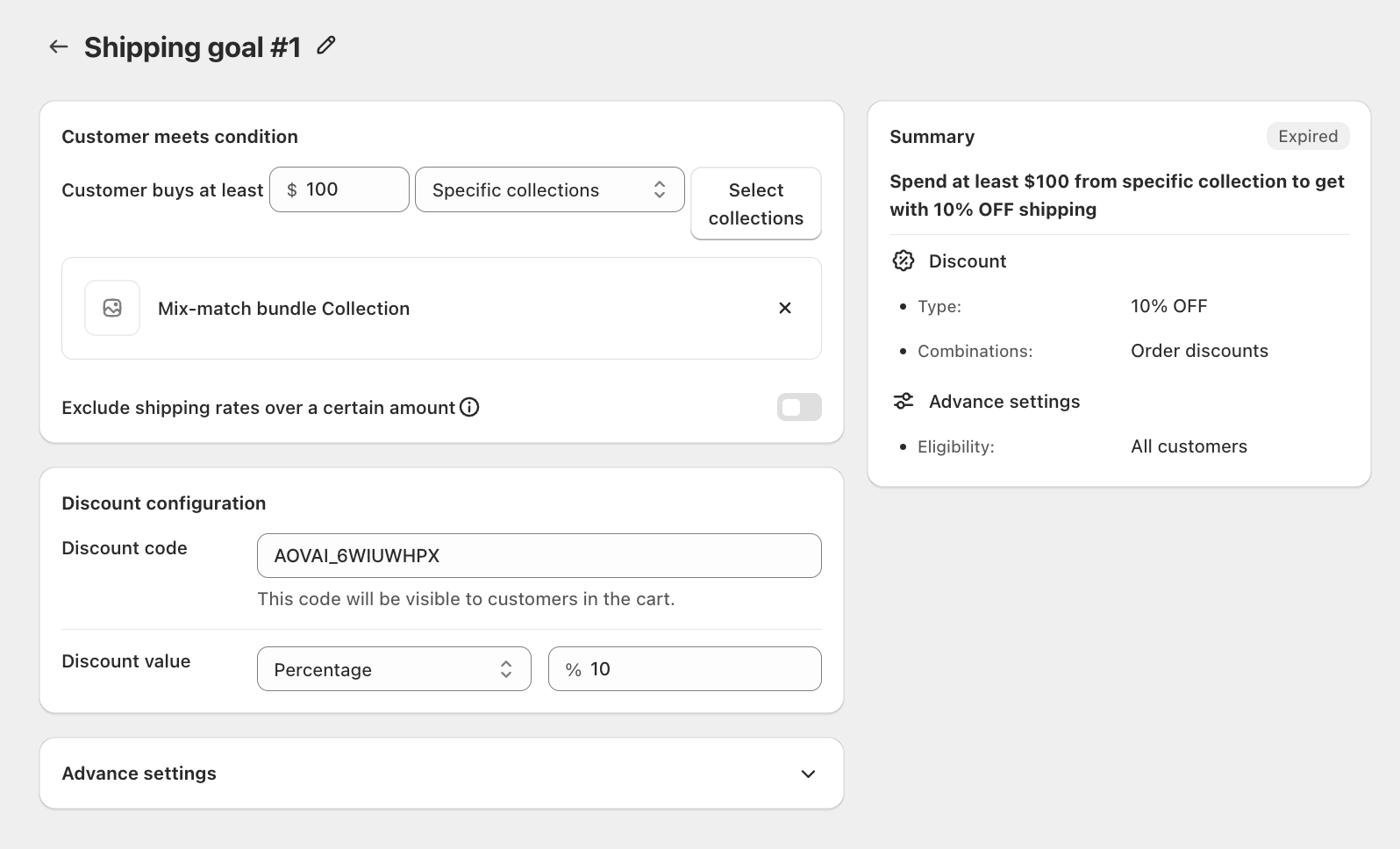
2.1 Customer meets condition
Set the minimum spend threshold that customers must reach to qualify for the shipping discount.
Customer buys at least: choose which products or shipping rates count toward the threshold:
- All products: The threshold applies to any product in the store.
- Specific collections: Only spend from selected collections counts. Click Select collections to choose which collections apply.
- Specific shipping rate: The discount applies only to selected shipping rates. Click Select to choose from the shipping rates available in your Shopify settings.
Exclude shipping rates over a certain amount (optional): Toggle this on to cap the shipping rates eligible for the discount. Useful if you want to exclude premium or express shipping rates.
2.2 Discount configuration
The system auto-generates a discount code for your campaign. You can edit it as needed. This code will be visible to customers in their cart.
Discount value: Choose the discount type:
- Percentage: Apply a percentage discount off the shipping rate (e.g., 10% OFF shipping).
- Fixed amount: Reduce the shipping cost by a fixed dollar amount.
2.3 Advanced settings
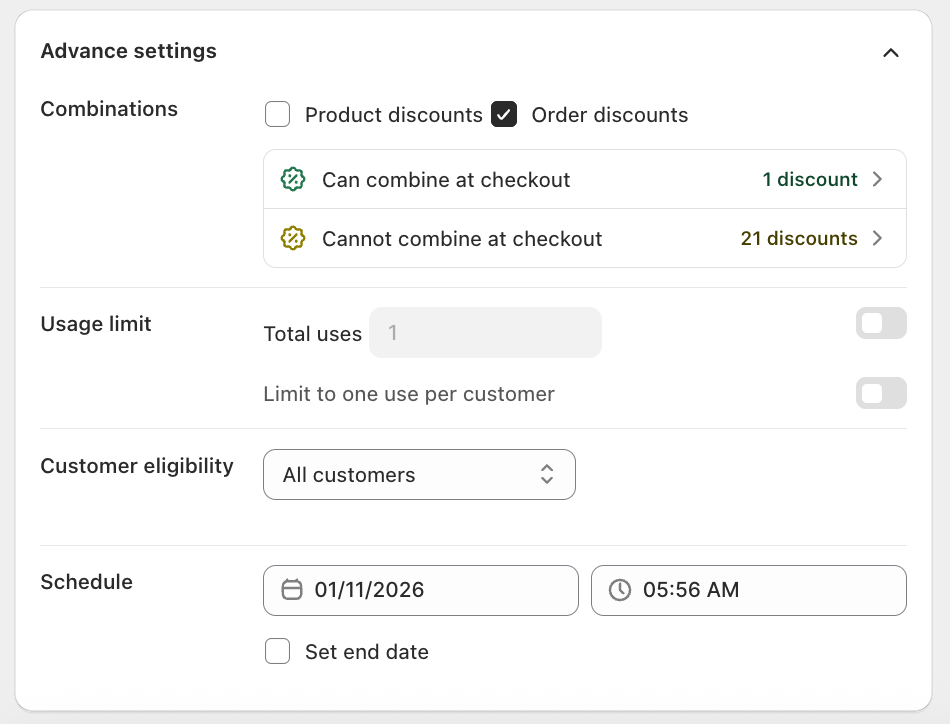
| Setting | Option | Description |
|---|---|---|
| Combinations | Product discounts | Allow combining with product discounts at checkout |
| Order discounts | Allow combining with order discounts at checkout | |
| Usage limit | Total uses | Limit how many times the discount can be redeemed overall |
| Limit to one use per customer | Restrict each customer to one redemption | |
| Customer eligibility | All customers | Anyone who meets the conditions can access the promotion |
| Specific link | Only customers who click a unique campaign link can access it | |
| Customer location | Limit to customers from specific countries or regions | |
| Specific customer segment | Target specific customer segments from your Shopify admin | |
| Schedule | Start date | Select the date and time when the campaign begins |
| Set end date (optional) | Enable and pick a date and time to automatically stop the campaign |