General settings
Go to Settings > General in the AOV.ai Free Gift sidebar to configure app-wide behavior.
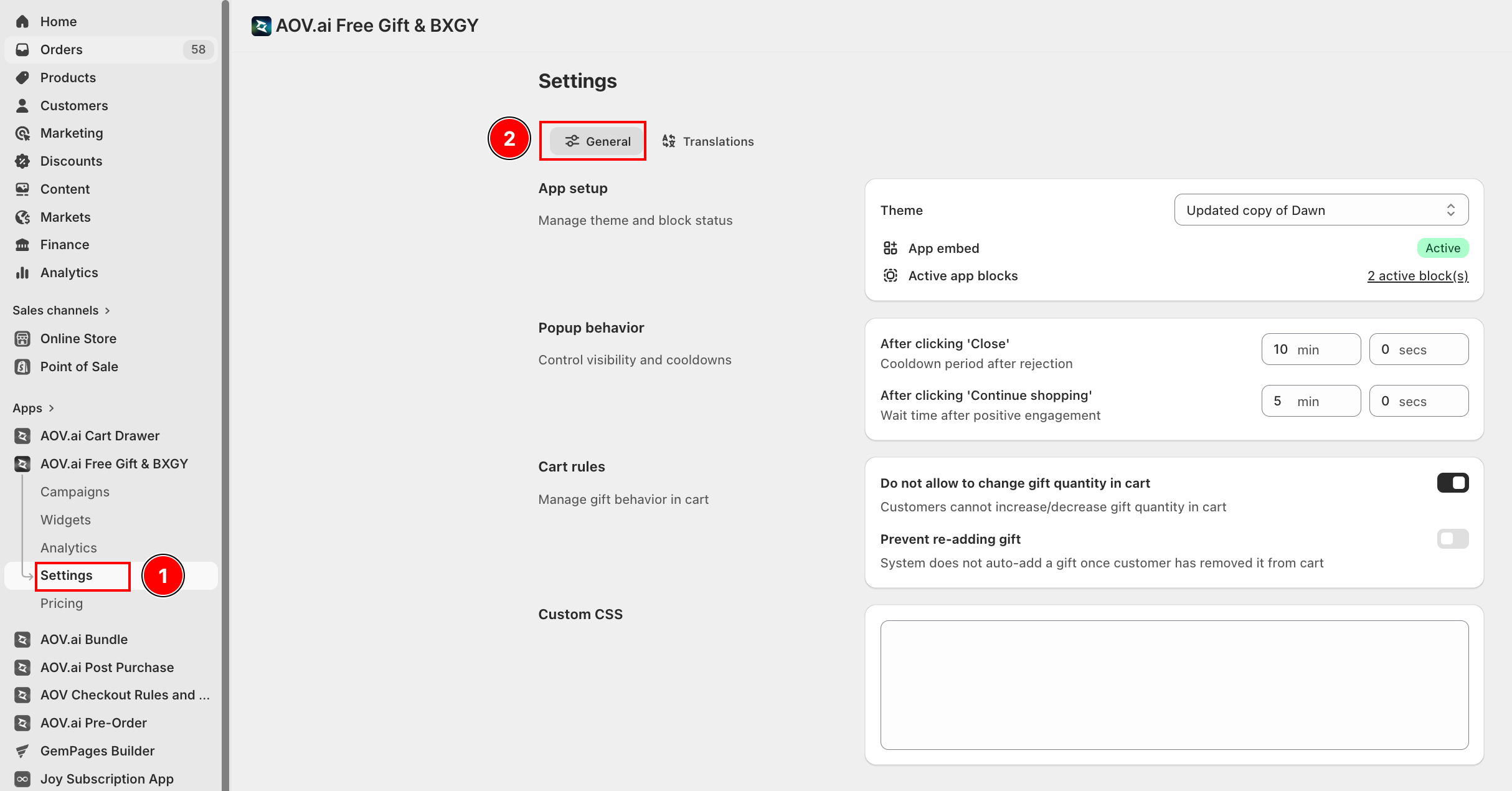
App setup
Select which theme the app runs on and verify the embed status.
- Theme — Choose the published theme you want the app to be active on.
- App embed — Shows whether the app embed is active on the selected theme. If the badge shows Inactive, click Activate app to enable it in the Shopify theme editor.
- Active app blocks — Shows how many AOV.ai app blocks are currently placed on the selected theme.
Popup behavior
Set how long the popup waits before it can reappear after a customer interacts with it.
| Trigger | What it controls | Default |
|---|---|---|
| After clicking "Close" | Cooldown period after a customer dismisses the popup | 10 min 0 secs |
| After clicking "Continue shopping" | Wait time after a customer clicks "Continue shopping" | 5 min 0 secs |
Both fields accept separate min and secs inputs. Set to 0 min 0 secs to disable the cooldown entirely.
Cart rules
Control how gift items behave inside the shopping cart.
Do not allow to change gift quantity in cart
When enabled, customers cannot increase or decrease the quantity of a gift item already in the cart. The quantity field is locked.
Prevent re-adding gift
When enabled, once a customer manually removes a gift from the cart the system will not auto-add it back. This avoids confusion and reduces checkout friction.
Custom CSS
Enter custom CSS to override default widget styles globally across all AOV.ai Free Gift widgets on your storefront.