Milestone Rewards - Cart Drawer
Automatic Cart Drawer integration
Once your Milestone Rewards campaign is set up and activated in the app, if you have enabled Cart drawer in Step 2: Display setting and are using the AOV.ai Cart Drawer app, the milestone widget will automatically appear inside the cart drawer without any extra configuration needed.
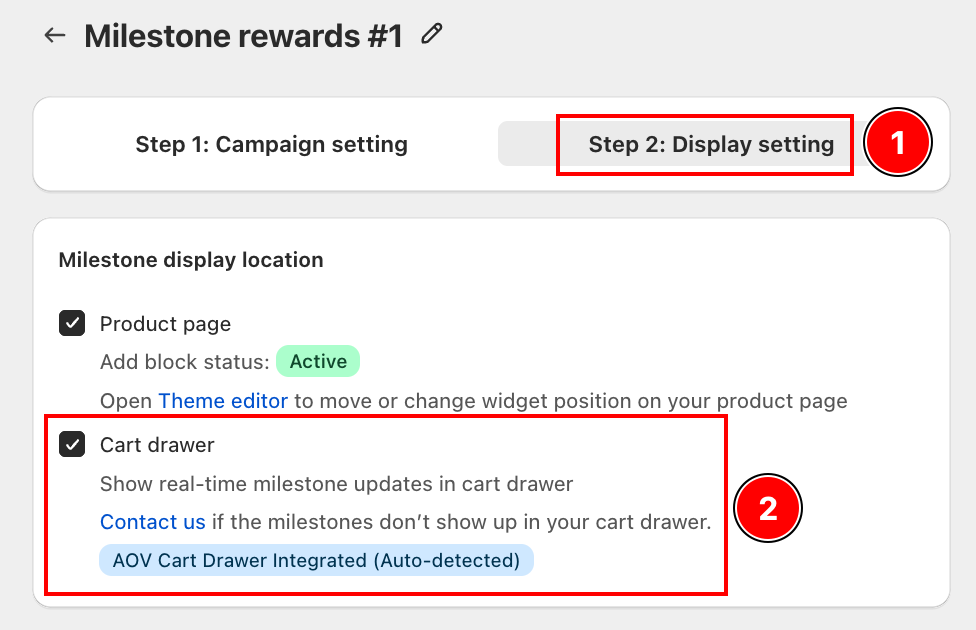
The app auto-detects the AOV.ai Cart Drawer integration (shown as AOV Cart Drawer Integrated (Auto-detected)).
How It Looks to Customers
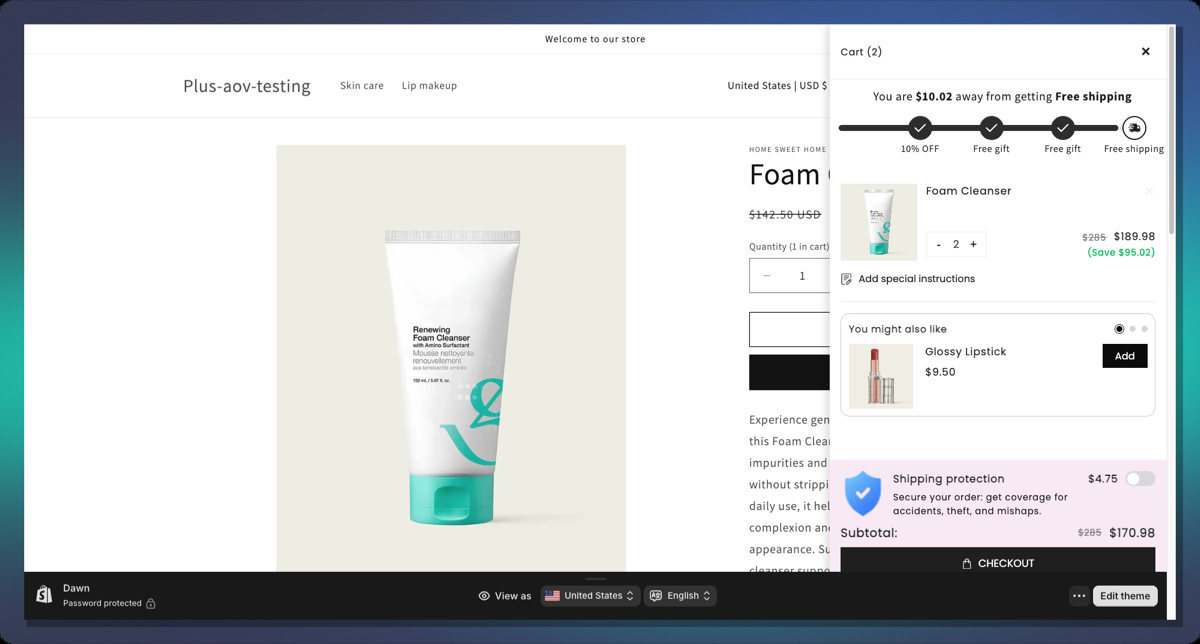
Classic Layout
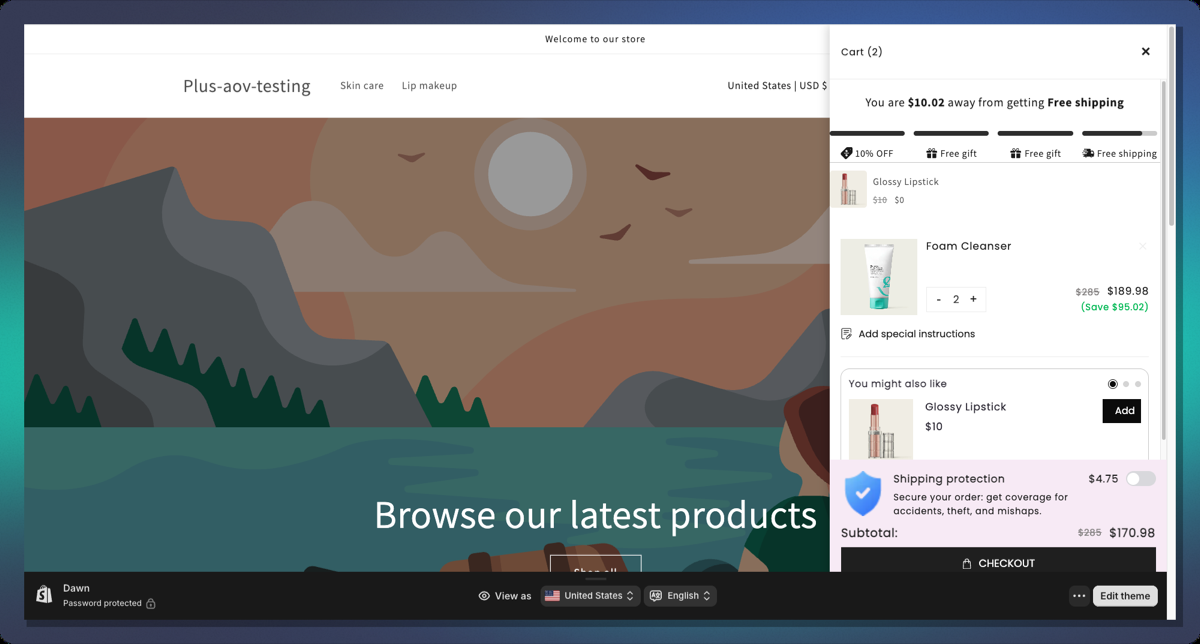
Segmented Layout
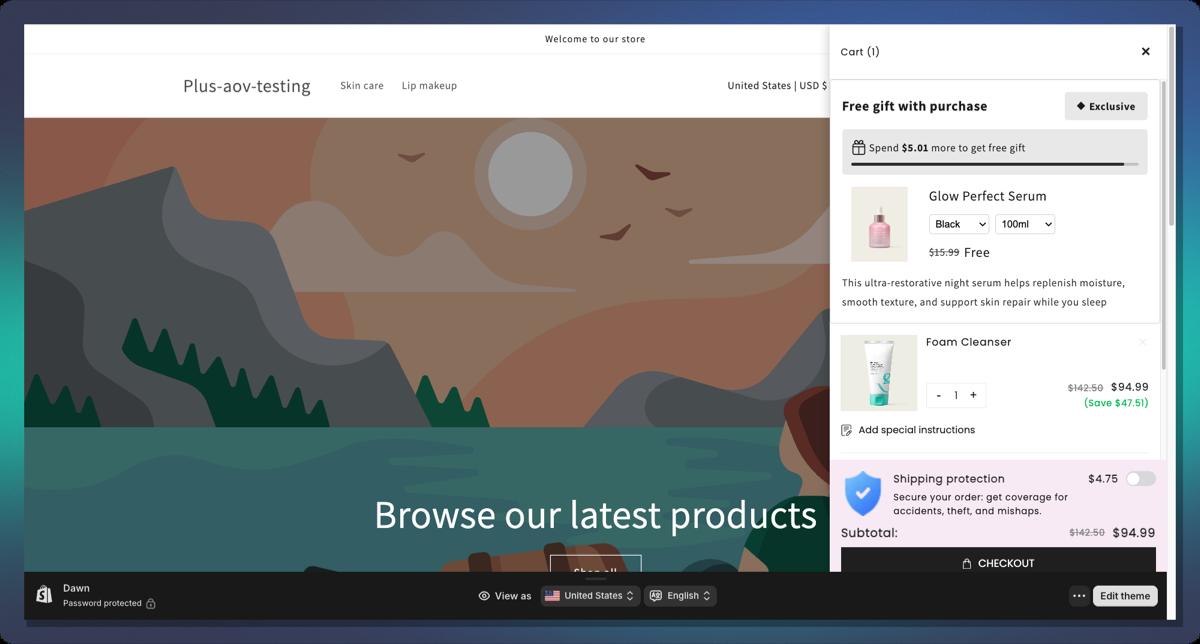
Single-Goal Layout
Tips & Best Practices
Threshold Strategy
- Start low, end high: set your first milestone at a value just above your current Average Order Value (AOV). This nudges the most customers to reach at least one reward.
- Space tiers evenly: e.g., $50 - $100 - $150 works better than $50 - $51 - $200.
- End with a high-value reward: save the free gift for the last (highest) tier to maximize spend.
Reward Mix
- Combine reward types for maximum effect:
- Tier 1: Small order discount (5-10%), easy to reach, builds momentum.
- Tier 2: Free shipping, high perceived value, customers love it.
- Tier 3: Free gift, most exciting, drives highest cart values.
Message Copy
- Use
{{amount_left}}in your before-achieved message. Showing the exact dollar amount is more motivating than a generic message. - Keep messages short and action-oriented: "Add $20 more to get free shipping!"
- For the post-achieved message, celebrate the win: "Congrats! You've unlocked all rewards!"
Design
- Use Shimmer animation for a premium feel. It draws the eye without being distracting.
- For stores with clean minimalist themes, use Checkmark Overlay for done milestones instead of replacing the icon.
- Match the bar's Active Bar Color to your store's primary brand color for a seamless look.
FAQ
Q: Can I have multiple Milestone campaigns active at once? A: No. Only one Milestone campaign can be active per store at a time.
Q: What happens if a customer's cart drops below a milestone threshold? A: The progress bar animates backwards and the milestone icon reverts to its incomplete state in real time.
Q: Can I use both Cart Value and Item Quantity triggers in the same campaign? A: No. You must choose one trigger type for the entire campaign. Changing the trigger type after setting up milestones will reset all milestone messages to new defaults.
Q: Why is the "Free Shipping" option greyed out when I try to add a second Free Shipping tier? A: By default, each campaign allows only one Free Shipping tier. This is to prevent conflicting shipping discounts.
Q: The gift product image is not showing in the icon. Why? A: Make sure:
- Icon Source is set to
Upload - Free Gift Display is set to
Product Image - The gift product has an image assigned
- The product is selected in the milestone's Free Gift product picker
Q: Can I translate the milestone messages? A: Yes. The campaign supports multi-language translations via the Translations section of the Design Widget. You can set locale-specific versions of rewardMessage, beforeAchievedMessage, and postAchieveMessage.
For further help, contact our support team through the app or visit our Help Center.