How to Set Up the Sticky Cart
What Is the Sticky Cart?
The Sticky Cart is a floating button that stays visible on your storefront as customers scroll through any page. When clicked, it opens the cart drawer instantly — so shoppers can review their cart without navigating away.
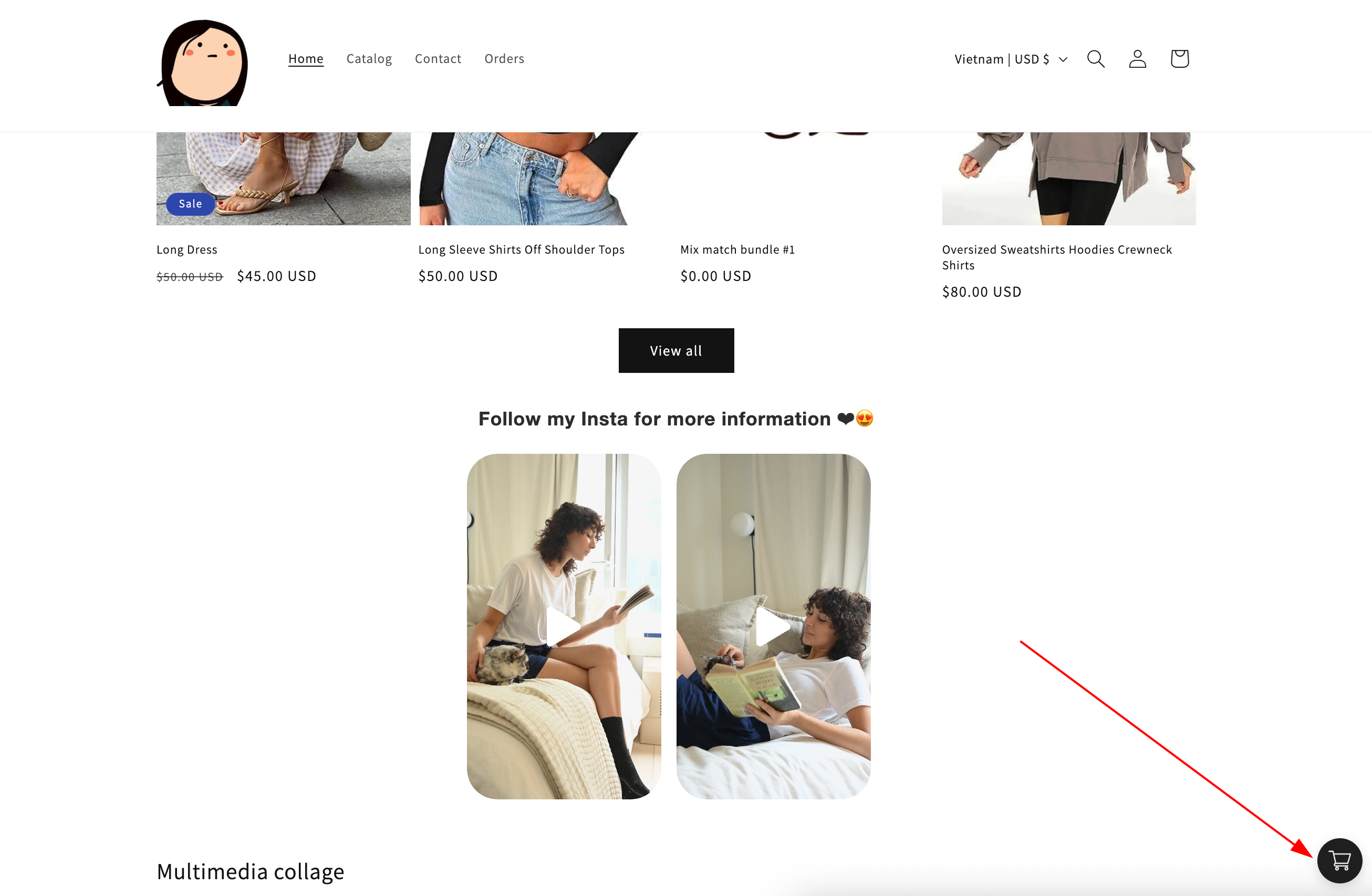
When to Use It
- You want the cart to be accessible from anywhere on the page, not just from a fixed header
- Your theme's built-in cart icon is small or hard to find on mobile
- You want to offer a direct-to-checkout shortcut for returning customers
Setup Walkthrough
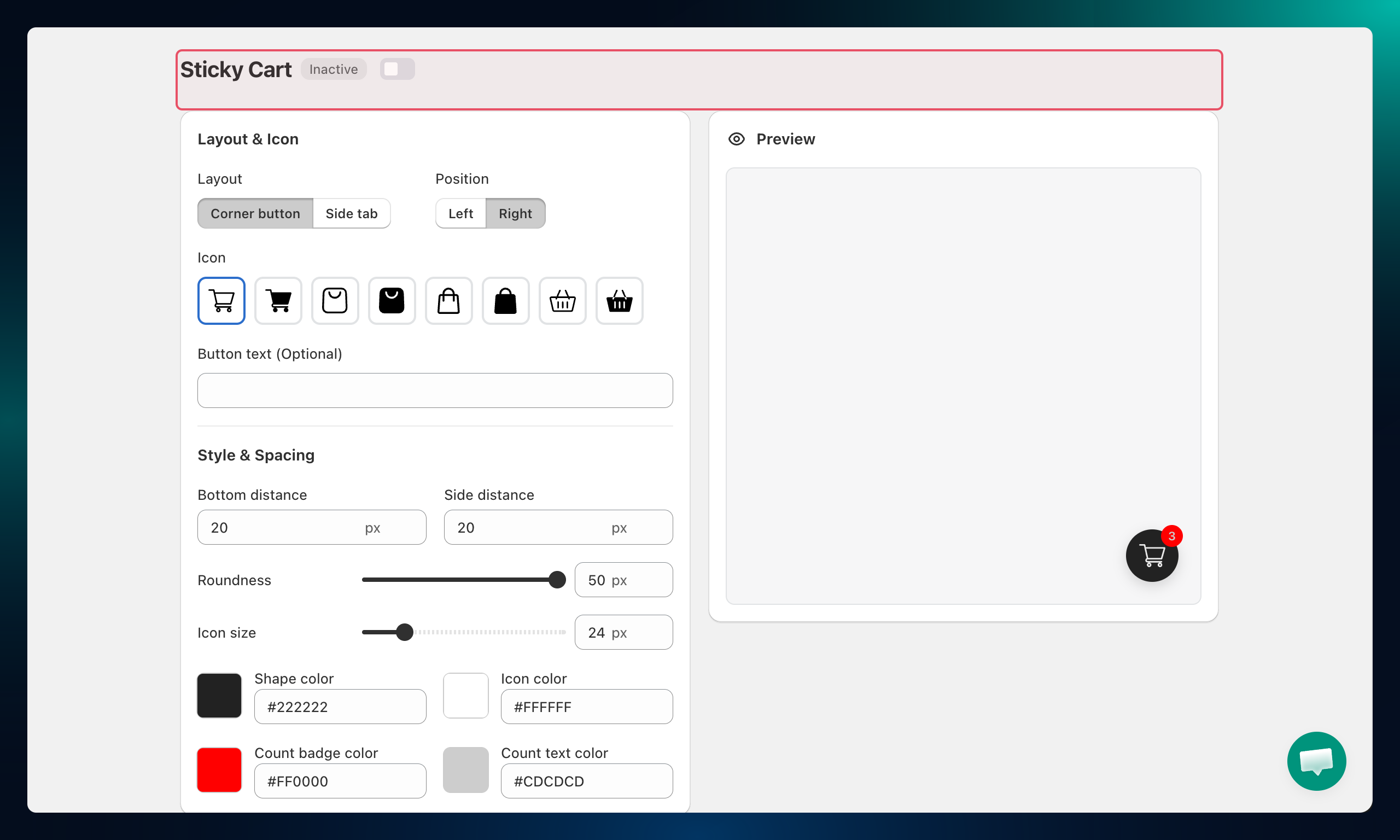
Step 1: Enable the Sticky Cart
From the Shopify admin, open AOV.ai Cart Drawer in the left sidebar. Click Sticky Cart.
Toggle the Status to Active to enable the floating button on your storefront.
Step 2: Choose the Layout and Position
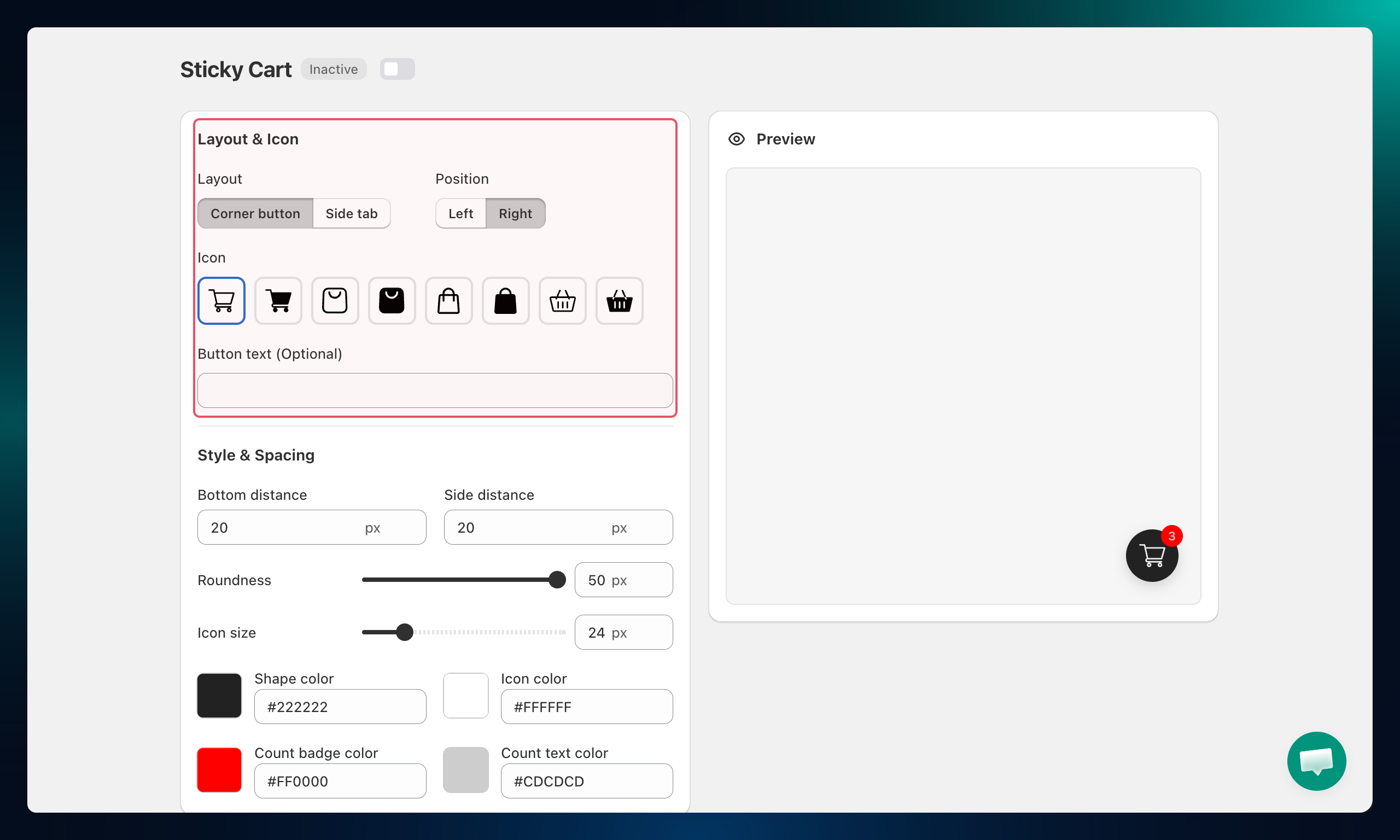
Under Layout & Icon:
- Layout — choose the button shape:
- Corner button — a circular floating button in the corner of the screen
- Side tab — a rectangular tab anchored to the side edge of the page
- Position — Left or Right side of the screen
- Icon — pick the cart icon style (cart, bag, bag-2, basket, and variations)
- Button text — optional label displayed next to the icon
Step 3: Adjust Style and Spacing
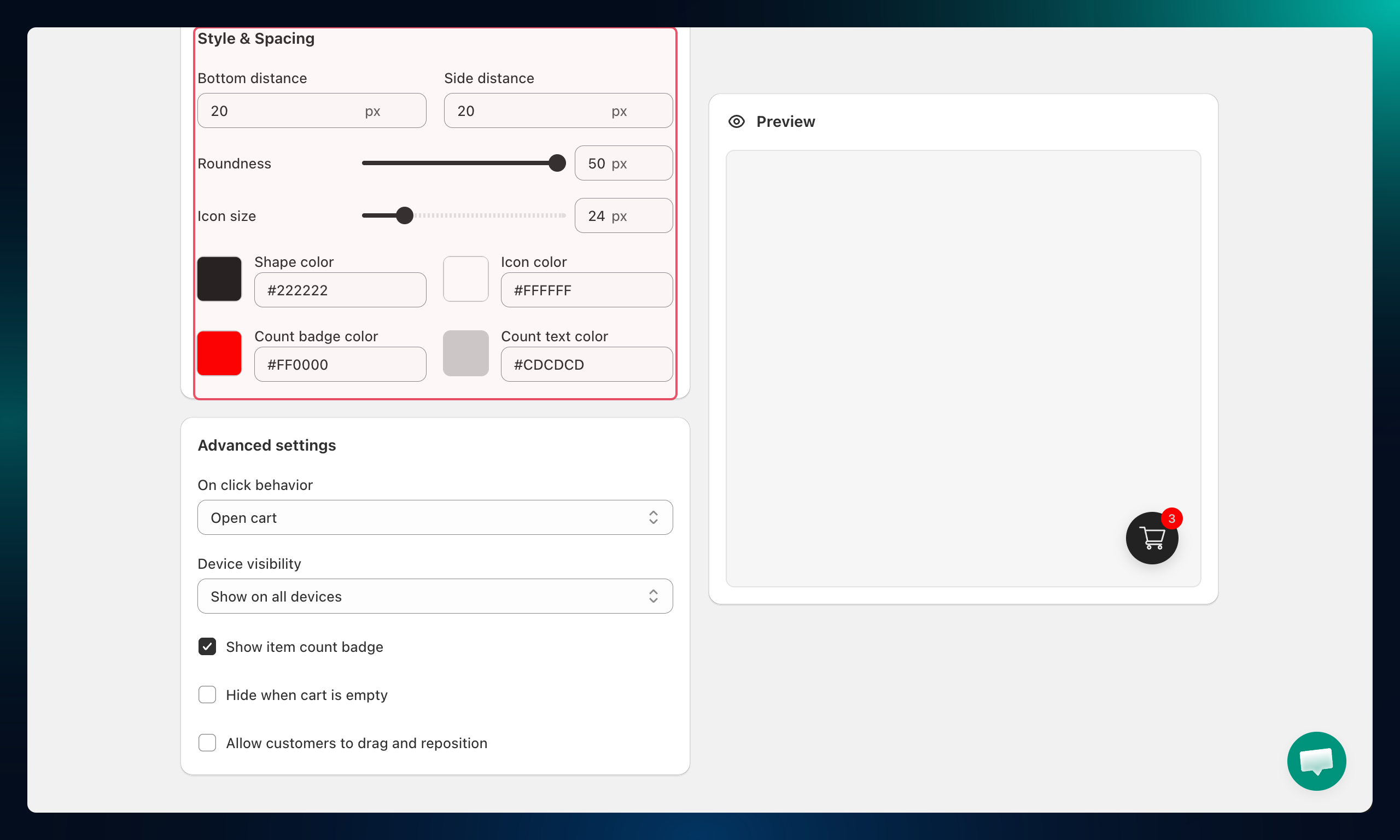
Under Style & Spacing, fine-tune the button's position and size:
| Setting | What it controls |
|---|---|
| Bottom distance | Distance from the bottom edge of the screen |
| Side distance | Distance from the left or right edge |
| Roundness | Corner radius percentage of the button |
| Icon size | Size of the cart icon in pixels |
Step 4: Set Colors and Advanced Behavior
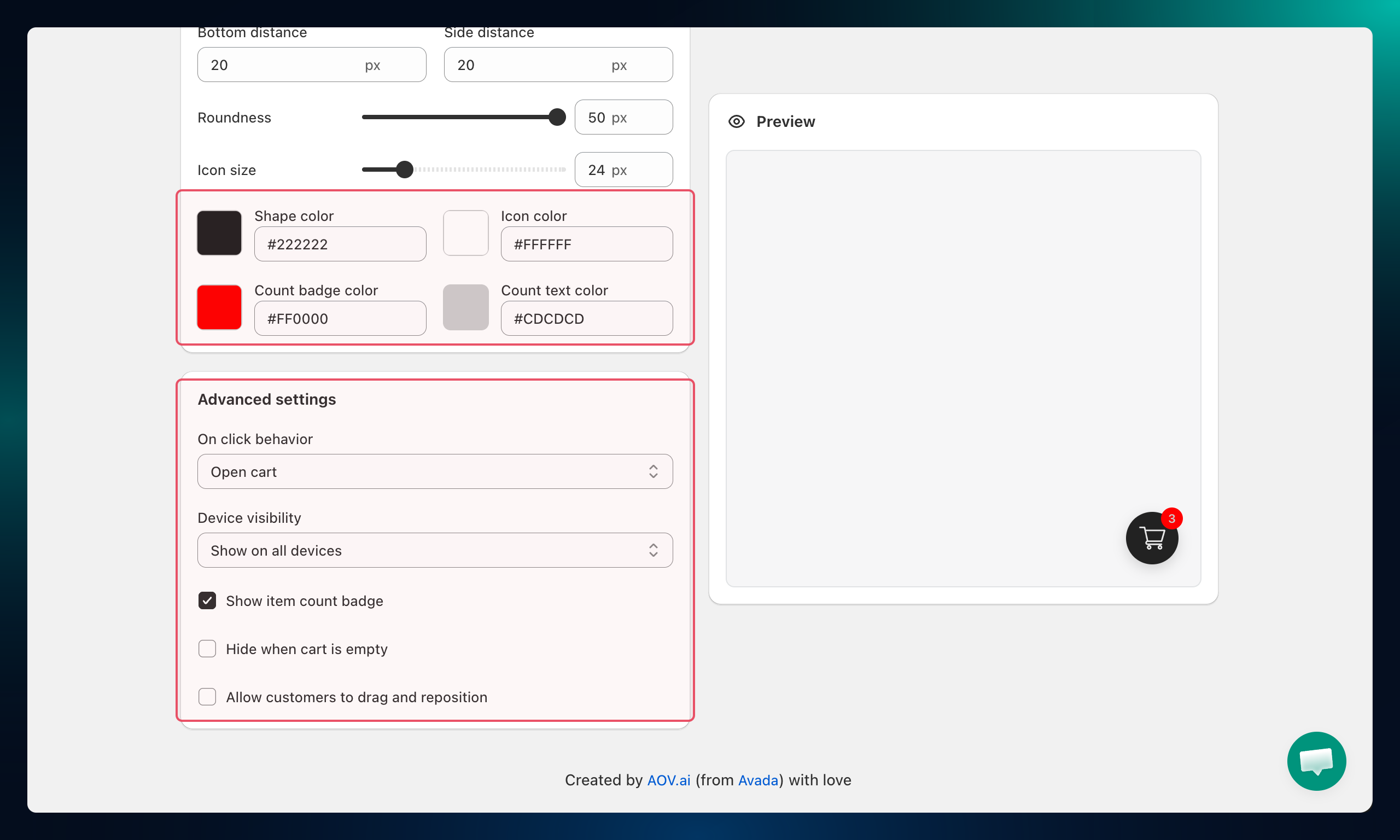
Colors:
- Shape color — the button's background fill
- Icon color — the cart icon color
- Count badge color — the background of the item count badge
- Count text color — the number inside the item count badge
Advanced settings:
| Setting | Options |
|---|---|
| On click behavior | Open cart (opens the drawer) or Go to checkout page (direct to checkout) |
| Device visibility | Show on all devices, Desktop only, or Mobile only |
| Show item count badge | Toggle to show or hide the item count number on the button |
| Hide when cart is empty | Toggle to hide the button entirely when the cart has no items |
| Allow customers to drag and reposition | Toggle to let customers move the button to a different position on the screen |
Troubleshooting
Q1: The sticky cart button doesn't appear on my store
Check that the status is set to Active and that you clicked Save. Also confirm the app embed is enabled in your Shopify theme editor under App embeds.
Q2: The button overlaps my cookie banner or chat widget
Increase the Bottom distance value to push the button higher up the page, away from other floating elements.
Q3: The item count badge shows 0 even when there are items in the cart
Make sure Show item count badge is toggled on. If it still shows 0, try a hard refresh on the storefront (Cmd+Shift+R or Ctrl+Shift+R) to clear the cached cart state.
Q4: Clicking the button goes to checkout instead of opening the drawer
Check On click behavior under Advanced settings and switch it to Open cart.