Discount Codes
What Is It?
The Discount Codes section adds a collapsible input field inside the cart drawer where customers can enter and apply promo codes before proceeding to checkout. They see the savings applied immediately, without having to wait until the checkout page.
Before You Start
Discount codes must be created in Shopify Admin > Discounts before customers can apply them.
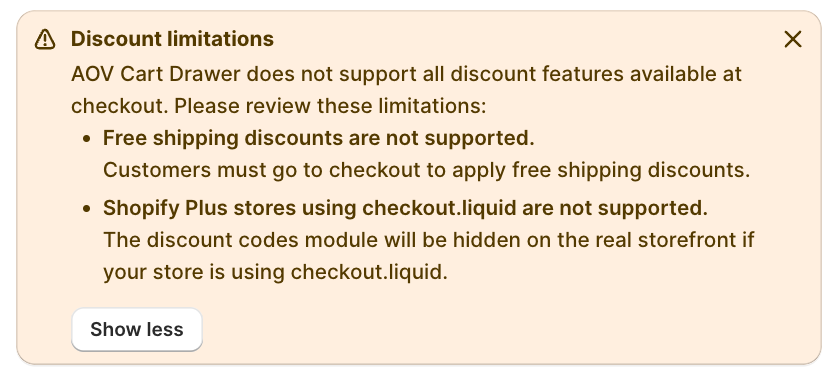
Two discount types are NOT supported in the cart drawer:
- Free shipping discounts — customers must apply these at checkout
- Checkout.liquid stores (Shopify Plus) — the discount codes field is hidden on the storefront for stores using a checkout.liquid customization
Setup Walkthrough
Step 1: Open Discount Codes Settings
From the Cart Editor, click Discount codes under Footer in the left panel.
Step 2: Configure Labels and Text
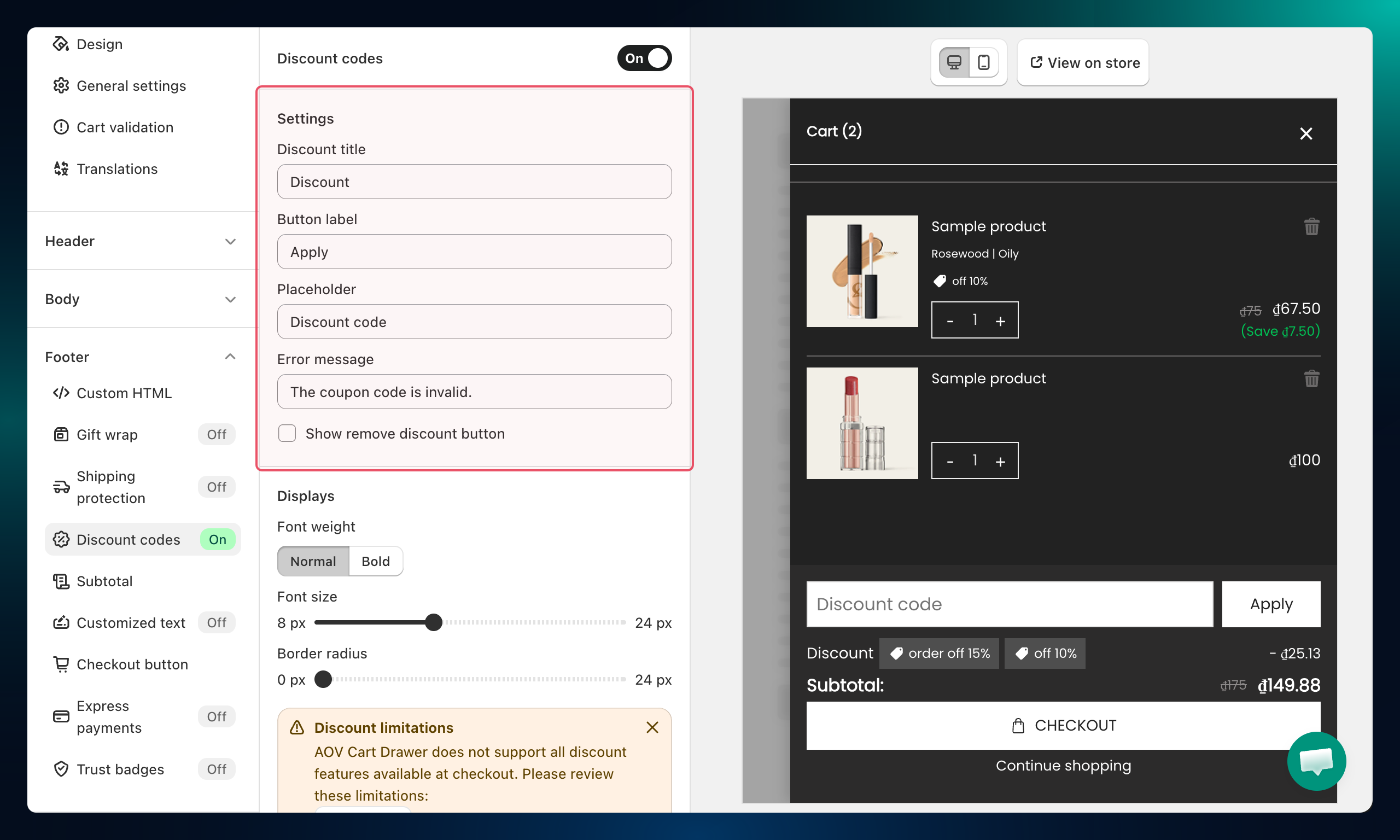
Customize the copy customers see in the discount code section:
| Field | What it controls |
|---|---|
| Discount title | The heading above the input field |
| Button label | The apply button text (for example, Apply) |
| Placeholder | Hint text inside the input field (for example, Enter discount code) |
| Error message | Message shown when an invalid code is entered |
Step 3: Show the Remove Button
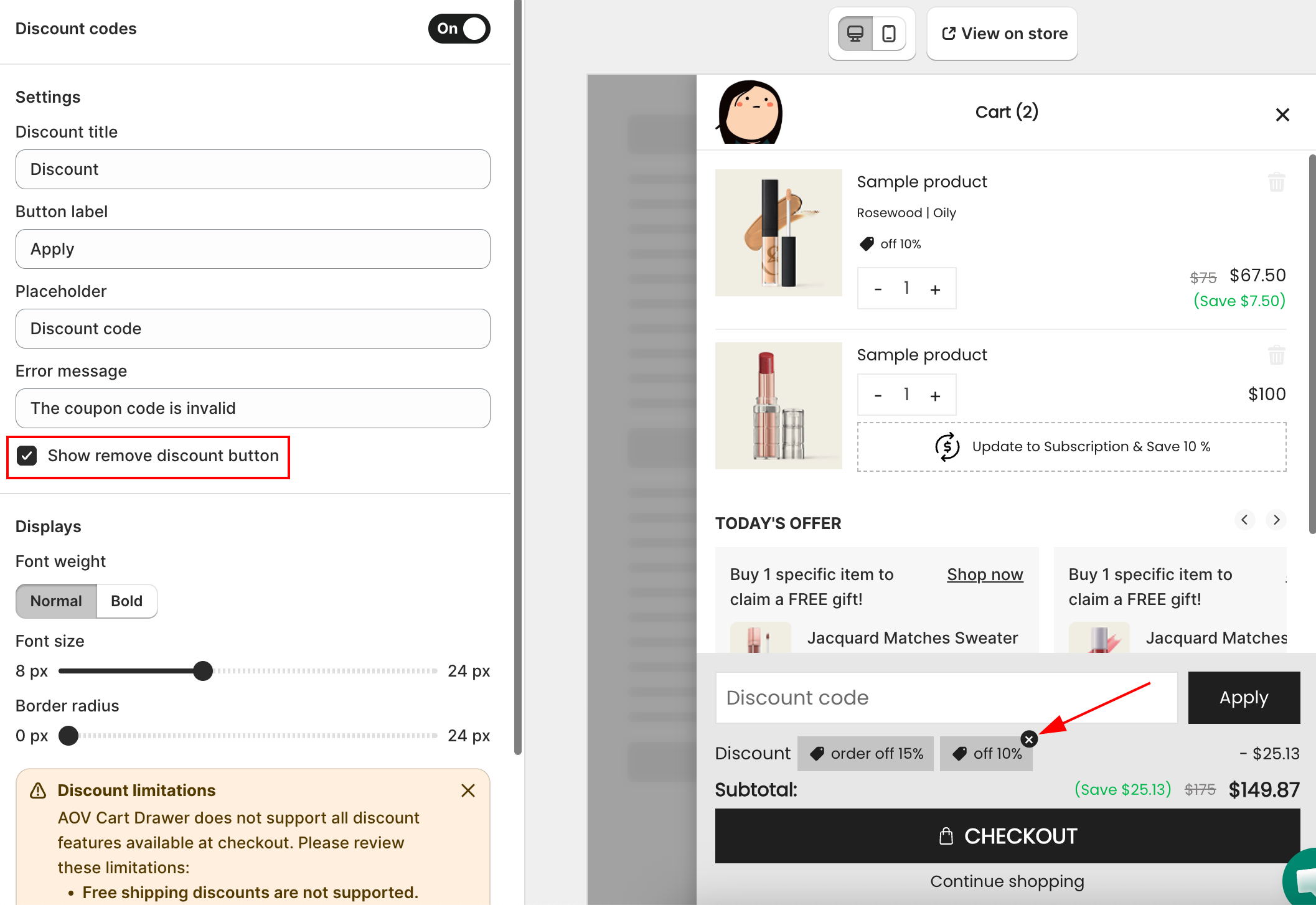
Toggle Show remove discount button to let customers remove an applied code and go back to the full price.
Step 4: Configure Display Settings
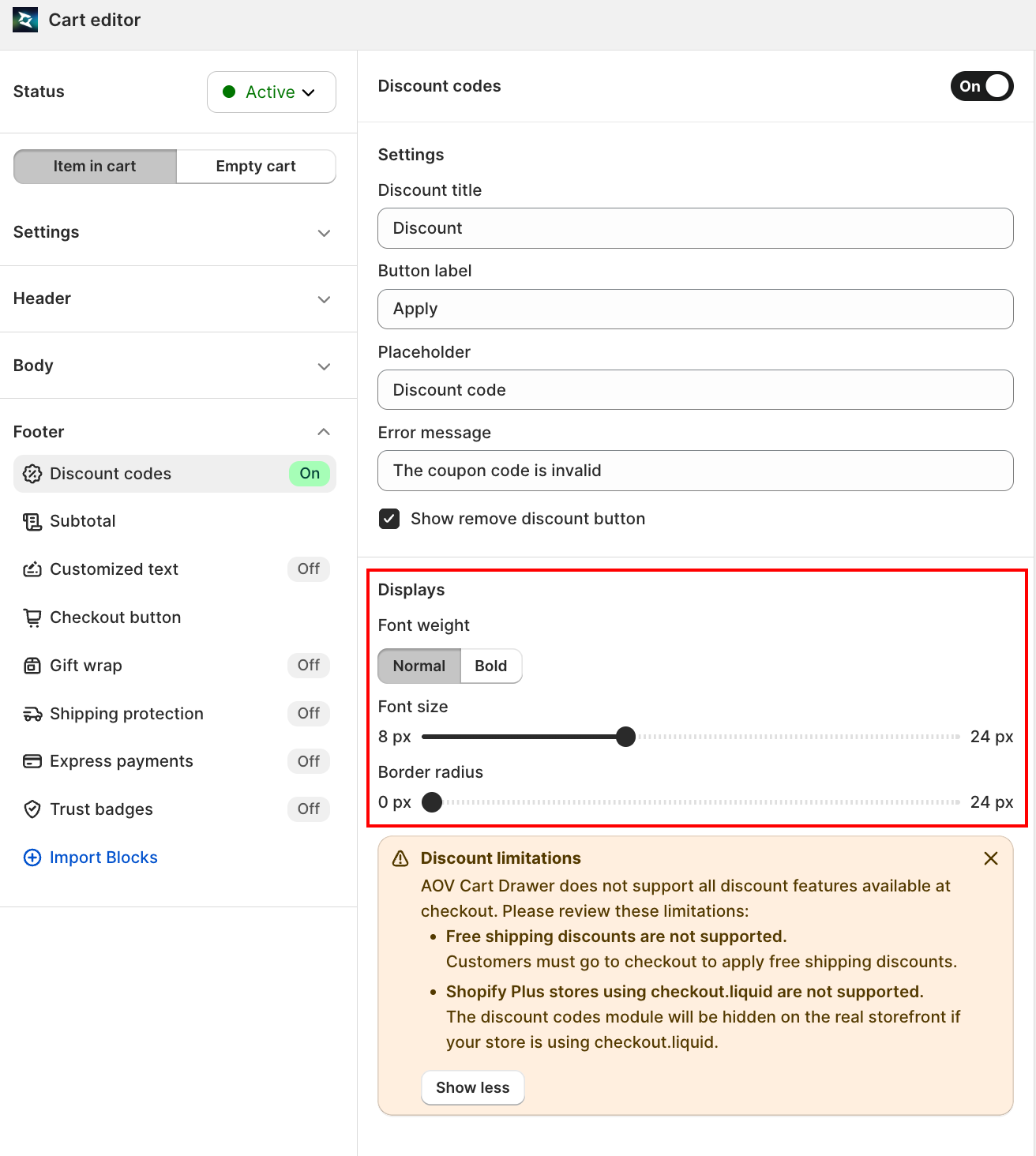
Under Displays, adjust how the discount section looks:
- Font weight — choose Normal or Bold for the discount text
- Font size — drag the slider to set the text size (8px to 24px)
- Border radius — drag the slider to round the input field corners (0px to 24px)
Step 5: Enable Coupon Suggestions (optional)
Coupon Suggestions shows a list of selectable discount codes inside the cart drawer so customers can apply them with one click, without typing anything.
Toggle Turn on Coupon Suggestions to enable the feature, then click the Selected {N} coupons button (where {N} is the count you picked) to choose which manual discount codes to surface.
| Setting | What it does |
|---|---|
| Turn on Coupon Suggestions | Enables the coupon suggestion list in the cart drawer |
| Selected coupons | Pick which manual discount codes are shown to customers |
| Coupon suggestion label | The heading above the suggestion list |
| Hide applied coupon | Removes a coupon from the suggestion list once the customer applies it |
Troubleshooting
Q1: Free shipping discount codes don't work in the cart drawer
This is a known limitation. Free shipping discounts must be applied at the Shopify checkout page, not in the cart drawer.
Q2: The discount field doesn't appear on the storefront
Check whether your store uses checkout.liquid (Shopify Plus). If so, the discount codes field is not supported and will not render. Contact support for alternatives.
Q3: A valid code shows an error message
Confirm the code is active in Shopify Admin > Discounts and hasn't reached its usage limit or expiry date. Also make sure the code applies to the products in the cart.