Shipping Protection
What Is It?
Shipping Protection adds a one-click add-on inside the cart drawer that lets customers opt into order protection against loss, damage, or theft during shipping. When a customer toggles it on, a shipping protection product is added to their cart.
Before You Start
A shipping protection product must exist in your Shopify product catalog. If the product is deleted, the feature is automatically disabled.
Setup Walkthrough
Step 1: Open Shipping Protection Settings
From the Cart Editor, click Shipping protection under Body in the left panel.
Step 2: Set the Title and Description
- Title — the heading shown for the shipping protection toggle (for example, Shipping Protection)
- Description — a short explanation of what the protection covers (for example, Protect your order against loss, damage, or theft)
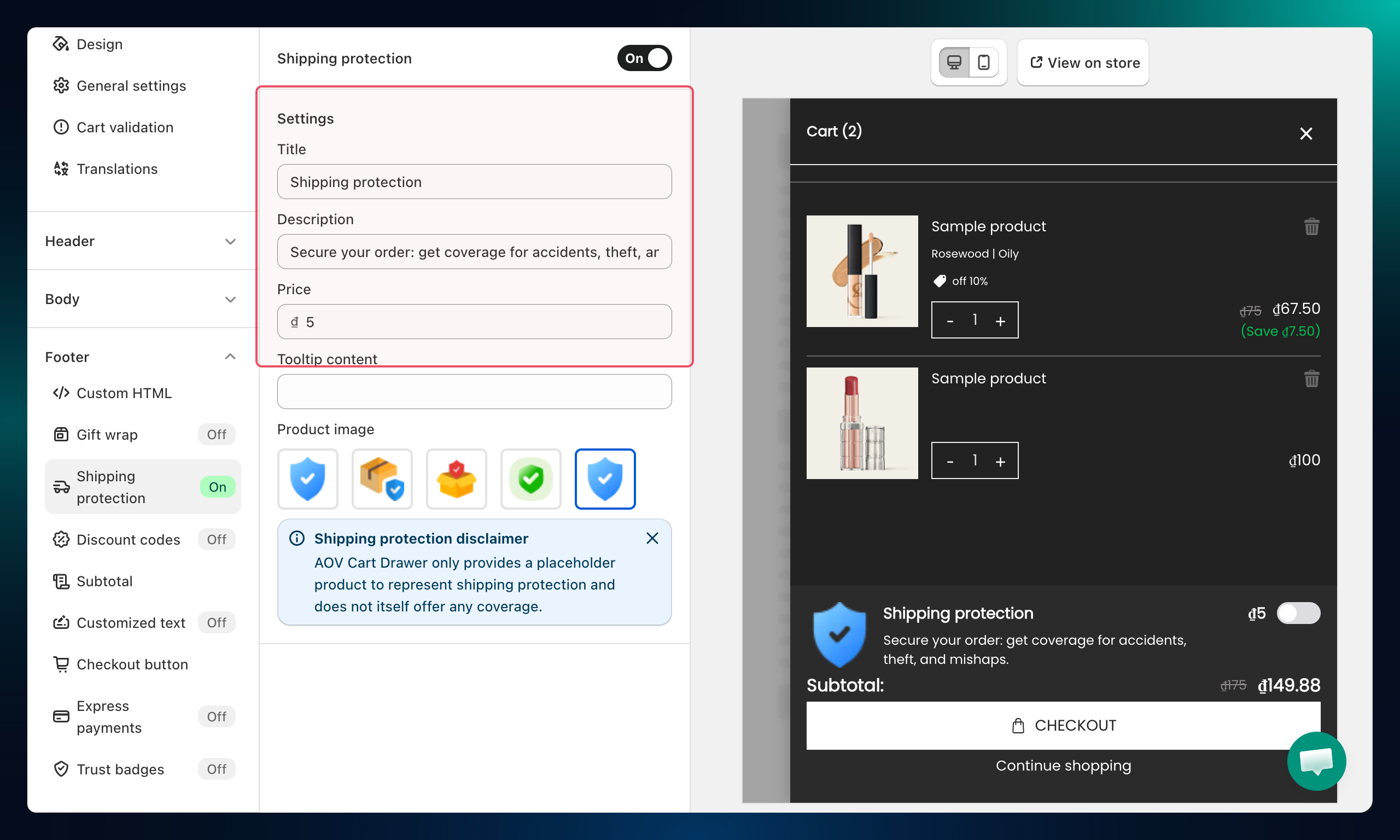
Step 3: Set the Price and Tooltip
- Price — the charge for shipping protection
- Tooltip content — additional details that appear when a customer hovers over the info icon next to the option
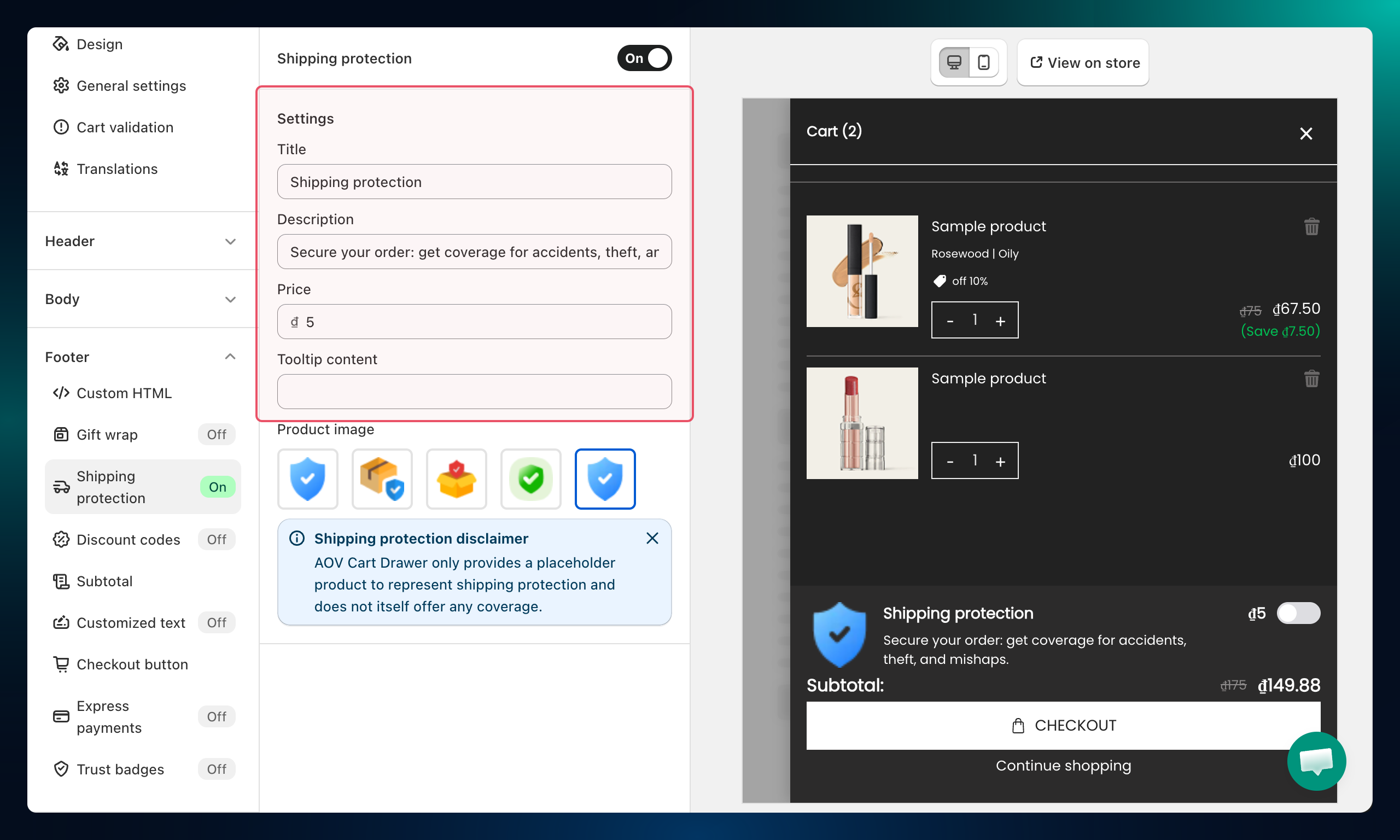
Step 4: Add a Product Image
Under Product image, click Browse images to select or upload an image representing the shipping protection option.
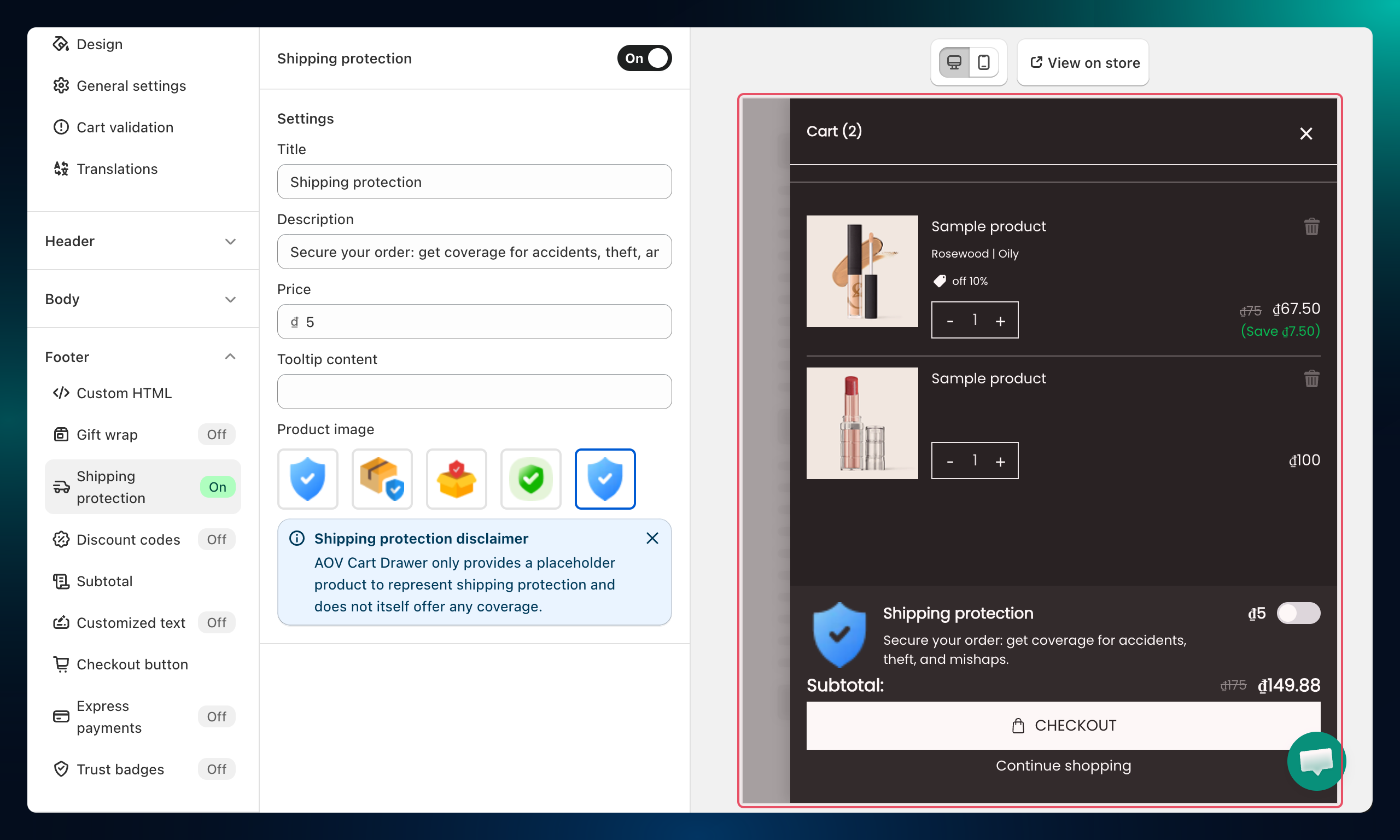
Troubleshooting
Q1: The Shipping Protection option doesn't show in the cart
Confirm the Shipping Protection section is enabled (toggled on) in the left panel and that the product is active in your Shopify catalog.
Q2: The feature was disabled automatically
This happens when the shipping protection product is deleted or set to Draft in Shopify. Restore or republish the product, then re-enable the feature in the Cart Editor.