Slide Cart Offer (AOV Free Gifts)
What Is It?
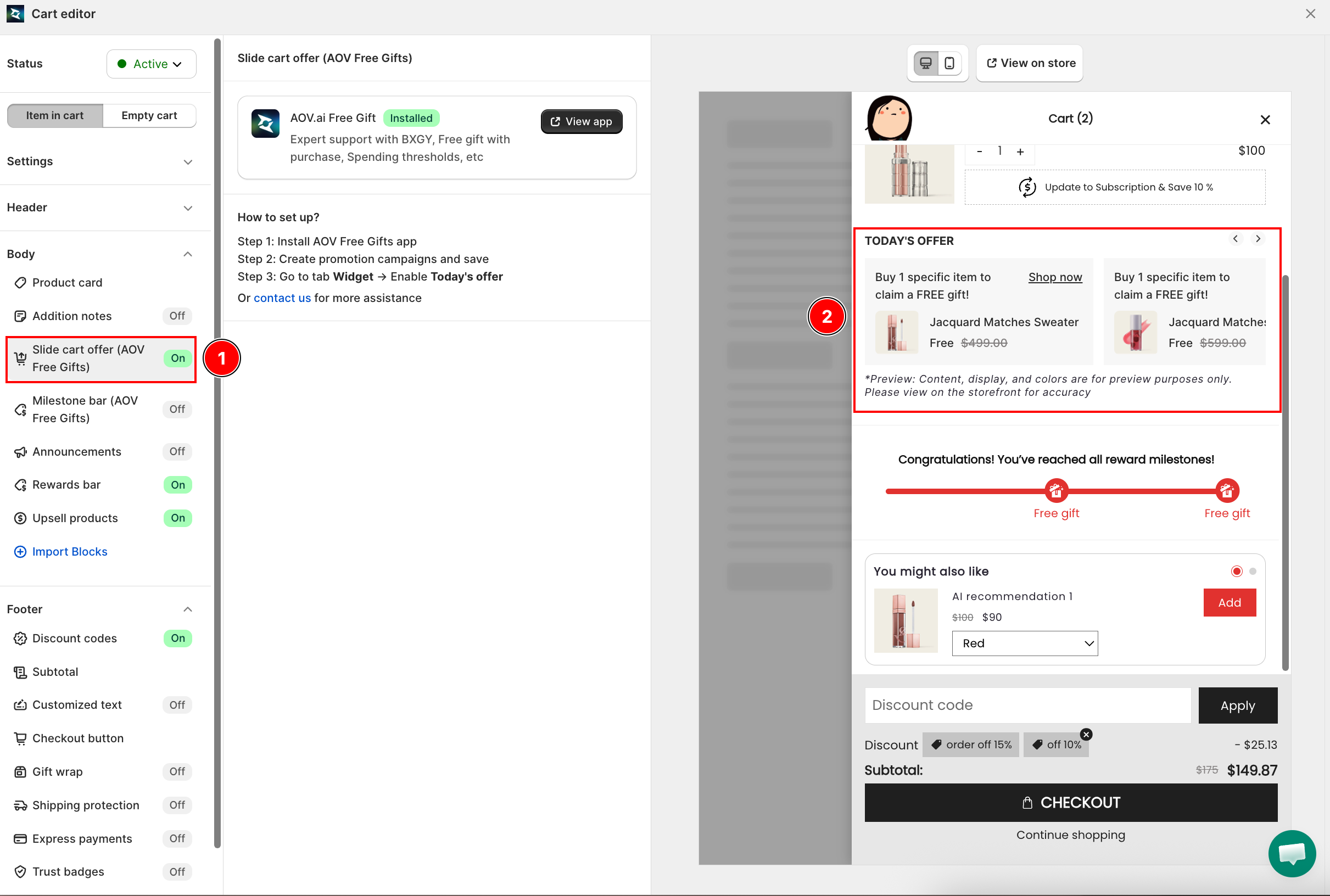
Slide Cart Offer displays a free gift promotion banner inside the cart drawer body. It is powered by the AOV.ai Free Gift app -- the cart drawer shows the offer automatically once the campaign is set up in that app.
When to Use It
- You are running a Buy X Get Y or free gift with purchase campaign and want the offer visible inside the cart drawer
- You want to show a "Today's offer" banner to encourage customers to qualify for the free gift before checkout
This feature requires the AOV.ai Free Gift app to be installed. If it is not installed, this section shows an Install app button that takes you to the Shopify App Store.
Setup Walkthrough
Step 1: Install AOV.ai Free Gift
From the Cart Editor, click Slide cart offer under Body. If the app is not installed, click Install app to go to the Shopify App Store and install AOV.ai Free Gift.
Step 2: Create a Promotion Campaign
Open the AOV.ai Free Gift app and create a promotion campaign (BXGY, free gift with purchase, or spending threshold). Save the campaign.
Step 3: Enable the Today's Offer Widget
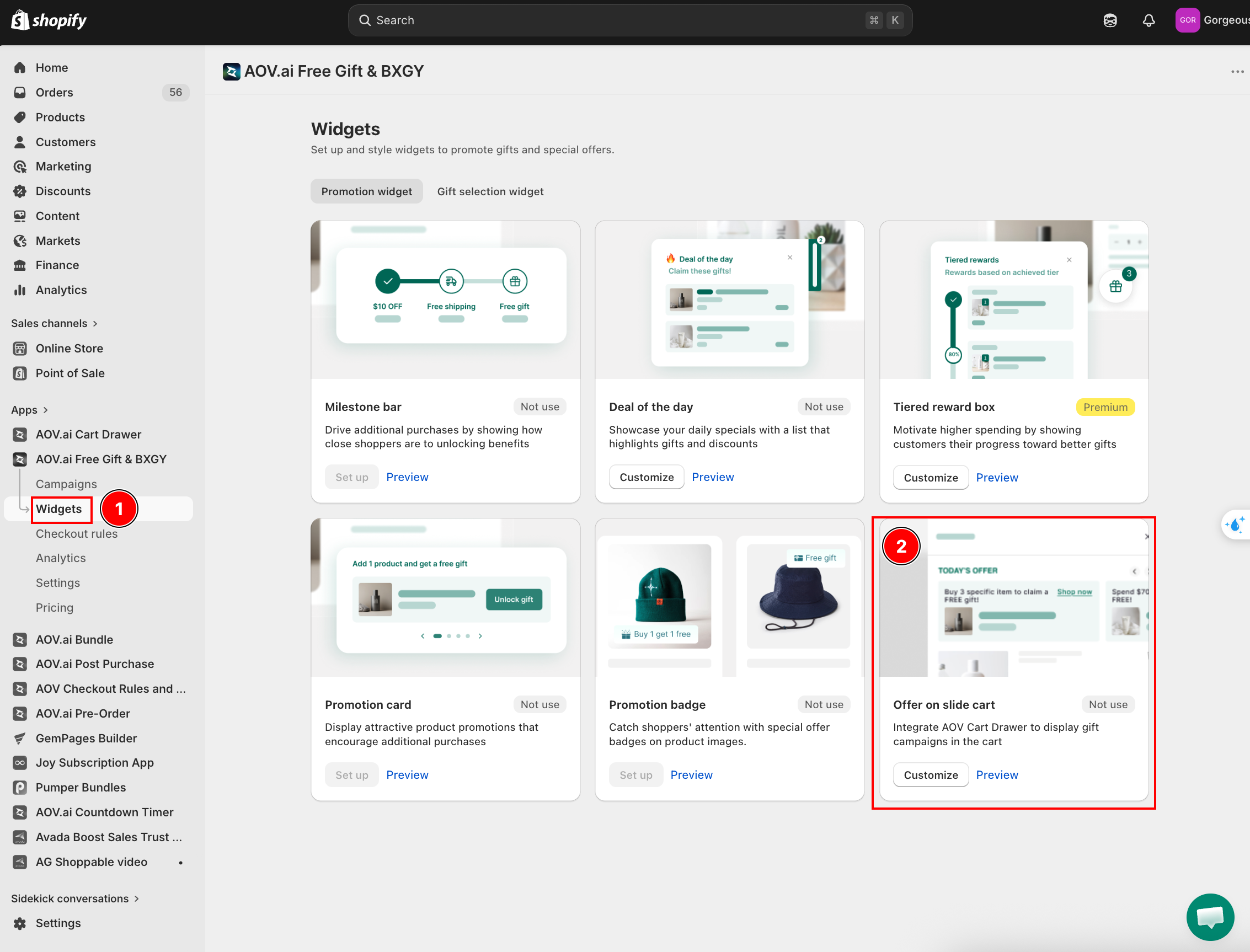
In AOV.ai Free Gift, go to the Widget tab and enable Today's offer. This activates the slide cart offer display inside the cart drawer.
Troubleshooting
Q1: The slide cart offer does not appear in the drawer
Make sure the AOV.ai Free Gift app is installed, at least one campaign is active, and Today's offer is enabled in the Widget tab. If it still does not appear, click Contact us inside the Slide cart offer section for direct support.
Q2: The section shows "Not installed"
Install the AOV.ai Free Gift app from the Shopify App Store, then return to the Cart Editor -- the status will update to "Installed" automatically.