Announcements
What Is It?
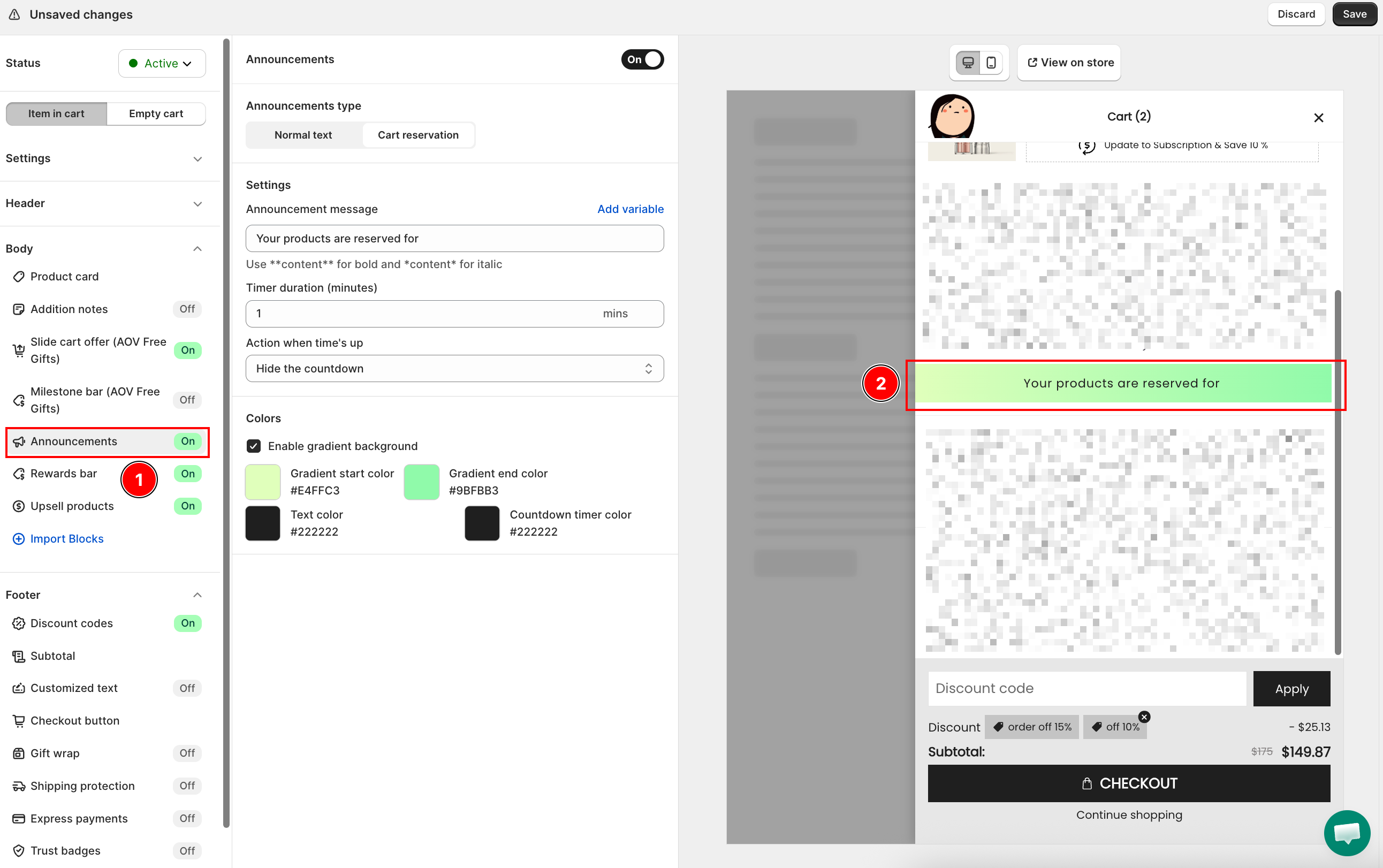
Announcements are short messages displayed at the top of the cart body. Use them to create urgency, promote offers, or share important information — right when the customer is about to check out.
Setup Walkthrough
Step 1: Open Announcements Settings
From the Cart Editor, click Announcements under Body in the left panel, then toggle the status to Active.
Step 2: Normal Text
Select Normal text under Announcements type for static or rotating messages.
Message — add one or more messages. Each message supports markdown formatting:
**text**for bold*text*for italic
Click + Add new message to add more messages to the list.
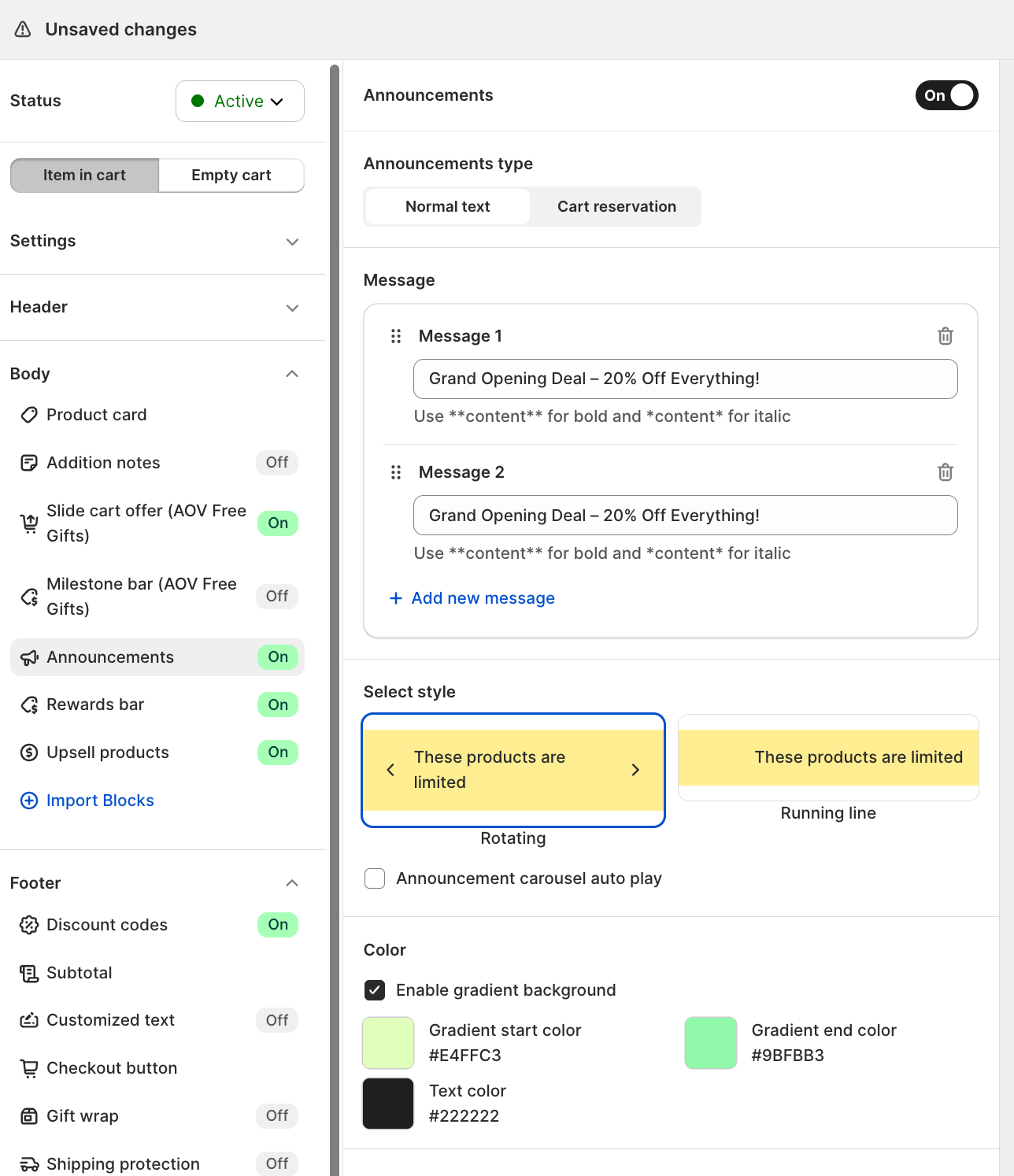
Select style — choose how multiple messages are displayed:
| Style | How it works |
|---|---|
| Rotating | Messages cycle one at a time with navigation arrows. Enable Announcement carousel auto play to rotate automatically. |
| Running line | All messages scroll continuously as a marquee. |
Step 3: Cart Reservation
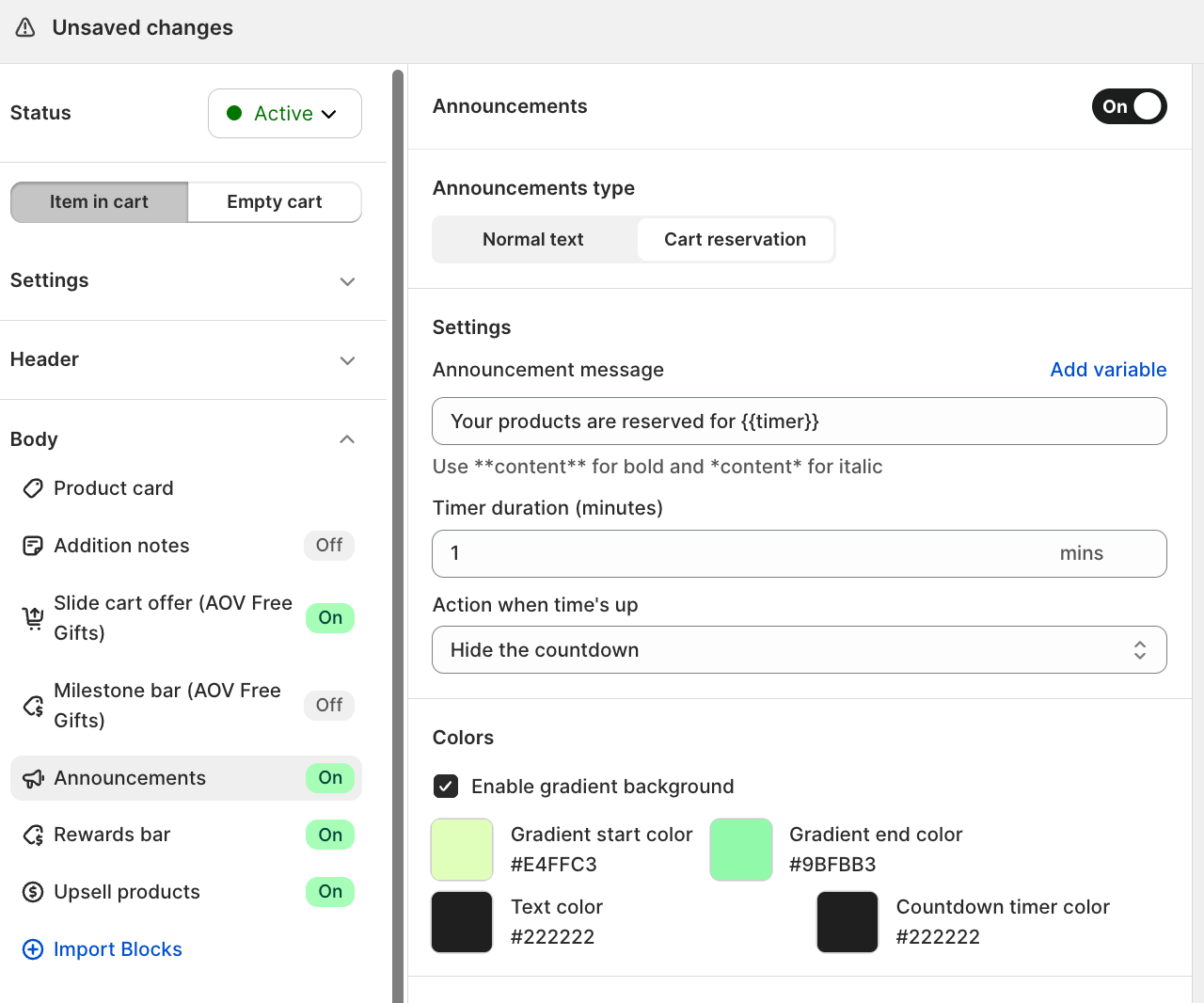
Select Cart reservation under Announcements type to show a countdown timer.
| Setting | What it controls |
|---|---|
| Announcement message | The text shown alongside the timer. Use Add variable to insert the live countdown. |
| Timer duration (minutes) | How long the countdown runs |
| Action when time's up | Hide the countdown -- timer disappears. Repeat the countdown -- timer restarts. Remove all items -- cart is cleared. |
Step 4: Color
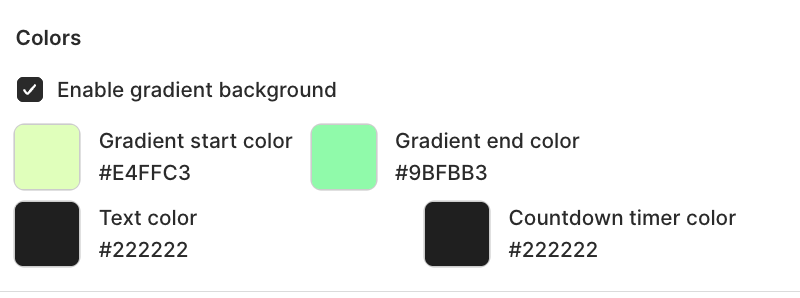
Under Colors, set the announcement bar's visual style:
| Setting | What it controls |
|---|---|
| Enable gradient background | Replaces solid background with a gradient |
| Gradient start color | Left/top color of the gradient |
| Gradient end color | Right/bottom color of the gradient |
| Text color | The announcement message text |
| Countdown timer color | The timer digits (Cart reservation only) |
Troubleshooting
Q1: The announcement bar doesn't appear on my store
Confirm Announcements is toggled Active in the left panel and that you clicked Save.
Q2: The cart reservation timer empties the cart and customers are confused
Set Action when time's up to Hide the countdown or Repeat the countdown for a softer urgency approach. Reserve Remove all items for promotions where stock scarcity is real.
Q3: The rotating messages don't cycle
Make sure Announcement carousel auto play is toggled on and that you have added at least two messages. If auto play is off, customers must manually advance the messages.