Gift Wrap
What Is It?
Gift Wrap adds a one-click add-on inside the cart drawer that lets customers request gift wrapping for their order. When a customer toggles it on, a gift wrap product is added to their cart automatically.
When to Use It
- You offer gift wrapping as a paid or free service
- You want an easy upsell during holidays, birthdays, or seasonal campaigns
- You want to handle gift wrap orders through your standard Shopify order flow
Before You Start
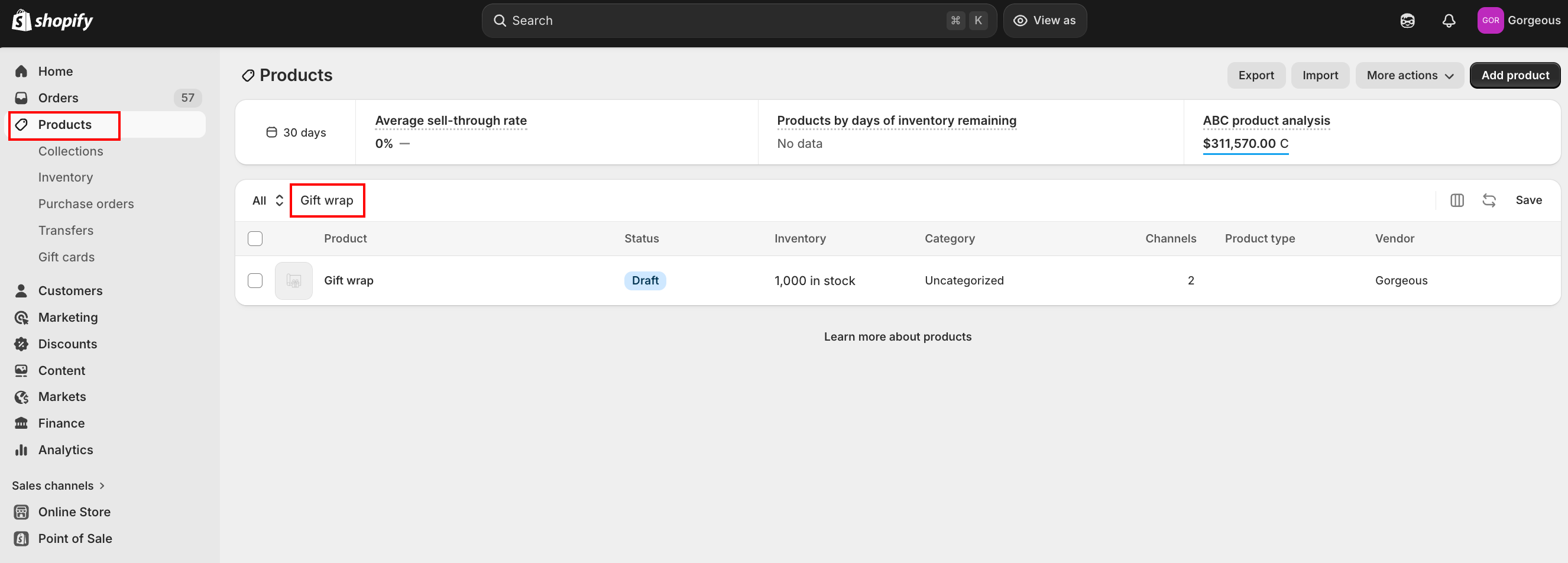
A gift wrap product must exist in your Shopify product catalog before you can configure this feature. If the product is deleted from your store, the Gift Wrap feature is automatically disabled.
Setup Walkthrough
Step 1: Open Gift Wrap Settings
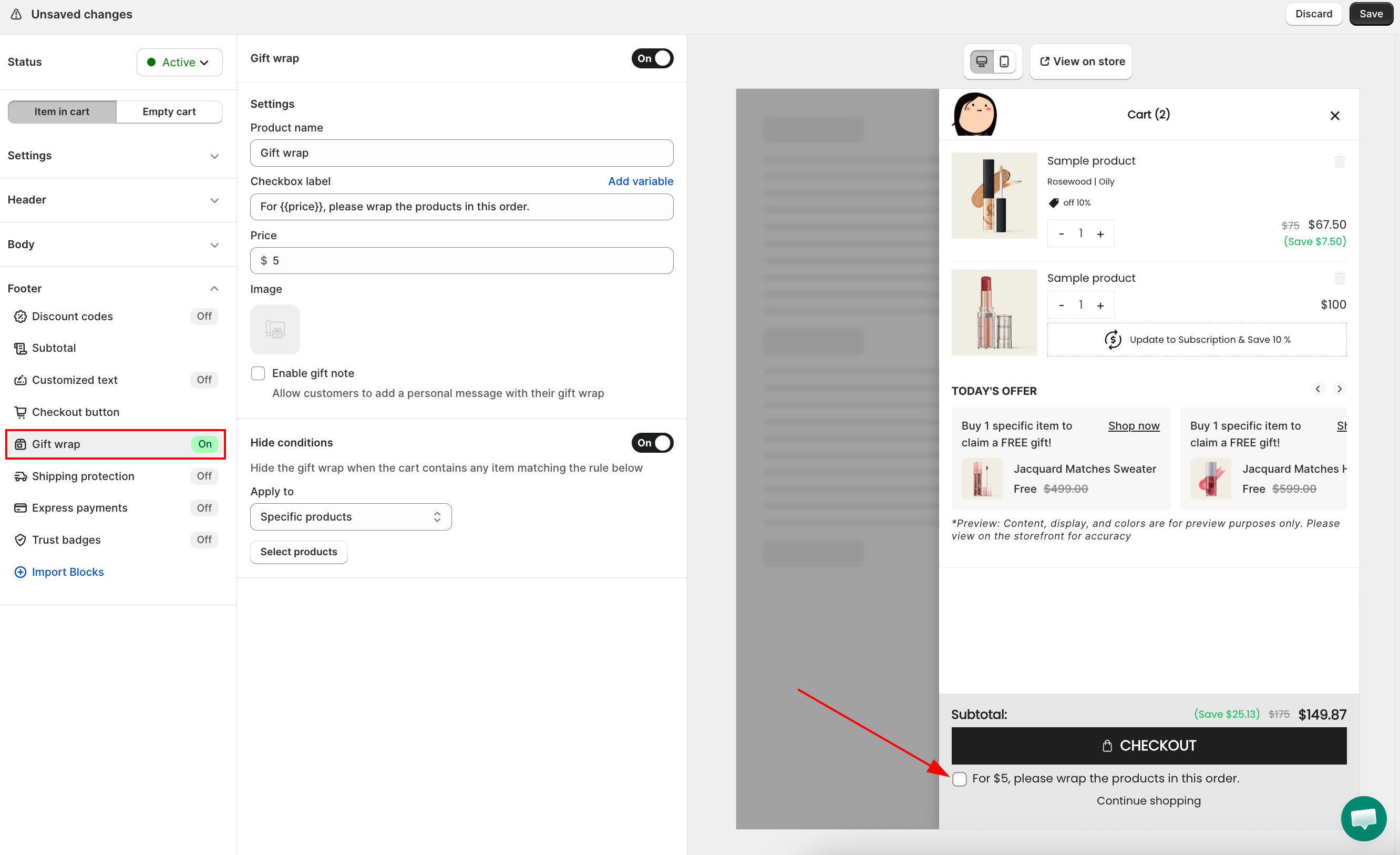
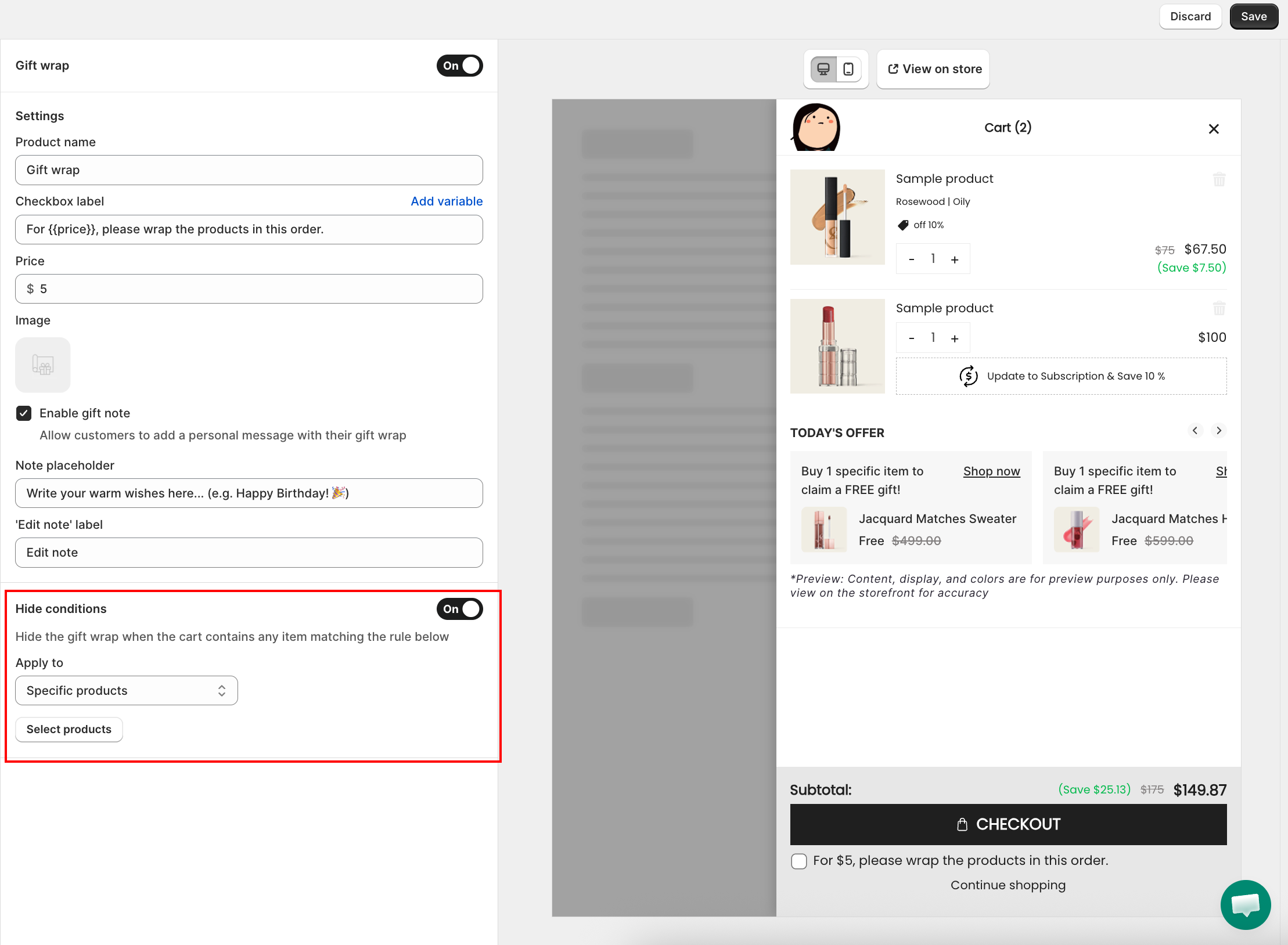
From the Cart Editor, click Gift wrap under Body in the left panel.
Step 2: Set the Product Name and Title
- Product name — the name of the gift wrap product as it appears in the cart line item
- Title — the heading shown above the gift wrap toggle in the cart drawer (for example, Add gift wrapping?)
Step 3: Set the Price, Image, and Gift Note
- Checkbox label — the text shown next to the gift wrap checkbox in the drawer; supports the
{{price}}variable to insert the price dynamically (for example,For {{price}}, please wrap the products in this order.) - Price — the add-on charge for gift wrapping; set to 0 for free gift wrap
- Image — click Browse images to choose from your Shopify product images, or upload a new image
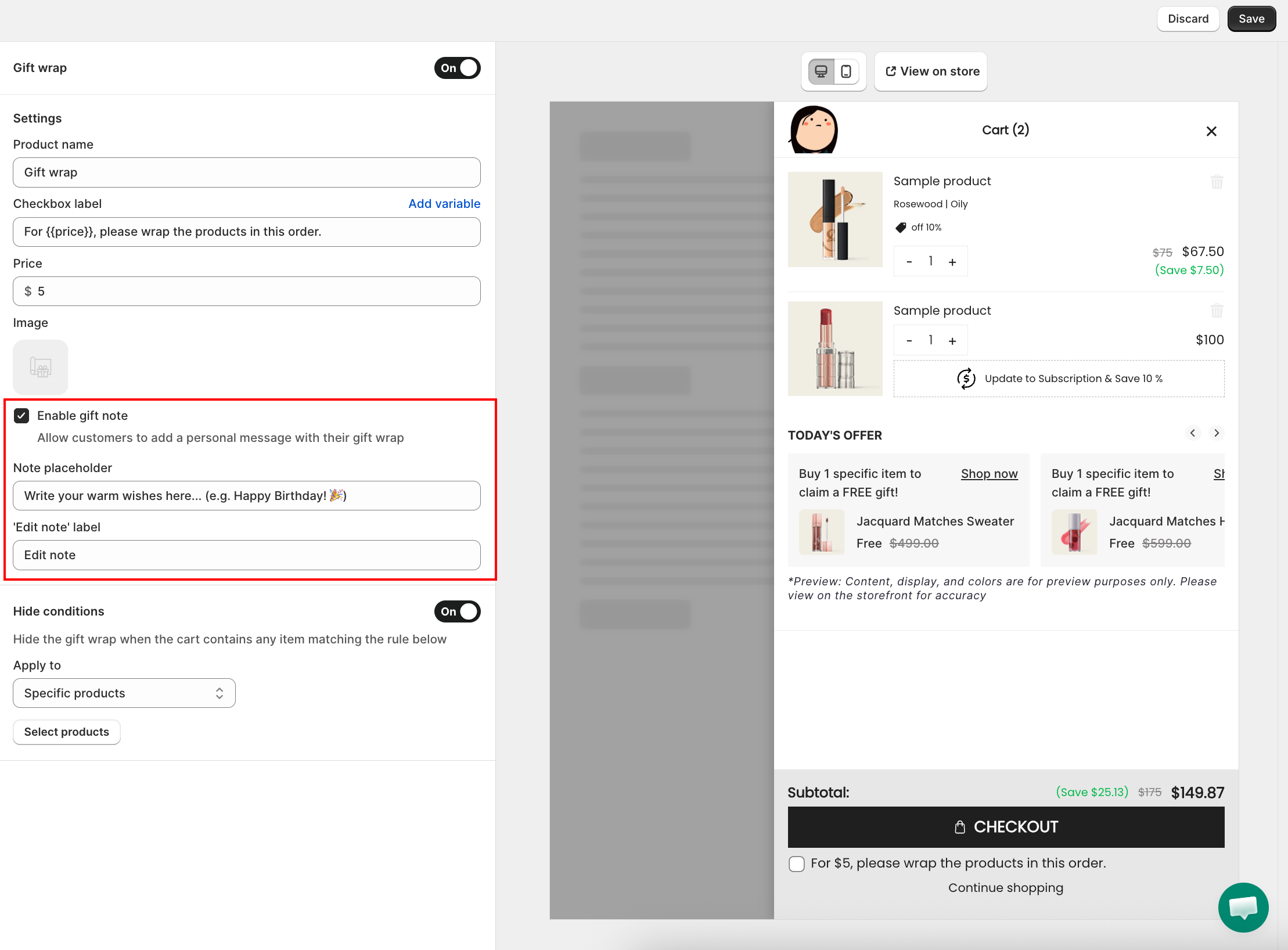
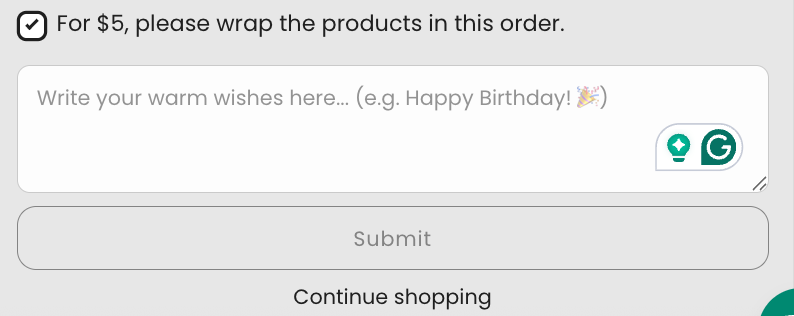
- Enable gift note — toggle on to let customers add a personal message with their gift wrap. When enabled, two additional fields appear:
- Note placeholder — the hint text shown inside the note field (for example, Write your warm wishes here...)
- 'Edit note' label — the label on the button customers click to open or edit their note (for example, Edit note)
Step 4: Configure Hide Conditions (Optional)
Hide conditions lets you automatically hide the Gift Wrap option when the cart contains specific products or collections — for example, to hide it when digital or non-wrappable items are in the cart.
Toggle Hide conditions on to enable it, then configure:
- Apply to — choose what triggers the hide rule:
- Specific products — gift wrap is hidden when any selected product is in the cart; click Select products to pick them
- Specific collection — gift wrap is hidden when any product from a selected collection is in the cart; click Select collections to pick them
Troubleshooting
Q1: The Gift Wrap option doesn't show in the cart
Check that the Gift Wrap section is enabled (toggled on) in the left panel. Also confirm the gift wrap product is still active and published in your Shopify product catalog.
Q2: Gift wrap was disabled automatically
This happens when the gift wrap product is deleted or set to Draft in Shopify. Restore or republish the product, then re-enable the feature in the Cart Editor.