Product Recommendation Widget
What It Controls
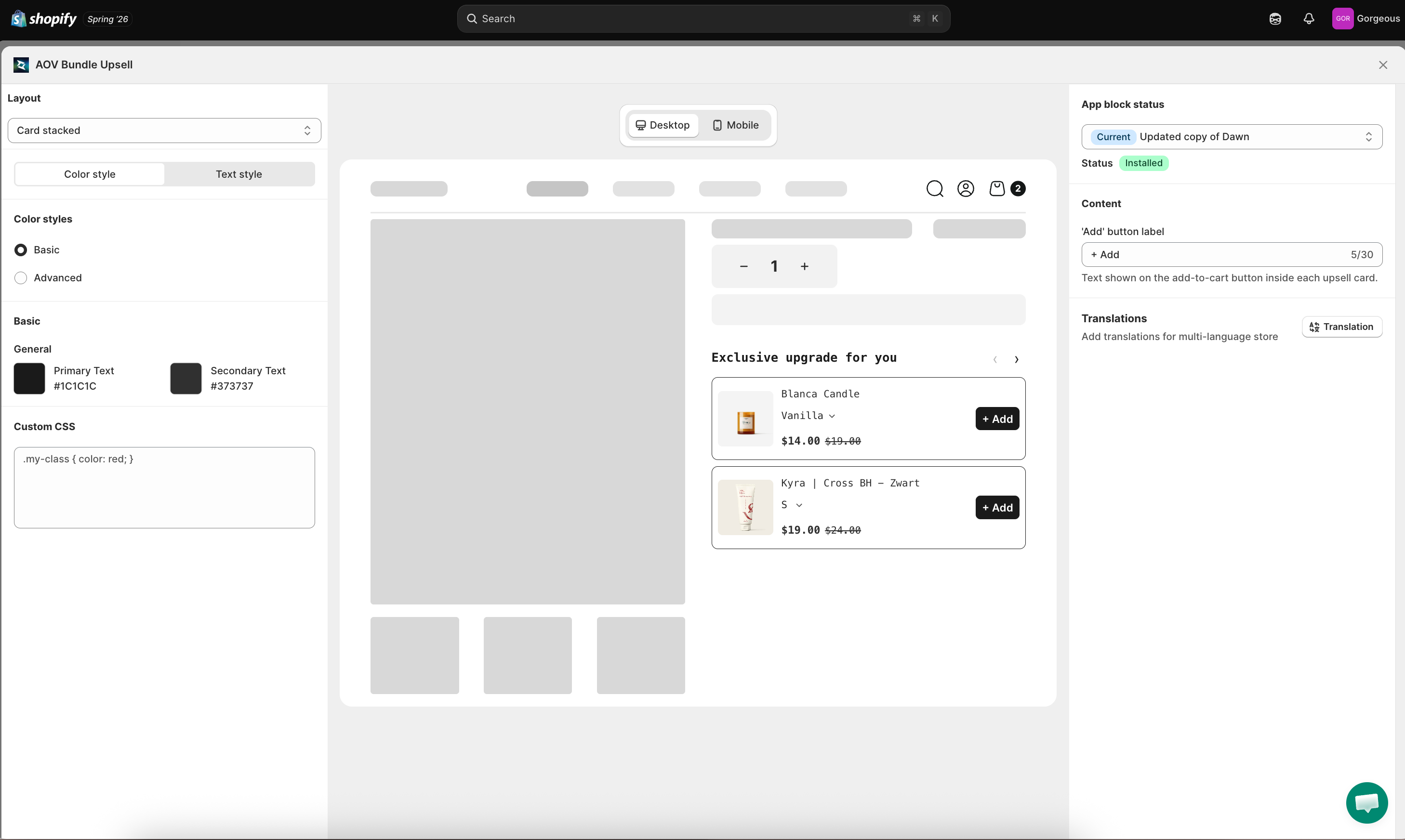
The Product recommendation widget is the "you might also like" block shown on a product page, suggesting related or higher-value products with an optional discount. The styling here applies to every Product Recommendation offer in your store.
How to Open It
In AOV.ai Bundle Upsell, click Widget display in the left sidebar, then click Setup on the Product recommendation widget card.
You can also reach it from inside an offer: open the offer, go to Step 2: Display setting, and click Edit widget.
What You Can Customize
Layout
Pick how the recommendations are arranged:
- Card stacked: a vertical list (default).
- Card carousel: a horizontal slider.
The center preview updates immediately as you switch layouts.
Sync Theme Color
Auto-match the widget colors to your Shopify theme. If it's locked due to a theme conflict, click Check my theme to request an unlock review.
Color Styles
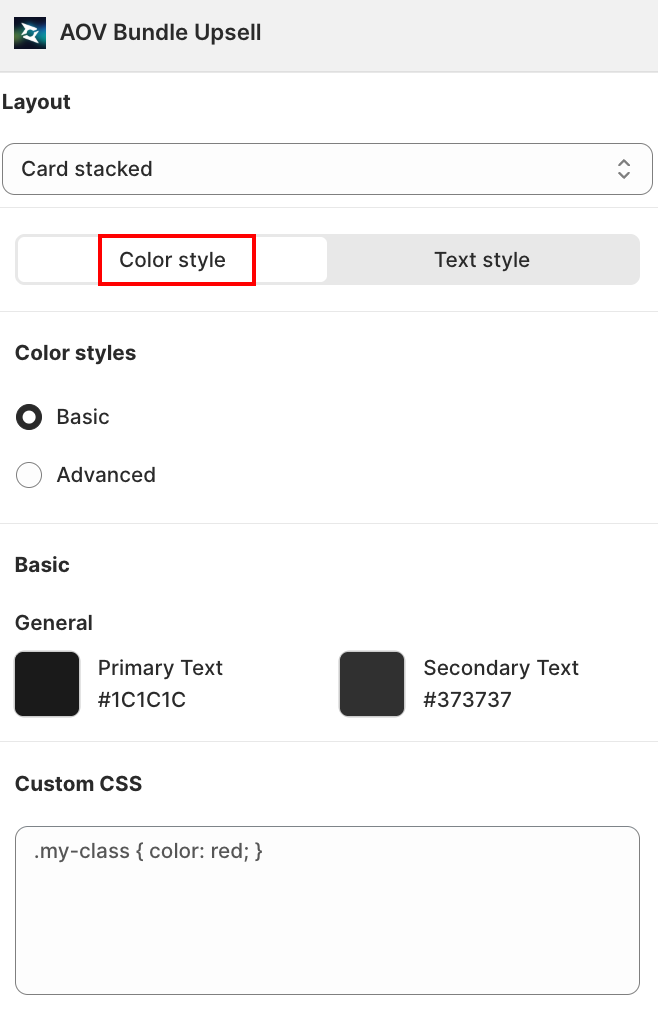
Switch between two color modes:
- Basic: set two colors and the app applies them across the widget.
- Primary Text: default
#1C1C1C(also drives the button background and border). - Secondary Text: default
#373737(also drives product name, price, and compare price).
- Primary Text: default
- Advanced: control each element color on its own:
| Element | Default |
|---|---|
| Border color | #1C1C1C |
| Product name | #373737 |
| Price | #373737 |
| Compare price | #373737 |
| Background (button) | #1C1C1C |
| Text (button) | #FFFFFF |
Text Style
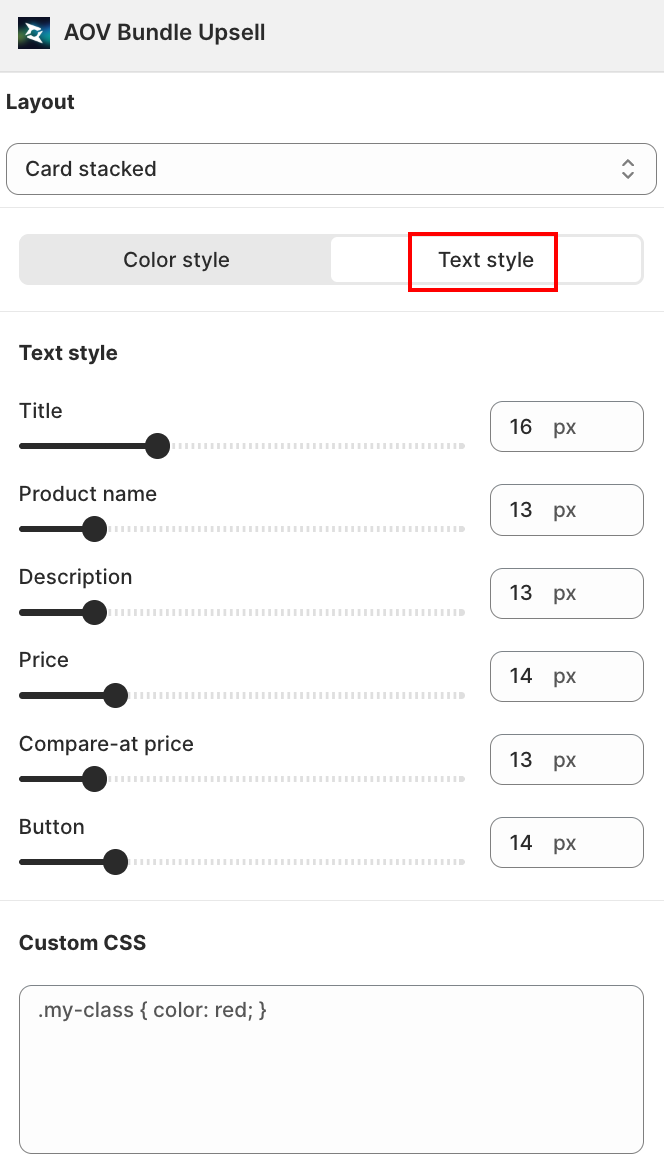
A slider + number field (10px to 30px) for each text element:
| Field | Controls |
|---|---|
| Title | The widget's main heading |
| Description | Supporting text under the title |
| Product name | Each recommended product's name |
| Price | Each recommended product's price |
| Compare-at price | Each recommended product's struck-through original price |
| Button | The add-to-cart button text |
Content
The Content tab sets the button label customers see on each card:
| Field | Default | Notes |
|---|---|---|
| 'Add' button label | + Add | Text on the add-to-cart button inside each upsell card. Max 30 characters. |
The label supports multiple languages through the built-in Translation manager.
Live Preview
The center column shows the widget rendered on a mock product page. Toggle Desktop / Mobile to verify both screen sizes.
Save
Changes save automatically. Close the modal with the X in the top-right when you're finished.
Related
- Product Recommendation how to set up: create and configure the offer
- Widget display Overview: how shared widget styling works
- App Embed and Theme Integration: add the AOV Product Recommend block if the widget isn't rendering