Frequently Bought Together Widget
What It Controls
The Frequently bought together (FBT) widget is the "Buy it with" suggestion list on a product page. It nudges customers to add complementary products with a discount. The styling here applies to every FBT offer in your store.
How to Open It
In AOV.ai Bundle Upsell, click Widget display in the left sidebar, then click Setup on the Frequently bought together card.
What You Can Customize
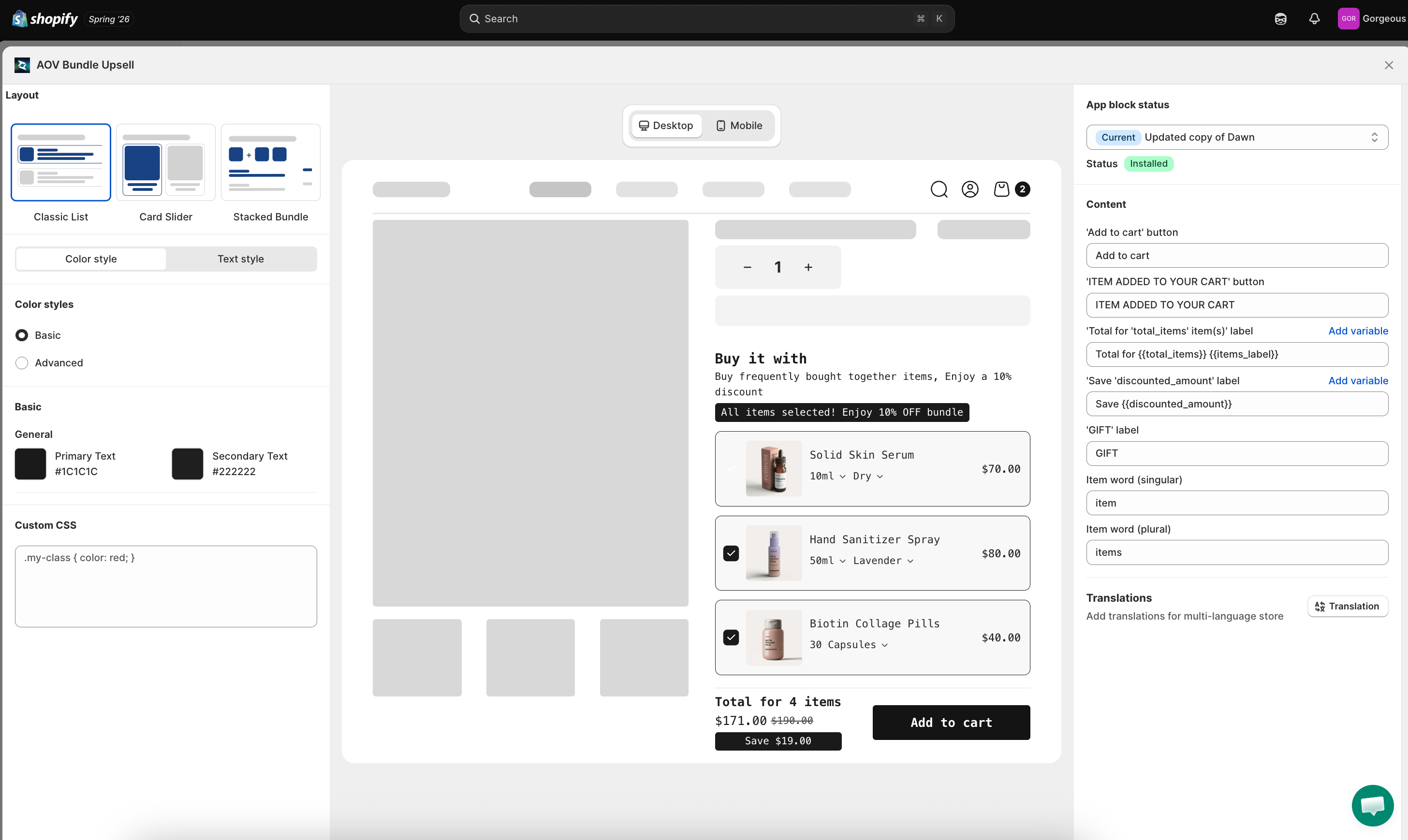
Layout (3 Templates)
Pick the visual layout of the suggestion list:
- Classic List: vertical list of suggested products with checkboxes (default; the one most stores reach for first)
- Card Slider: horizontal scrollable carousel of cards
- Stacked Bundle: compact stacked layout with all products visible together
The center preview updates immediately as you switch templates.
Sync Theme Color
Auto-match widget colors to your Shopify theme. If it's locked due to a theme conflict, click Check my theme to request an unlock review.
Color Styles
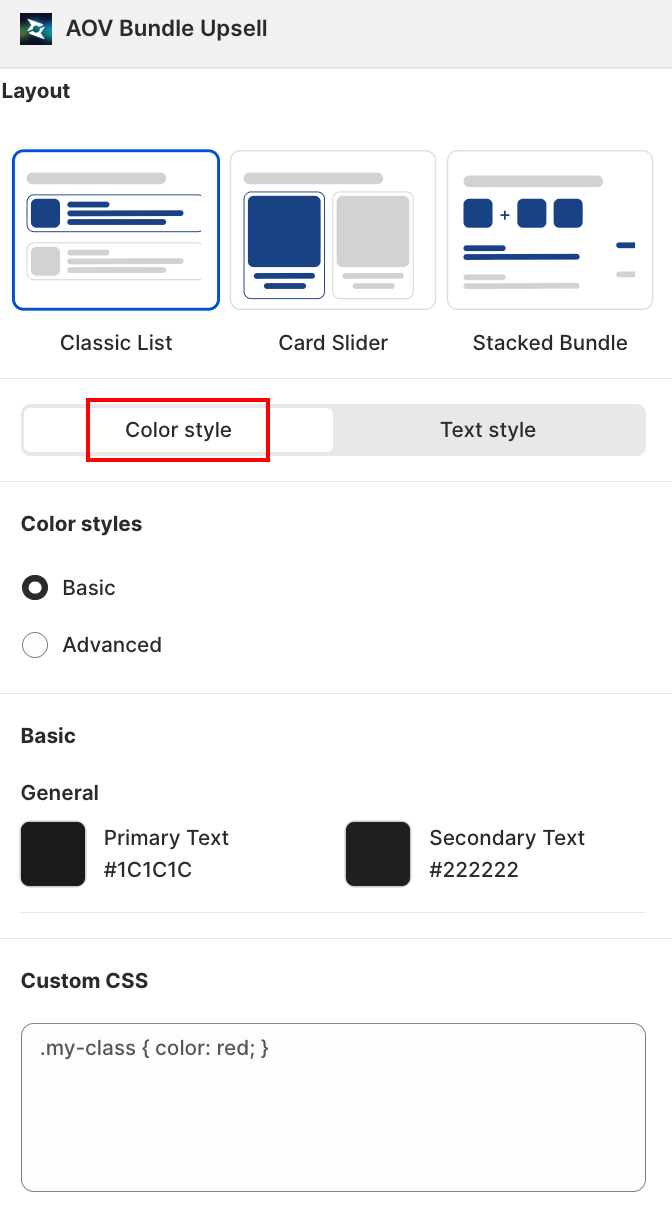
- Basic: pick two colors and the app applies them across the widget.
- Primary Text: default
#1C1C1C - Secondary Text: default
#222222
- Primary Text: default
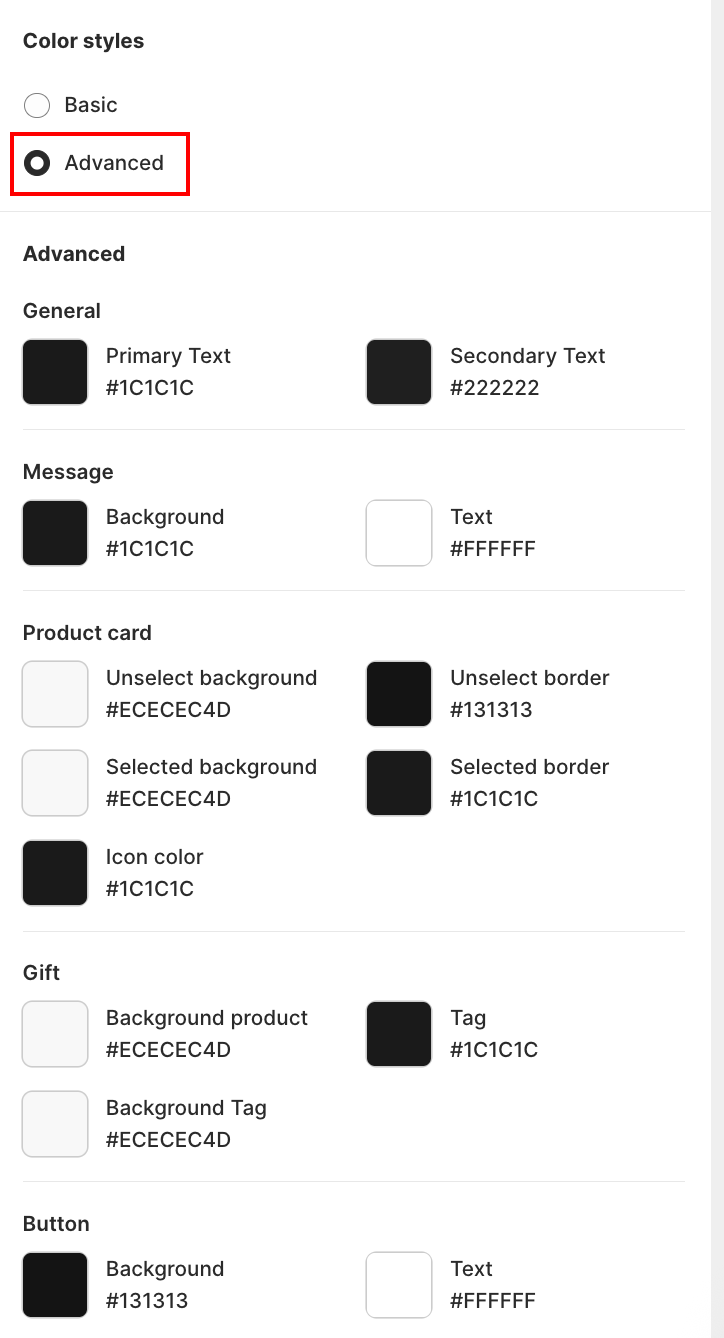
- Advanced: granular control over individual element colors.
Text Style
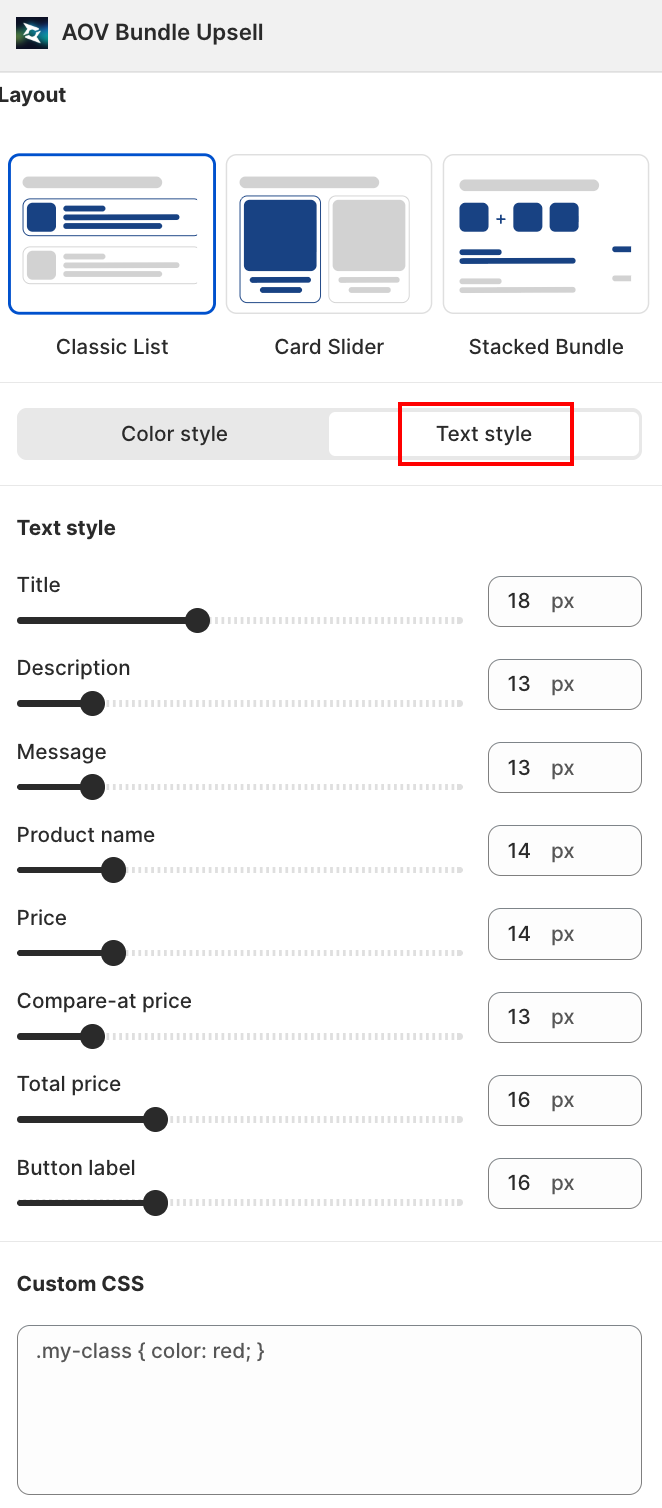
A slider + number field (10px to 30px) for each text element:
| Field | Controls |
|---|---|
| Title | The widget's main heading |
| Description | Supporting text under the title |
| Message | Helper/status message text |
| Product name | Each suggested product's name |
| Price | Each suggested product's price |
| Compare-at price | Each suggested product's struck-through original price |
| Total price | The running total shown at the bottom |
| Button label | The Add to cart button text |
Content (Right Column)
The Content section lets you rewrite every customer-facing label. Several fields support template variables in double curly braces (e.g., {{total_items}}). Click Add variable to insert one.
| Field | Default | Notes |
|---|---|---|
'Confirm' button | Confirm | Used in some layouts when customers commit a selection |
'Add to cart' button | Add to cart | Main CTA below the bundle |
'ITEM ADDED TO YOUR CART' button | ITEM ADDED TO YOUR CART | Confirmation state |
'Total for 'total_items' item(s)' label | Total for {{total_items}} {{items_label}} | Running total label; includes count + word |
'Save discounted_amount' label | Save {{discounted_amount}} | Savings shown when bundle qualifies |
'GIFT' label | GIFT | Tag shown on free gift items |
Item word (singular) | item | Used inside {{items_label}} when count is 1 |
Item word (plural) | items | Used inside {{items_label}} when count > 1 |
'Select variants' modal title | N/A | Heading of the variant picker modal that opens when a suggested product has multiple variants |
'View more detail' link | N/A | Link label shown on the product card that expands the product description |
'Description' section title | N/A | Heading above the product description inside the expanded detail view |
Disable button | N/A | Toggle to hide the Add to cart button on individual suggestion cards |
Available Template Variables
{{total_items}}: number of items currently in the bundle{{items_label}}: automatically resolves to item or items based on count{{discounted_amount}}: total savings amount with currency symbol
Use these so labels stay grammatical at any quantity (e.g., "Total for 1 item" vs. "Total for 3 items").
Live Preview
The center column shows a "Buy it with" widget rendered on a mock product page. Sample products appear with checkboxes and the running total at the bottom. Toggle Desktop / Mobile to verify both screen sizes.
Save
Changes save automatically. Close the modal with the X in the top-right when you're finished.
Related
- Frequently Bought Together how to set up: for the offer-level data
- Sync theme color: how auto-match works
- App Embed and Theme Integration: if the widget isn't rendering