Markets
What This Page Is About
The Markets field on a Bundle offer scopes the offer geographically. It uses Shopify Markets, the same primitive that controls currency, language, and shipping availability across regions of your store.
If you sell in multiple countries with different pricing, taxes, or campaigns, Markets lets you run different Bundle offers in different regions without juggling separate stores.
Where to Find It
The Markets selector is available in two offer types:
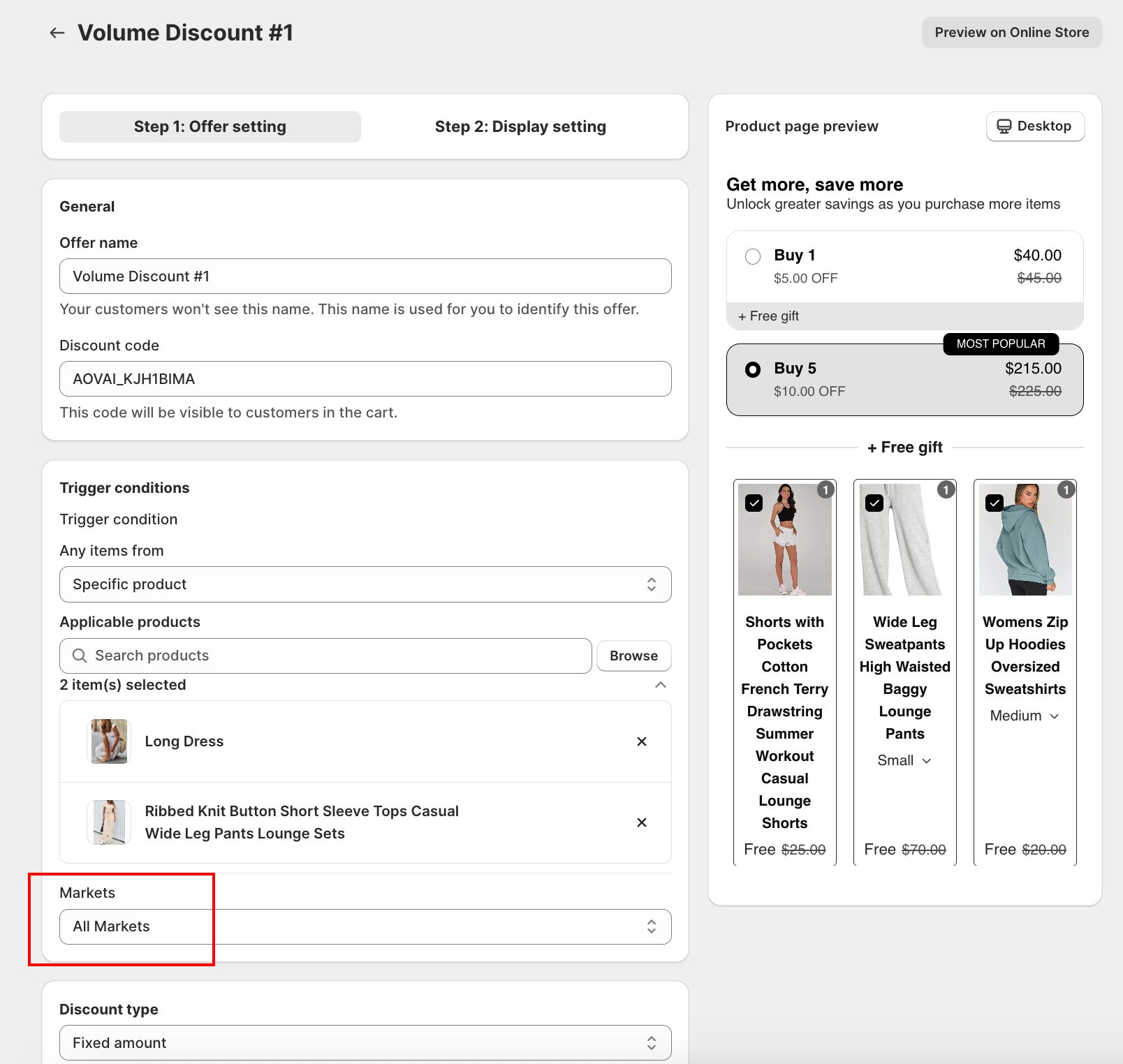
- Volume Discount: inside the Trigger conditions card on the offer form
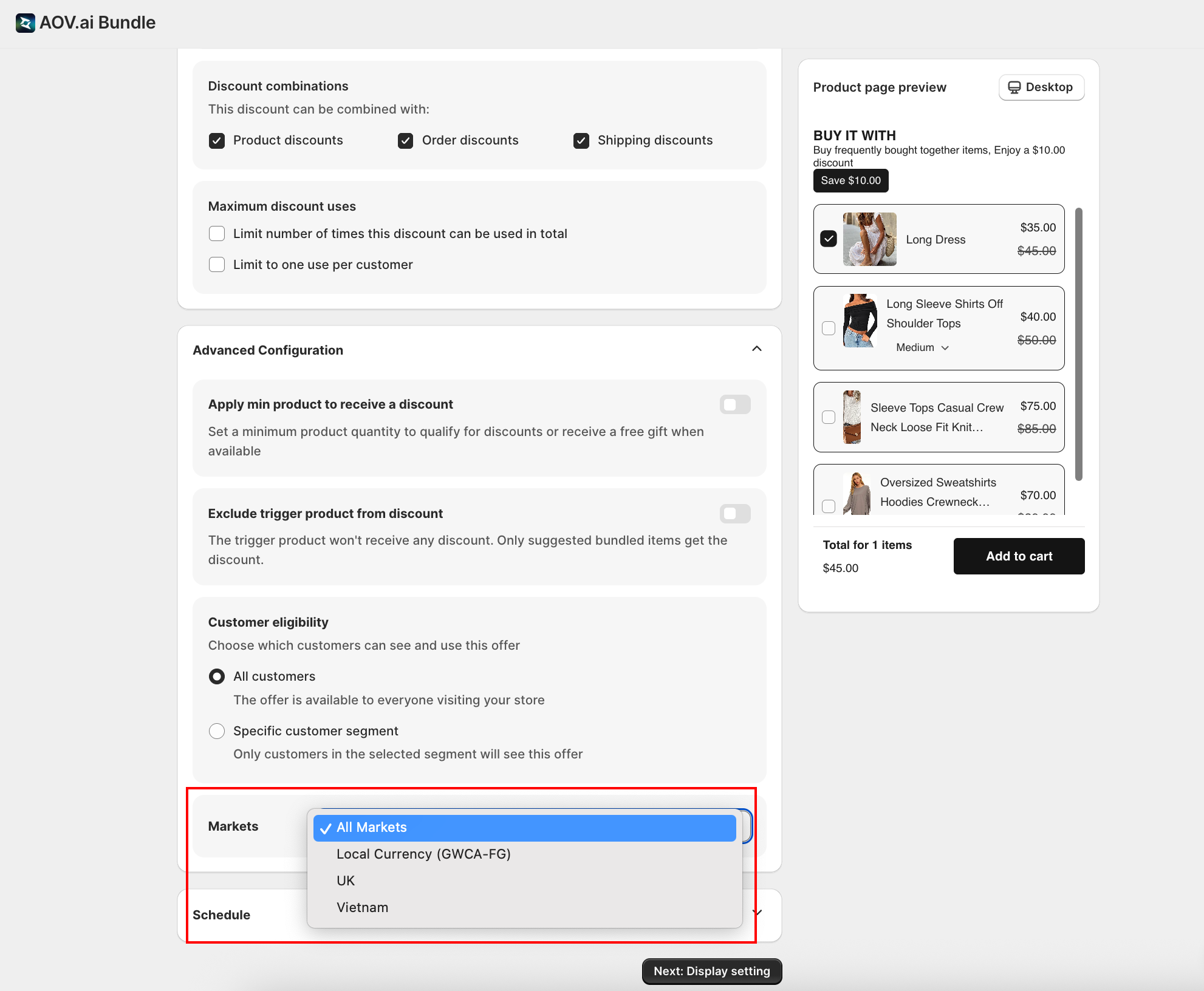
- Frequently Bought Together: inside the Advanced settings section on the offer form
How It Works
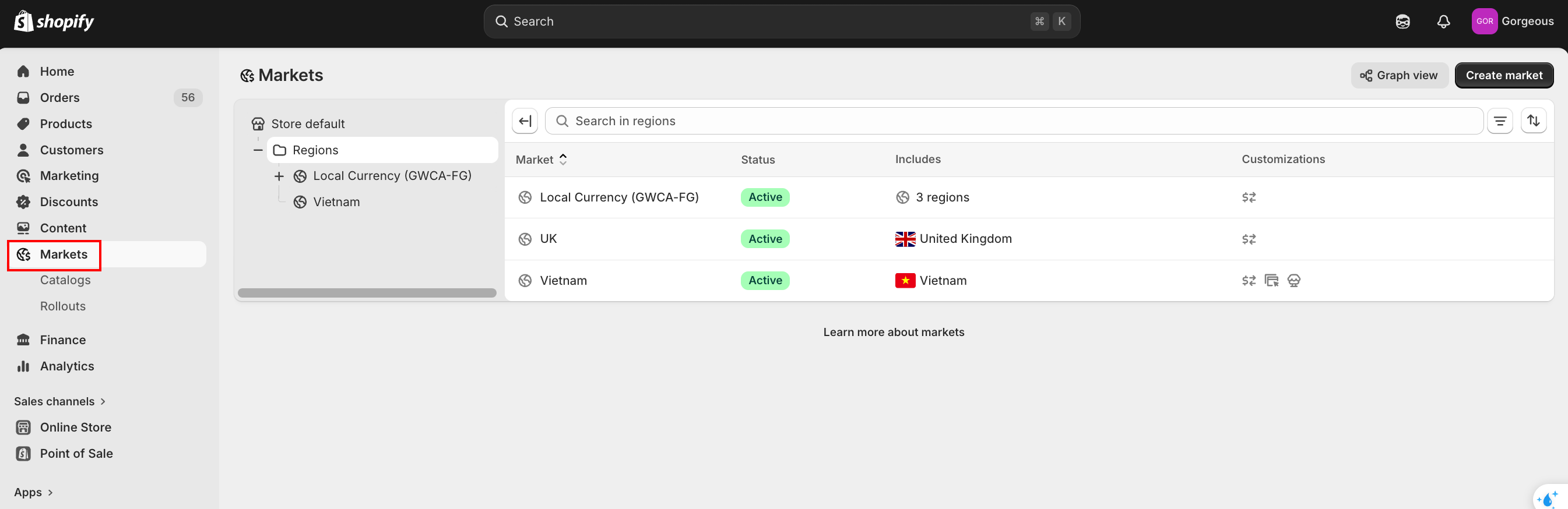
The Markets dropdown lists every market you've configured in Shopify admin under Settings → Markets, plus a top-level All Markets option.
| Setting | Effect |
|---|---|
| All Markets | The offer runs everywhere your store is available |
| Specific market (e.g., Canada, United States) | The offer only runs for customers shopping in that market |
The widget only renders, and the discount only applies, for customers whose Shopify-detected market matches.
.ca storefront, they're in the Canada market. If a customer is on the primary store with USD selected, they're in the United States market (assuming both are configured).When to Scope by Market
| Scenario | What to set |
|---|---|
| You run a single, global promotion | All Markets |
| You run a country-specific holiday promo (e.g., US Black Friday vs. Canadian tier) | United States for one offer; Canada for a duplicate offer |
| You sell in EUR and USD with different price ladders | Create a separate offer per market with the right currency tiers |
| You want to test an offer in one country before global rollout | Pick the test market only; switch to All Markets after validation |
Markets vs. Customer Eligibility
These two scoping mechanisms answer different questions:
- Markets answers "In which country/region is this offer available?"
- Customer eligibility answers "Which customers (segments) can redeem it?"
Both can be combined. For example: scope to United States, then restrict to a Loyalty members segment.
See Discounts: codes, combinations, limits, and eligibility for customer eligibility.
Tips
- Use "All Markets" by default. Only narrow the scope when you have a country-specific reason.
- Set up your Shopify Markets first. The selector reads from Shopify Markets settings; if your markets aren't configured, only All Markets will appear.
- Always check Markets when localizing prices. The same offer in EUR and USD will deliver different absolute discounts unless you split it by market.
Next Steps
- Discounts: codes, combinations, limits, and eligibility: the other shared offer controls
- Status, Schedule, and activation: when the offer is allowed to run
- Choosing an offer type: pick which offer type to scope by market