Quick Start
What This Page Is About
The Setup guide on the home dashboard walks you through the 4 tasks you need to get AOV.ai Bundle Upsell live on your store. Each task is small and focused. Work them in order and your first offer will be running within 15 to 30 minutes.
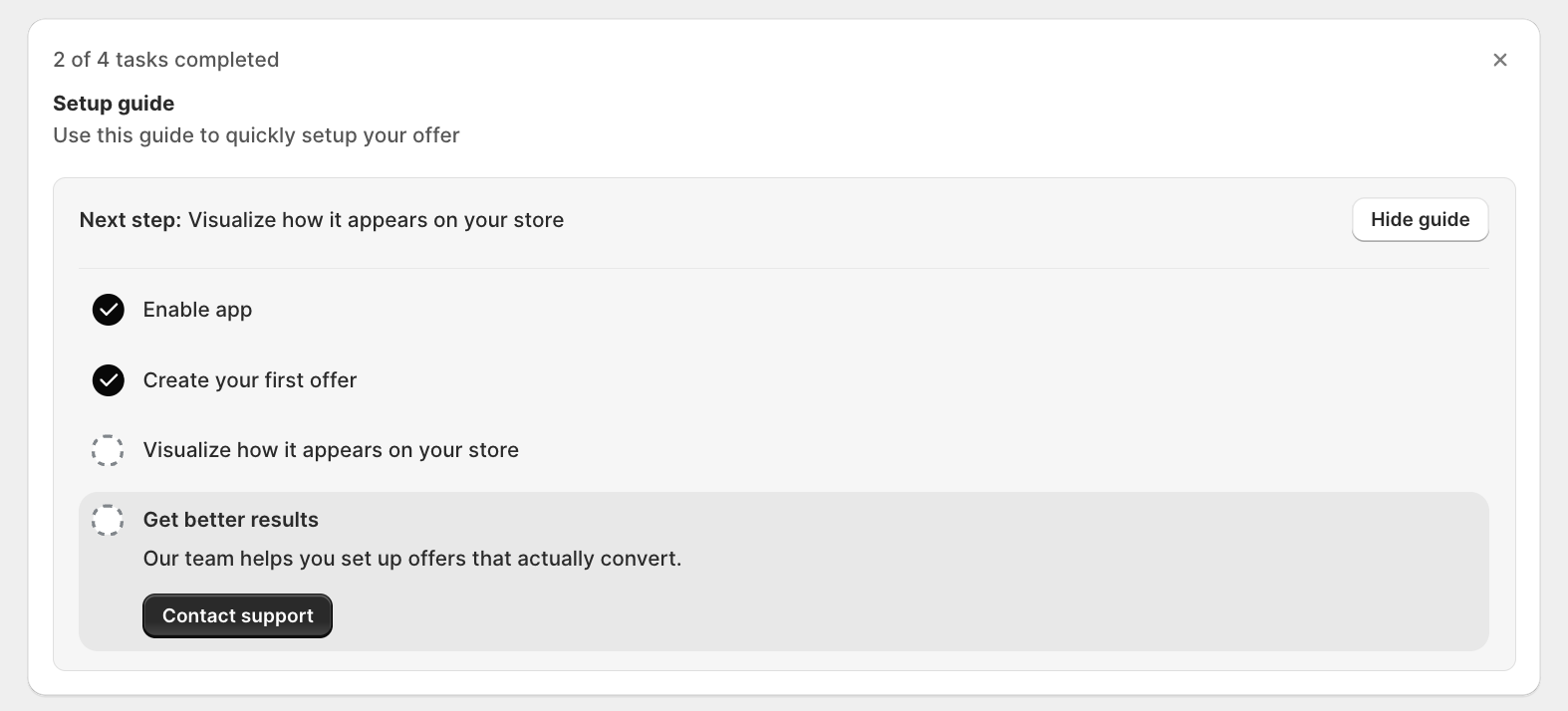
How to Open the Setup Guide
Open AOV.ai Bundle Upsell from the Shopify admin sidebar. The Setup guide sits below the welcome banner on the home page. The progress bar tells you where you are (e.g., 1 of 4 tasks completed).
If you've hidden the guide, click Show guide on your next visit and it'll show back up.
Task 1: Enable App Embed
Turns on the Bundle widget in your Shopify theme. No widget renders without this.
→ App Embed and Theme Integration
Task 2: Create Your First Offer
Opens the offer type chooser where you pick from 6 native offer types and configure the trigger, discount, and tiers.
→ Choosing an offer type · Per-offer setup guides in each offer type section
Task 3: Visualize How It Appears on Your Store
Preview the offer on your storefront and confirm the widget renders in the right place.
→ App Embed and Theme Integration if the widget doesn't appear
Task 4: Get Better Results
Click Contact support to get hands-on help from the AOV.ai team on your offers.
What "Completed" Looks Like
When all 4 tasks are checked off the progress bar reads 4 of 4 tasks completed. From there, track results in the Overview card on the home dashboard. See Dashboard and Overview for what each metric means.
Next Steps
- Choosing an offer type: which of the 6 native types fits your store
- App Embed and Theme Integration: required before any widget appears
- Dashboard and Overview: what every section of the home page does
- Widget display Overview: style the widgets after your first offer is live