Yotpo Reviews
What Is It?
If your store uses the Yotpo reviews app, the cart drawer can pull each product's star rating and review count from Yotpo and show them on product cards and upsell cards. Shoppers see a row of stars and a review count in parentheses, for example (128).
There is no separate Yotpo screen in the app. The cart drawer detects Yotpo automatically on your storefront and reads the ratings through Yotpo's public ratings data. Your job is to turn on the review display where you want it to appear.
When to Use It
- You collect product reviews in Yotpo and want that social proof inside the cart drawer
- You want star ratings on upsell cards to lift add-to-cart confidence
- You want reviews shown on cart product cards without editing theme code
Setup Walkthrough
Step 1: Confirm Yotpo Is Installed and Live
The cart drawer reads ratings from Yotpo only when the Yotpo widget is loaded on your storefront. Make sure the Yotpo app is installed and its reviews already show on your product pages.
Step 2: Turn On Reviews for Upsell Products
From the Cart Editor, open Upsell products under Body, then under Upsell settings enable Display reviews for upsell products.
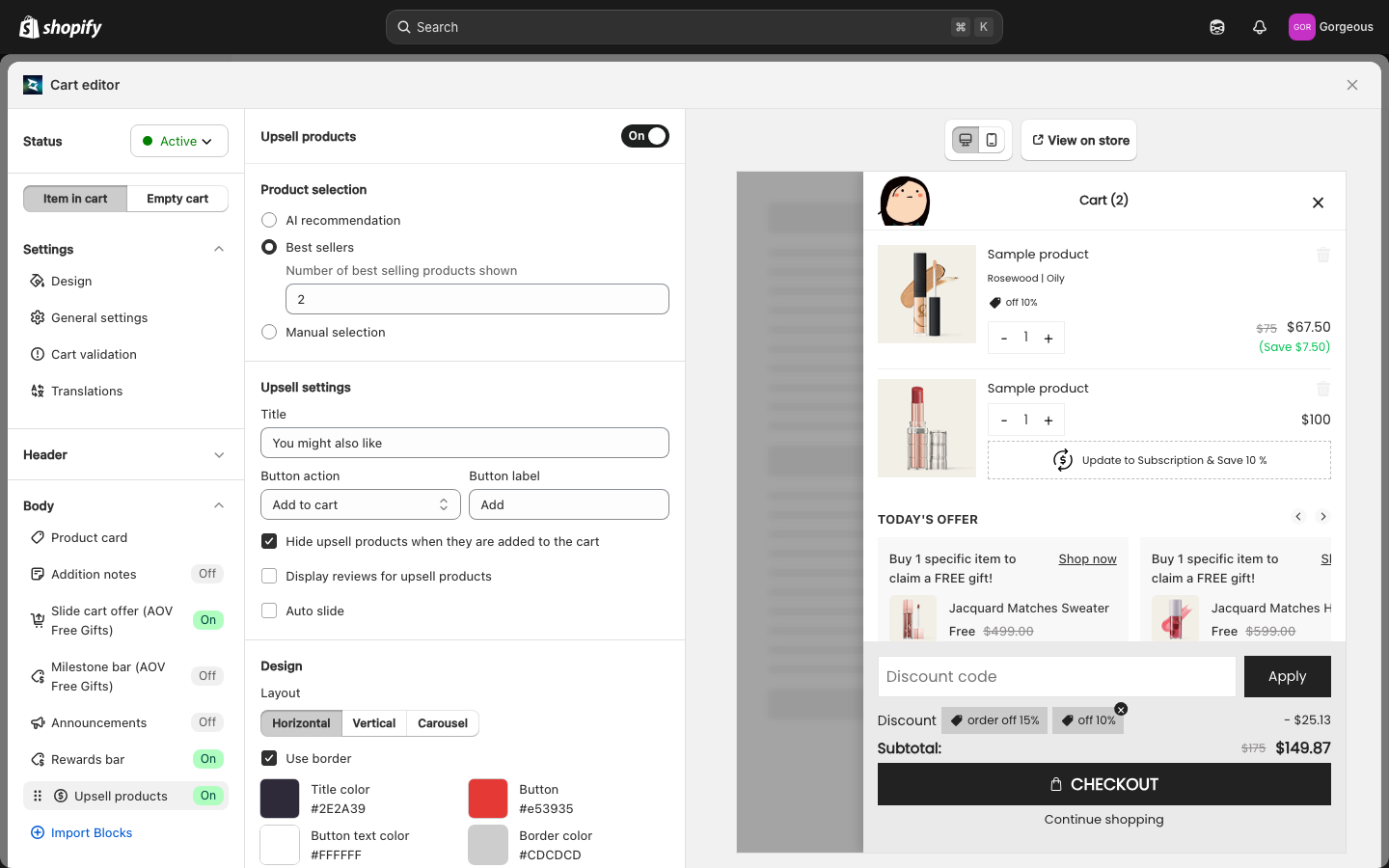
Step 3: Turn On Reviews for Cart Product Cards
To show ratings on the items already in the cart, open Product card under Body and enable Show product reviews.
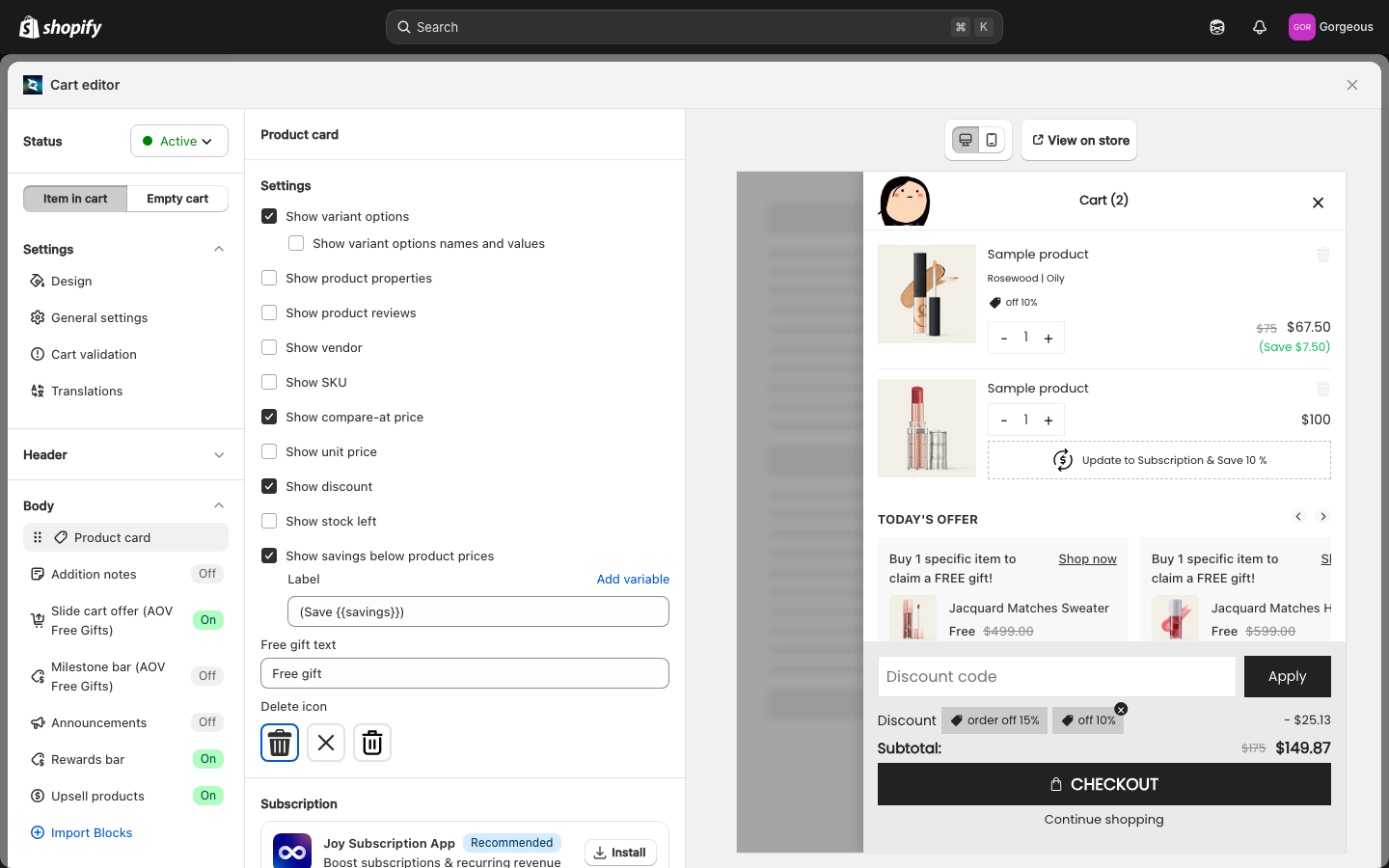
Troubleshooting
Q1: I enabled reviews but no stars appear
The cart drawer only fetches Yotpo data when the Yotpo widget is present on the page. Confirm Yotpo is installed and its reviews load on your product pages first. Stars also only show for products that actually have at least one review in Yotpo.
Q2: Stars show on cart items but not on upsell cards (or the other way around)
The two placements have separate toggles. Enable Display reviews for upsell products for upsell cards and Show product reviews for cart items, then save.
Q3: A product has reviews in Yotpo but shows nothing in the drawer
A product with a zero rating or zero reviews is hidden. Also, ratings are cached for a short time per shopper session, so a brand-new review may take a few minutes to appear. Reopen the drawer after a short wait.
Q4: Ratings look slow to appear the first time
The drawer waits for the Yotpo widget to finish loading before it can read ratings. On the first open it may take a moment; once cached, ratings appear immediately for the rest of the session.