Welcome
AOV.ai Checkout Upsell helps you increase Average Order Value (AOV) by customizing the Shopify checkout experience — show upsell offers, add trust-building widgets, control payment and delivery methods, validate orders, and more, all without leaving checkout.
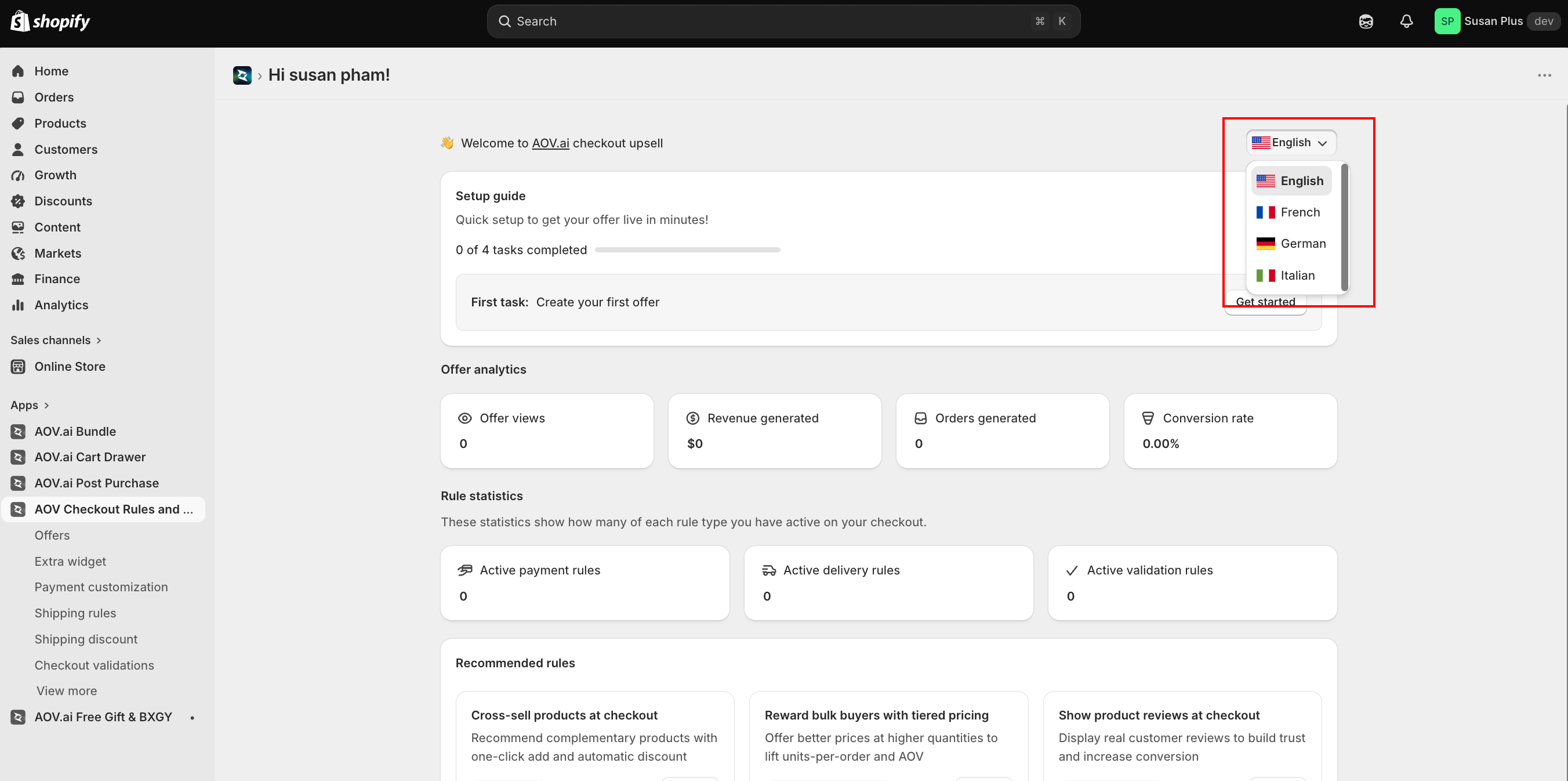
The app's admin interface can be switched between English, French, German, and Italian using the language picker on the Home page. This only changes what you and your staff see while managing the app, not what shoppers see at checkout.
Features
| Feature | What it does | Plan |
|---|---|---|
| Checkout Upsell | Show a relevant product upsell offer on the checkout page. Buyers add with one click. | Shopify Plus |
| Volume Savings | Encourage buyers to add more by offering better prices at higher quantities ("buy more, save more"). | |
| Discount List | Display available discount codes so buyers can apply them without memorizing them. | |
| Trust Badges | Display trust signals and payment icons to boost buyer confidence. | |
| Testimonials | Show product reviews to build trust and boost checkout conversion. | |
| Image Carousel | Display a slideshow of images at checkout for promotions and branding. | |
| Custom Banners | Show announcements, policies, and promotions at checkout. | |
| Custom Buttons | Add call-to-action buttons (call, email, or link) at checkout. | |
| Cart Editor | Let buyers change product variant and quantity directly at checkout. | |
| Payment Customization | Hide, rename, or reorder payment methods based on conditions. | All plans |
| Shipping Rules | Hide, rename, or reorder delivery (shipping) methods based on conditions. | |
| Shipping Discount | Apply a discount to shipping rates at checkout based on conditions. | |
| Checkout Validations | Block checkout with Custom Rules, Order Limits, Address Validation, Geo Restriction, Regex Validation, and VAT Validation. | |
| Translation | Localize checkout content (offers, widgets, validation messages, renamed methods) into your published languages. |
Note on Translation: The Translation admin works on any plan. The features that render translated content at checkout (upsell, widgets) require Shopify Plus.
How it works
AOV.ai Checkout Upsell sits on top of Shopify's native checkout — it does not modify your theme's code. Features are powered by:
- Checkout UI Extensions (Checkout Upsell, Volume Savings, Discount List, Trust Badges, Testimonials, Image Carousel, Custom Banners, Custom Buttons, Cart Editor) — app blocks you add via the Checkout Editor
- Shopify Functions (Payment Customization, Shipping Rules, Shipping Discount, Checkout Validations) — serverless rules that run at checkout evaluation time
You can also connect a review app (Judge.me) under Integrations to pull real product reviews into the Testimonials widget.
Next step
Head to the Quick start guide to get your first offer or rule live in under 5 minutes.