# Subscription restrictions
### **Issue description**
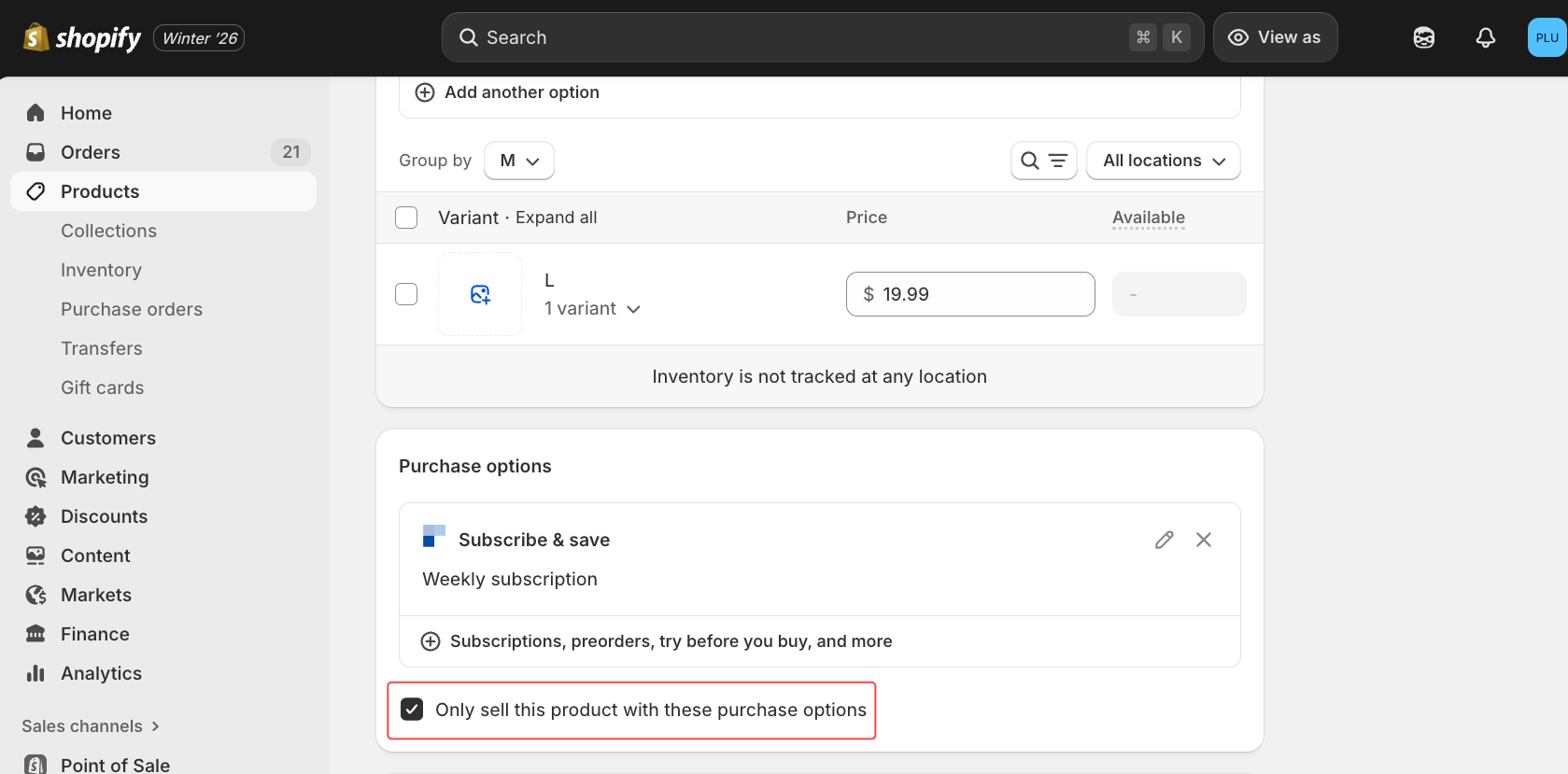
When creating or editing campaign, the campaign **cannot be saved** if the gifting product has the following Shopify setting enabled:
> **“Only sell this product with these purchase options”**\
> (Shopify → Product → Purchase options)
This setting forces the product to be sold **only** as a subscription product, which prevents the AOV.ai Free Gift app from using the gifting product as a **one-time** gift
***
## **How to fix the Issue**
You have **two valid solutions**. Choose whichever fits your business.
***
## **1. Uncheck the “Only sell this product with these purchase options” Box**
#### **Steps:**
1. Go to **Shopify Admin > Products**
2. Scroll to **Purchase options** section
3. Locate the setting:\
\&#xNAN;**“Only sell this product with these purchase options”**
4. **Uncheck** this option
5. Save the product
6. Return to the Free Gift app → Save the campaign again
***
## **2: Remove subscription purchase option**
#### **Steps:**
1. Go to **Shopify Admin > Products**
2. Open your **gifting product**
3. In **Purchase options**, remove the assigned **Subscription option**\
(Click “Manage” → Remove subscription option)
4. Save the product
5. Go back to Free Gift → Save the campaign
---
# Agent Instructions: Querying This Documentation
If you need additional information that is not directly available in this page, you can query the documentation dynamically by asking a question.
Perform an HTTP GET request on the current page URL with the `ask` query parameter:
```
GET https://help.aov.ai/knowledge-hub/subscription-restrictions.md?ask=
```
The question should be specific, self-contained, and written in natural language.
The response will contain a direct answer to the question and relevant excerpts and sources from the documentation.
Use this mechanism when the answer is not explicitly present in the current page, you need clarification or additional context, or you want to retrieve related documentation sections.